Every print job has the same hidden failure point: the file. The press is free, the stock is loaded, the customer has paid — and then the artwork lands as an RGB JPG with no bleed, live fonts, and a logo that pixelates the moment it scales to banner size. The job stops, an email thread starts, and a same-week order quietly becomes a next-week order. The design was fine; the hand-off was not.
A print-ready file is one a printer can run with zero questions. It is not a creative judgement — it is a checklist, the same one whether you are printing a die-cut sticker, a 14-foot vehicle wrap, a product label, or a lapel pin. Getting it right is the difference between a job that runs and a job that bounces. DigitalPolo has been delivering print-ready design since 2010 — one of the oldest services in the category — with plans from $399/month, 48-hour turnaround, unlimited revisions, and vector source files in AI, EPS and PDF included as standard, which is why print shops, sticker makers, wrap installers and sign businesses use it as a standing production resource. This guide is the full checklist, plus a format-by-format spec table so you know exactly what to hand off.
The Universal Print-Ready Checklist
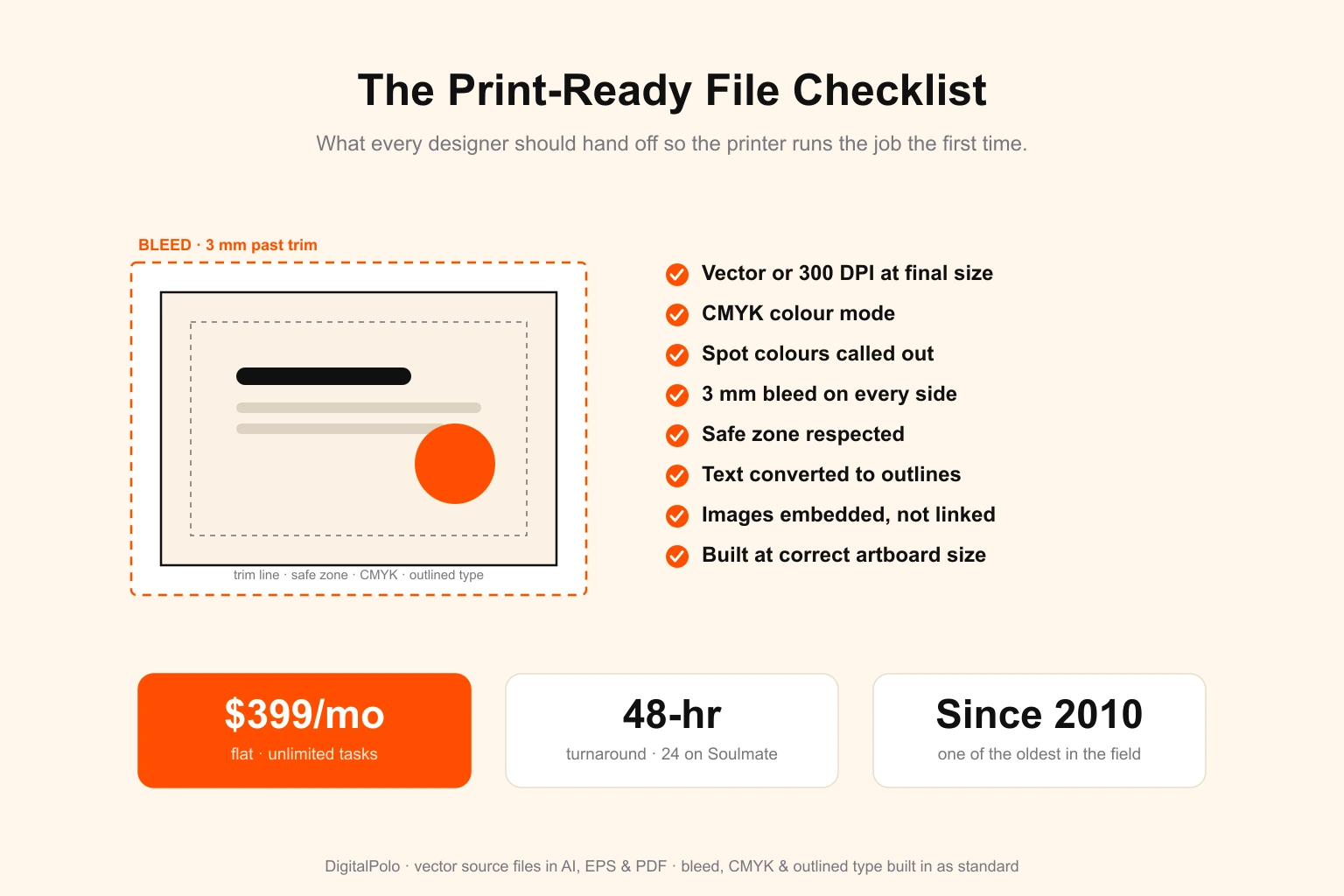
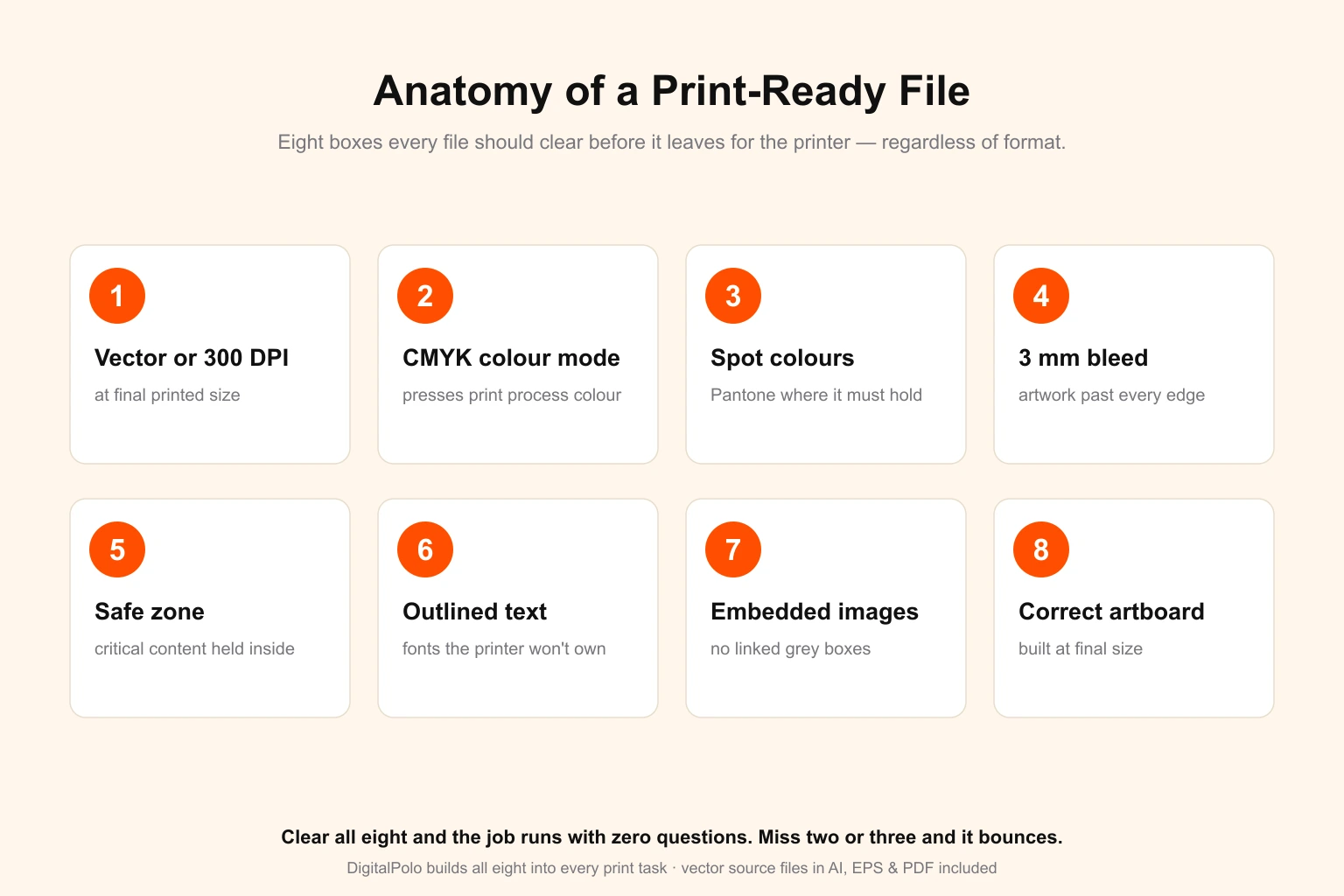
Regardless of what is being printed, every file should clear these eight boxes before it leaves for the printer.
- Vector or 300 DPI at final size. Logos, type and line art should be vector (AI, EPS, PDF). Photos and textures should be 300 DPI at the printed dimension — a 300 DPI image is only print-ready at the size it was placed, not scaled up. See vector vs. raster explained for when each belongs in a print file. Above roughly A1, 300 DPI stops being the right target at all: see resolution for large format by print size and viewing distance.
- CMYK colour mode. Presses print process colour. RGB files convert at the printer and bright screen colours dull or shift. Convert early and proof. The full reasoning is in our CMYK vs. RGB guide.
- Spot colours called out where needed. When a brand colour must hold exactly, specify a Pantone swatch rather than a process build.
- 3 mm bleed on every side. Artwork extends past the trim so no white edge appears when the cut drifts. Large format often needs more.
- Safe zone respected. All critical content — text, faces, logo edges — sits at least 3 mm inside the trim so nothing important gets clipped.
- Text converted to outlines. The printer will not have your fonts. Live type substitutes or drops, silently rewriting the piece.
- Images embedded, not linked. Linked images that are not packaged arrive as grey boxes. Embed everything or send a packaged folder.
- Built at final size, correct artboard. A 3-inch sticker is a 3-inch artboard. Scaling guesswork is where colour and edges go wrong.
A file that clears all eight runs without an email. A file that misses two or three is the reason a job slips.
Print-Ready Specs by Format
The universal checklist holds everywhere, but each print method adds its own requirements — a cut path for stickers, a larger bleed for wraps, a dieline for packaging. This table is the format-specific layer on top of the eight basics above.
| Format | Best file | Colour | Bleed | Format-specific must-have |
|---|---|---|---|---|
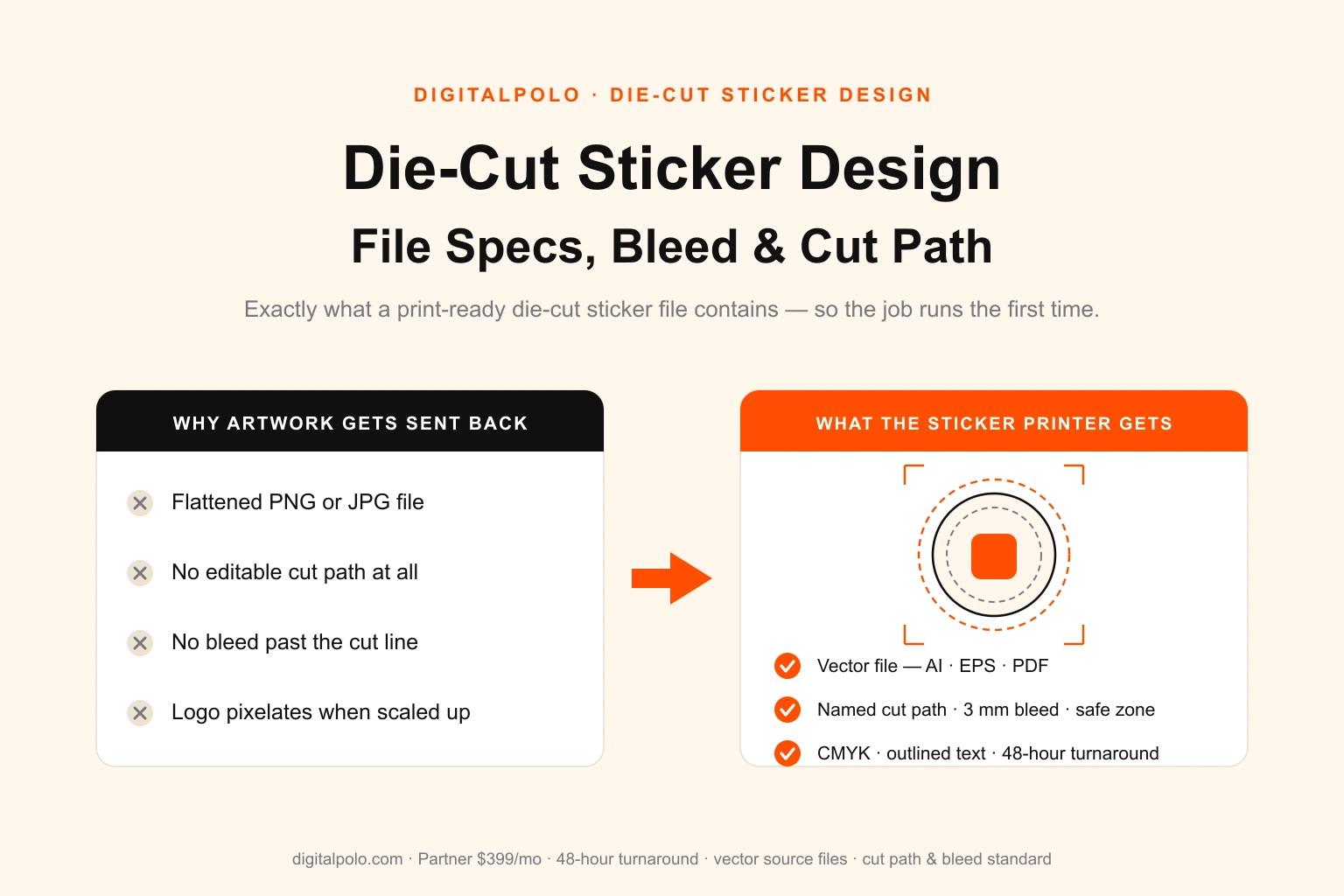
| Die-cut / kiss-cut stickers | Vector AI, EPS, PDF | CMYK | 3 mm | Named cut path on its own spot-colour layer (full spec) |
| Vehicle & fleet wraps | Vector or high-res, at scale | CMYK | 10 mm+ | Built to vehicle template, panel seams accounted for (wrap files) |
| Banners & large-format signage | Vector or 150–300 DPI at size | CMYK | Per finishing | Grommet/pole-pocket margins, viewing-distance resolution |
| Product labels | Vector AI, EPS, PDF | CMYK | 3 mm | Dieline / cut line, safe zone for curved surfaces (label design) |
| Packaging | Vector with dieline | CMYK | 3 mm | Structural dieline on its own layer, fold and glue marks (packaging dielines) |
| Promotional pins, patches, buttons | Vector, simplified | CMYK + spot | Per maker | Solid shapes, no thin gradients, mould/stitch-friendly outlines |
| Business cards, flyers, brochures | Vector or 300 DPI | CMYK | 3 mm | Trim and fold marks, safe zone off the edge |
The pattern is consistent: vector wherever possible, CMYK always, bleed always, and one extra format-specific element — a cut path, a dieline, a template, a finishing margin. Miss that one extra element and the file looks perfect on screen and fails in production.
The Most Common Reasons a File Gets Sent Back
Five issues account for the overwhelming majority of rejected print files:
- No bleed. The single most frequent bounce. Designed edge-to-edge with nothing past the trim, so any cut drift shows white.
- RGB colour. Looks vivid on screen, shifts on conversion. The printer cannot proof to your screen.
- Live fonts. Not outlined, not packaged — the printer's machine substitutes a different font.
- Low resolution. A web-resolution logo or a 72 DPI photo placed at print size, which pixelates.
- Missing or broken cut path / dieline. Common on stickers, labels and packaging — the cutting machine has nothing to follow.
Each one is trivial to fix at the design stage and expensive to fix after a job has stalled. A standing checklist catches all five before the file ever moves.
Who Should Outsource Print-Ready File Prep?
A file getting sent back by your printer is usually the first hard evidence that a do-it-yourself design setup has hit its ceiling — it is one of the twelve signs a business has outgrown a template tool and a virtual assistant, and the one an outside party diagnoses for you.
Building one correct print file is learnable in an afternoon. Building dozens a month — new sizes, new finishes, rush jobs, different printers each with their own template — while also running production, buying material and handling customers is where it breaks down. The spec work is not hard, but it is relentless and unforgiving: one missed bleed or one un-outlined font and the whole job stops.
A flat-fee design subscription fits this pattern because print work is recurring and varied. Instead of hiring an in-house designer — roughly $50,000–$65,000 a year in the US before software and idle time — or paying a freelancer per file and re-explaining your specs every time, you get a standing design resource that already knows how to deliver print-ready artwork. Print shops handling design for their own clients can see the reseller view in our guide to unlimited graphic design for print shops, and businesses weighing the cost against bigger names can compare options in our Design Pickle alternatives breakdown.
Frequently Asked Questions
What does print-ready actually mean for a design file?
Print-ready means a file can go straight onto a press or plotter with no further fixing. In practice that means vector or 300 DPI artwork built at final size, CMYK colour mode, 3 mm bleed on every side, a safe zone holding critical content inside the trim, all text converted to outlines, and images embedded rather than linked. A print-ready file runs without the printer emailing you back.
What file format is best for print?
Vector PDF, AI, or EPS are the gold standard because they stay sharp at any size and keep editable elements like cut paths and spot colours. A press-ready PDF/X export is the safest universal format and is accepted by almost every printer. Avoid flat JPG and PNG for anything that scales — they pixelate and carry no bleed or cut data.
How much bleed does a print file need?
The standard is 3 mm — about 1/8 inch — of artwork extending past every trimmed edge. Large-format work such as banners and vehicle wraps often needs more, sometimes 10 mm or a set amount for the finishing method. Bleed absorbs the small drift in every cutting and trimming run, so no thin white slivers appear at the edge of the finished piece.
Do I need CMYK or RGB for printing?
Print files should be CMYK. Presses and wide-format printers reproduce process colour in cyan, magenta, yellow and black, so an RGB file is converted at the printer — and bright screen colours can dull or shift in that conversion. Design or convert to CMYK early, and use Pantone spot colours where a brand colour must hold exactly.
Why does my printer keep rejecting my file?
The usual causes are no bleed, RGB colour mode, live fonts that the printer does not own, low-resolution raster images below 300 DPI, and missing or broken cut paths. Each one forces the printer to stop and ask for a corrected file. A pre-send checklist that confirms bleed, CMYK, outlined text, resolution and embedded images removes almost every bounce-back.
Can an unlimited graphic design service deliver print-ready files?
Yes. Print work is recurring and varied, which suits a flat-fee subscription well. A design service builds bleed, safe zone, CMYK and outlined text correctly, delivers vector source files, and absorbs the volume with no per-file charge. DigitalPolo's Partner plan at $399/month covers unlimited print-ready design tasks with 48-hour turnaround and unlimited revisions.
Does DigitalPolo deliver print-ready files in every format?
Yes. DigitalPolo delivers vector source files (AI, EPS, PDF) built to print-production standards — correct bleed, safe zone, CMYK colour, outlined text and the right resolution — for stickers, vehicle wraps, large-format signage, product labels, packaging dielines and promotional product artwork. Files ship in the formats accepted by commercial and local printers, so the job runs without being sent back.
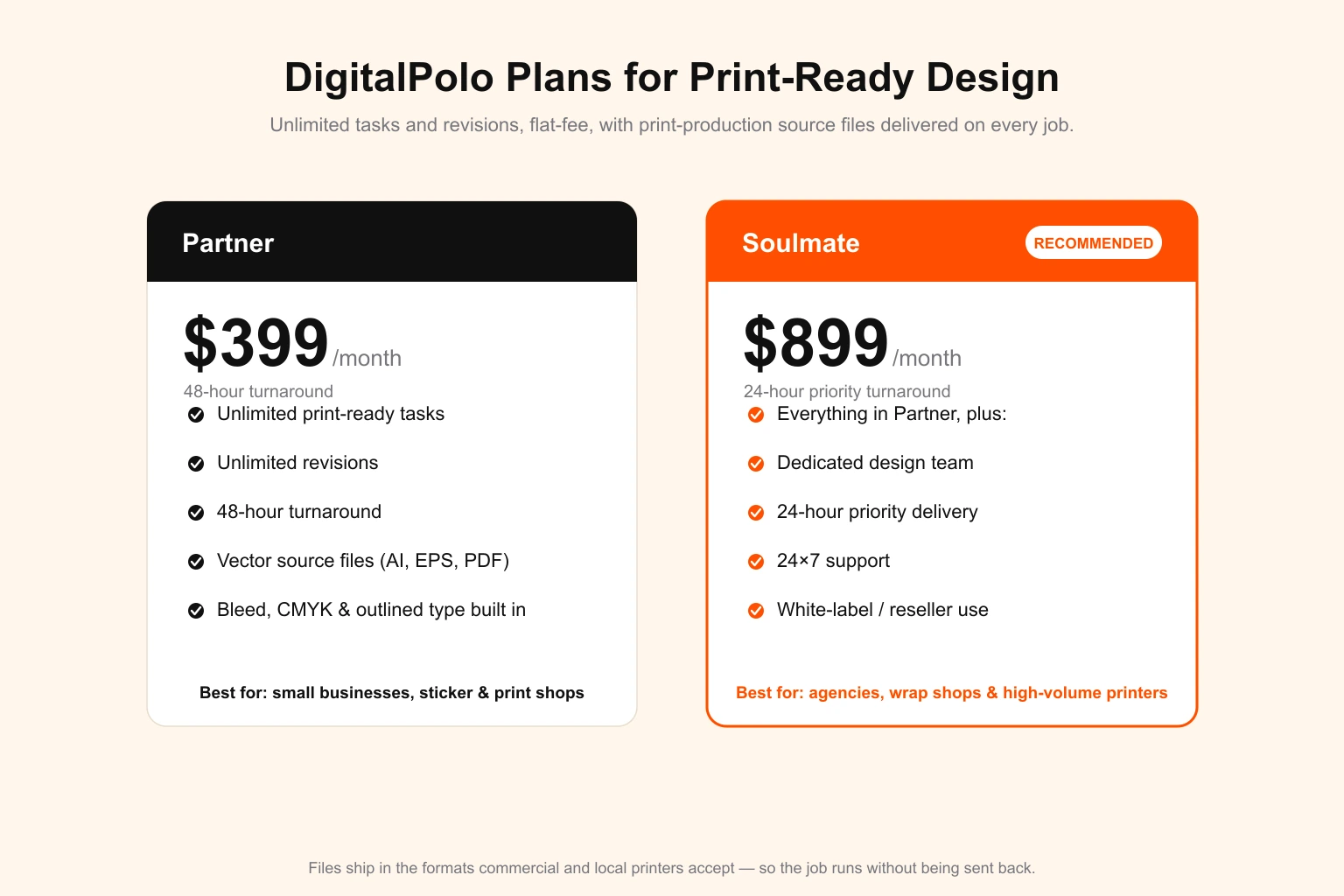
DigitalPolo Plans and Pricing
| Plan | Price | Turnaround | Delivery | Best For |
|---|---|---|---|---|
| Partner | $399/month | 48 hours | Unlimited tasks, all source files | Small businesses, startups, sticker and print shops |
| Soulmate | $899/month | 24 hours (priority) | Dedicated team, 24×7 support, all source files | Agencies, wrap shops, high-volume printers, resellers |
Both plans include delivery of all source files — vector formats (AI, EPS, PDF) suitable for print production, including sticker printing, vehicle wraps, signage, product labels and promotional product manufacturing.
Bottom Line
A print job is only as good as the file behind it. Build artwork as vector or 300 DPI at final size, set CMYK, add 3 mm of bleed, hold critical content inside the safe zone, outline every font, embed every image, and add the one format-specific element the method needs — a cut path, a dieline, a template, a finishing margin. Get those right and the printer runs the job without a single email.
If print-ready files are a steady part of your business rather than a one-off, a flat-fee subscription removes the bottleneck entirely — artwork built to spec, in every format, with no per-file charge and no hiring.
Need Print-Ready Design Files Without the Hiring Hassle?
DigitalPolo delivers vector source files (AI, EPS, PDF) with every task — bleed, safe zone, CMYK and outlined text built correctly, ready for sticker printing, vehicle wraps, signage, labels and promotional product production. Partner plan from $399/month. 48-hour turnaround.
View Plans → Book a Free Call →
For a worked example of these specs applied to one format end to end, see menu design specs and menu engineering.