If you sell a physical product — food, beverage, supplements, cosmetics, candles, household goods — the label is the part of your brand a customer holds in their hand. It is also the file most likely to come back rejected from the printer. The gap between a label that "looks good on screen" and one that prints clean on a flexographic press with a proper dieline, 3 mm bleed, and a correctly flagged white-ink layer is where most product businesses lose hours every week and, worse, lose shelf time waiting on re-artwork.
This guide is the practical playbook for outsourcing label design. What a real print-ready label file contains, how label type and substrate change the artwork, the regulatory content zones you cannot skip, how to brief a designer so the file is right the first time, and the realistic options for getting label design done at the volume a growing product line actually needs.
DigitalPolo has been delivering unlimited graphic design since 2010 — one of the oldest services in the category — with plans from $399/month, 48-hour turnaround, unlimited revisions, and print-ready vector source files (AI, EPS, PDF) with proper dielines and bleed included as standard. White-label and reseller use is included on every plan, which matters for the agencies and print shops that produce labels for their own clients.
What "Print-Ready" Actually Means for a Product Label
Most design services advertise "source files included." For product labels, that phrase hides a lot of detail, and not all of it is reliably delivered. A print-ready label file is not a flat image of a bottle with your design on it. It is a production-grade vector file the label press and the finishing line can both run from without rework.
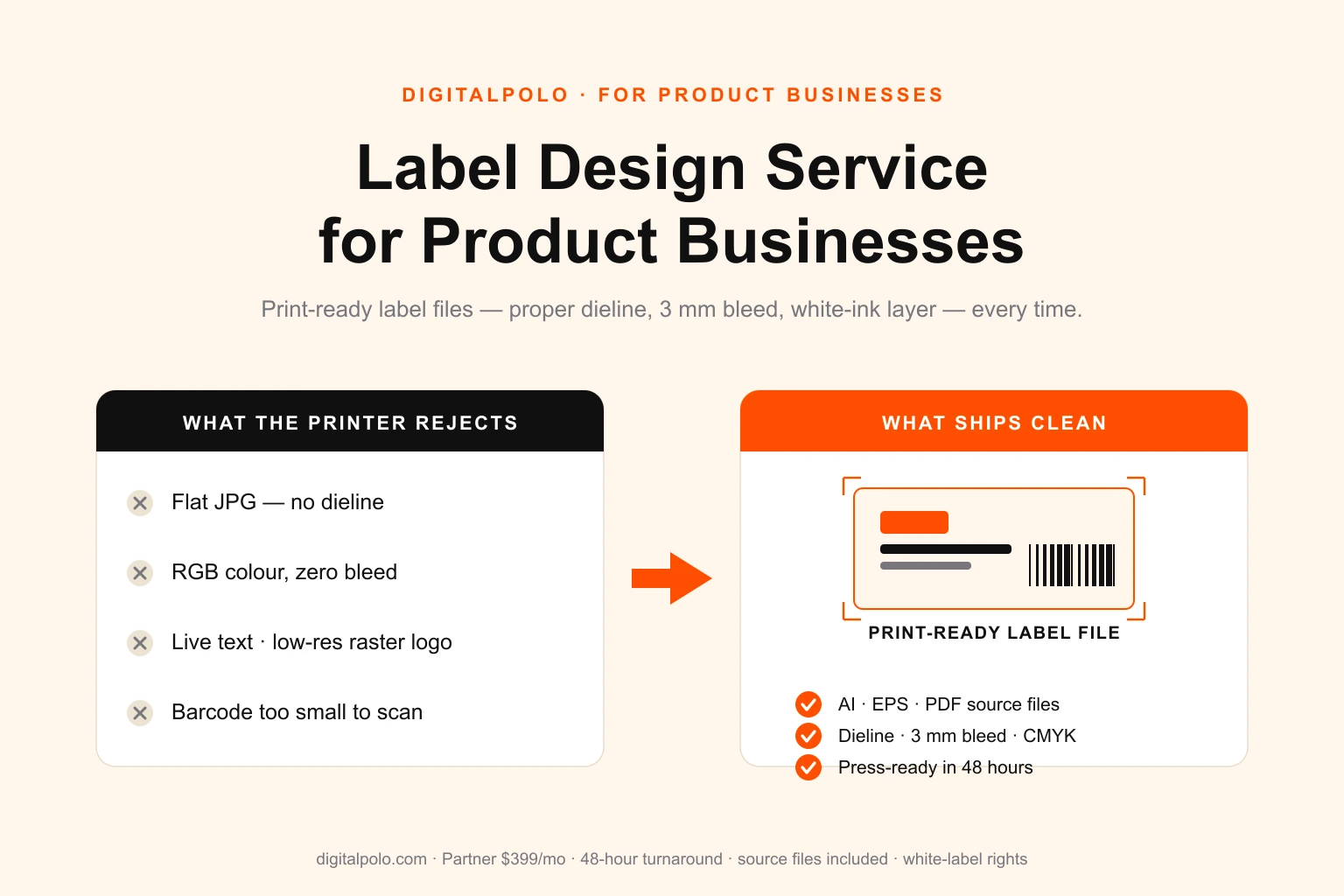
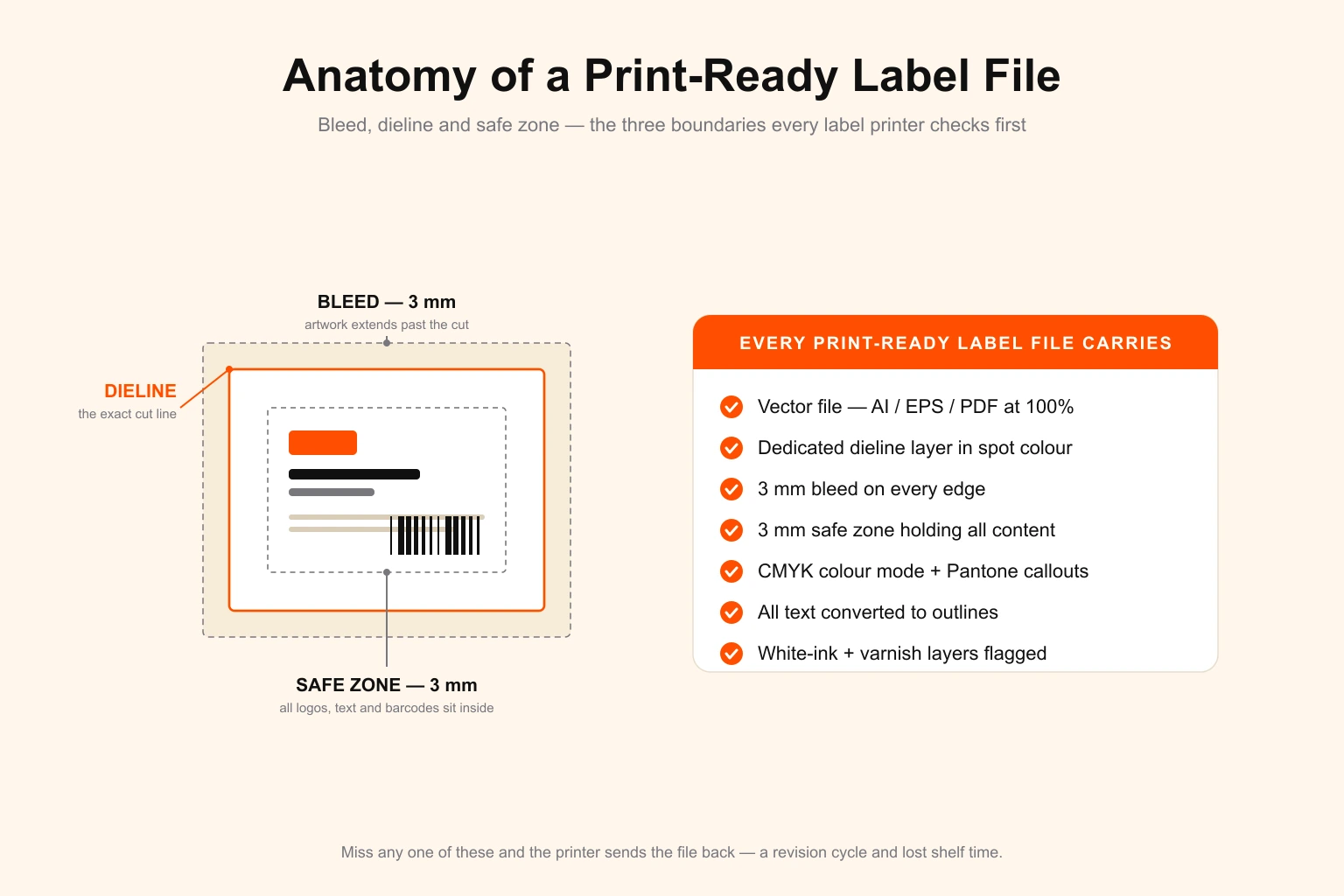
A real print-ready label file contains seven specific things:
- A vector artwork file in AI or EPS format, built at 100% of the final printed size. Labels are small and detail-dense — ingredient lists, barcodes, fine type — and a file built at the wrong scale forces the press operator to enlarge or reduce it, which shifts type weights and can break the barcode.
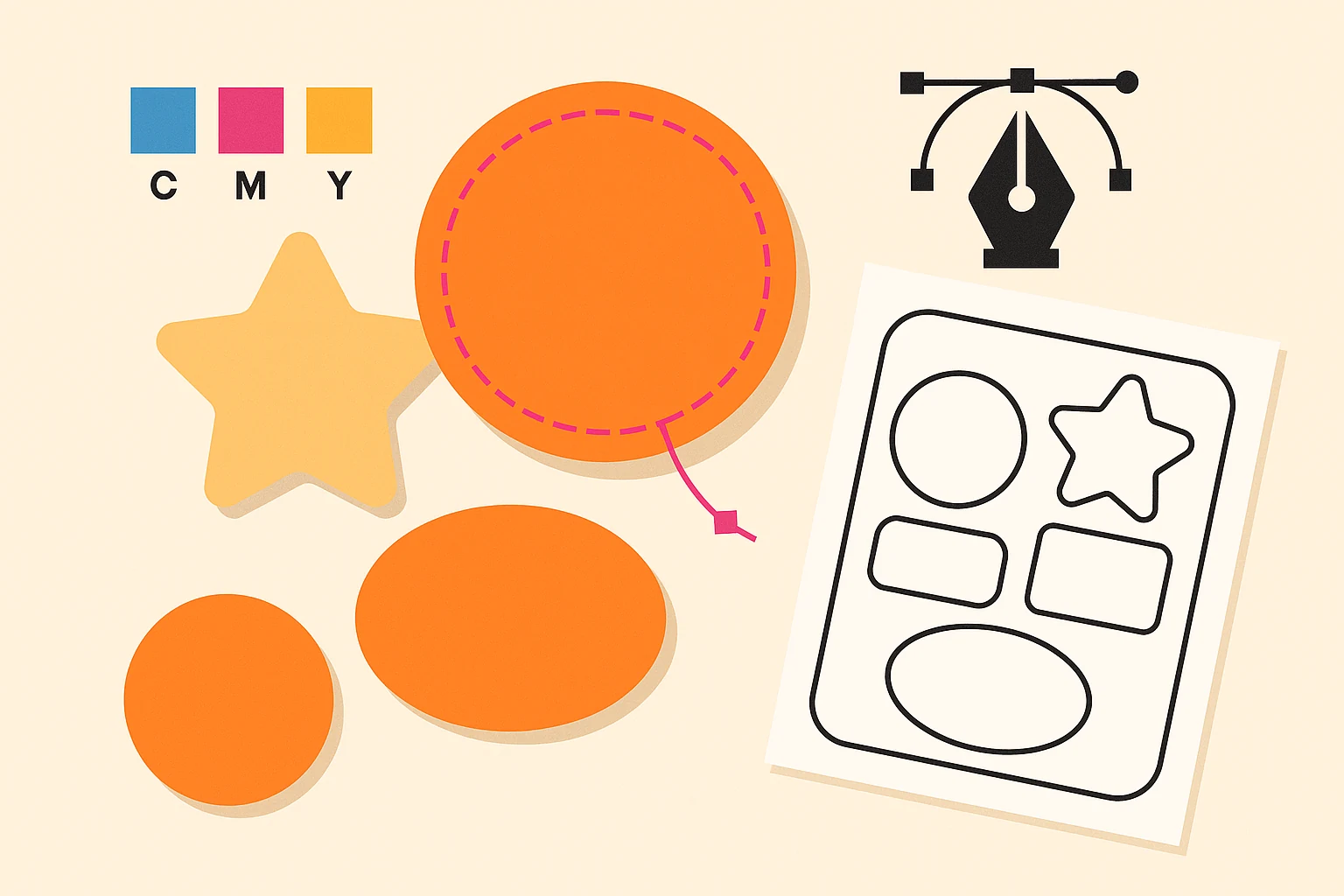
- A dedicated dieline layer. This is a single-stroke vector path, on its own named layer, set in a spot colour, that defines the exact finished shape of the label. The printer's die or laser cutter follows it. A label with no dieline cannot be cut accurately.
- Bleed of 3 mm extending past the dieline on every edge. When the blade drifts even half a millimetre on a fast production run, the bleed prevents a white edge from showing on the finished label.
- A safe zone of 3 mm inside the dieline. Logos, body copy, barcodes, and regulatory text must sit inside this margin so they are never clipped by a slightly off-register cut.
- CMYK colour mode with Pantone callouts for any brand colour that must hold exact. RGB is for screens; label presses print process or spot inks. An RGB file is auto-converted by the press RIP and the conversion rarely preserves a brand colour accurately.
- All text converted to outlines. Live text depends on the press having the exact font installed and the RIP rendering it identically. Outlined text removes that dependency completely.
- Special-layer flags — a white-ink layer for clear or metallic substrates, and separate layers for varnish, spot gloss, foil, or emboss. On a transparent label, colours print muddy or invisible without a white underbase, and the designer has to build that layer deliberately.
If your current designer cannot deliver all seven on every file, you are paying for label design twice — once for the original and once for the rework when the printer sends it back. For more on why most product businesses should not try to run this in-house, see our breakdown of when to hire versus when to outsource.
Label Type and Substrate Change the Design File
There is no single "label design." The label type and the material it prints on both change what the designer has to build. A designer who hands back the same file regardless is not building for production.
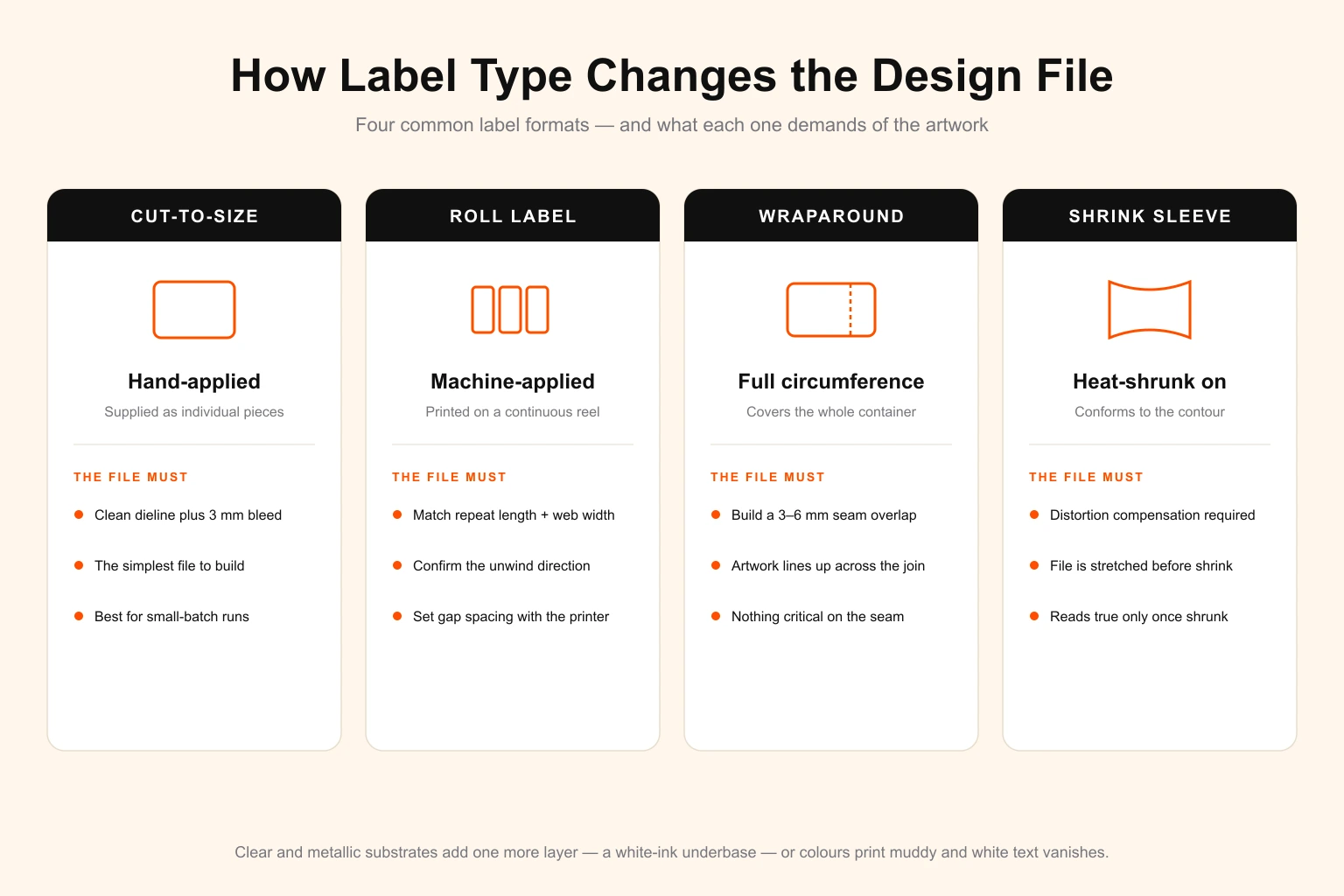
Cut-to-size labels are supplied as individual pieces for hand application — common for small-batch candles, soaps, and artisan food. The file needs a clean dieline and bleed, and that is usually enough.
Roll labels are printed on a continuous reel for machine application. Here the designer also has to respect the printer's repeat length, web width, unwind direction, and gap spacing. Get the orientation wrong and the label feeds upside down on the customer's applicator. These specs must come from the label printer before artwork is finalised.
Wraparound and full-wrap labels cover the entire circumference of a bottle or jar. The design has to account for the overlap seam — usually 3 to 6 mm — so artwork that crosses the seam lines up, and so no critical element lands on the join.
Shrink sleeves are printed flat and then heat-shrunk onto the container, which distorts the artwork. The designer must build with distortion compensation, stretching the file so it reads correctly only after it shrinks to the container contour.
Clear and metallic substrates need a deliberate white-ink layer. Without a white underbase, colours on a transparent label look washed out and white text disappears entirely.
The practical takeaway: the first question a competent label designer asks is not "what colour" — it is "what is the label type, the substrate, and who is the printer." If a designer never asks, that is your warning sign.
The Regulatory Content You Cannot Design Around
Product labels are not just brand surfaces — for many categories they are legally regulated documents. A beautiful label that omits required content is a label that cannot ship.
- Food and beverage labels need an ingredients list, allergen statement, net quantity, nutrition panel, and manufacturer details, each with minimum type-size rules.
- Supplements require a compliant Supplement Facts panel.
- Cosmetics need an ingredient declaration (commonly INCI naming), net contents, and usage or warning text.
- Most consumer goods need a barcode (UPC or EAN) printed at a tested size with adequate quiet zones, plus any required country-of-origin or recycling marks.
The designer's job is to lay this content out legibly within the safe zone — not to invent or verify it. You supply the regulatory copy and the approved barcode; the designer places it at compliant sizes and keeps the barcode in pure black on a light background so it scans reliably. A barcode shrunk to fit, screened over artwork, or reversed out white is a barcode that fails at the till — and a recurring cause of rejected label files.
The Mistakes That Get Label Artwork Rejected
The same handful of errors send label files back from the printer again and again:
- No dieline, or a dieline drawn as a filled shape instead of a single-stroke path.
- Missing bleed — artwork built exactly to the cut line, guaranteeing white edges.
- Critical content in the bleed or hard against the dieline instead of inside the 3 mm safe zone.
- RGB colour mode, or brand colours specified with no Pantone reference.
- Live text that re-flows when the press lacks the font.
- Raster logos dropped into a vector file at low resolution — fine on screen, fuzzy at print size.
- A barcode that is too small, too low-contrast, or scaled non-proportionally so it will not scan.
- No white-ink layer on a clear or foil substrate.
- Artwork that ignores the wrap seam or shrink distortion, so the design breaks once the label is on the container.
Every one of these is avoidable with a designer who builds to print spec from the start. The cost of not having one is not just the revision — it is the days of shelf time lost while the SKU waits on corrected artwork.
How to Brief a Designer for a Product Label
A clear brief gets the label right on the first round and saves a revision cycle. Give the designer six things:
- The label printer and their spec sheet — dieline template, web width, repeat, bleed, and unwind direction if it is a roll label.
- The container — bottle, jar, pouch, tin — with dimensions, and whether the label wraps, partially covers, or is a front-and-back pair.
- The substrate and finish — paper, clear film, metallic; matte or gloss; any foil, spot varnish, or emboss.
- Brand assets — logo in vector, brand colours in CMYK or Pantone, and approved fonts.
- The regulatory copy and barcode — final ingredient or facts text, net quantity, warnings, and the approved UPC/EAN file.
- The SKU range — if this is one of several flavour or scent variants, say so up front so the designer builds a template that scales cleanly across the line.
The sixth point matters most for growing product businesses. Label design is rarely a one-off. New SKUs, seasonal editions, and regulatory updates make it a recurring task — which is exactly why a subscription model fits it better than per-project freelance hiring.
Who Should Use an Unlimited Design Service for Label Design
A label design service billed monthly is not for everyone. It makes sense when the volume and the recurrence justify it.
It fits well if you:
- Run a product line with multiple SKUs, flavours, or scent variants.
- Refresh or extend your range regularly — seasonal runs, new formats, limited editions.
- Need ongoing regulatory updates as ingredient or compliance text changes.
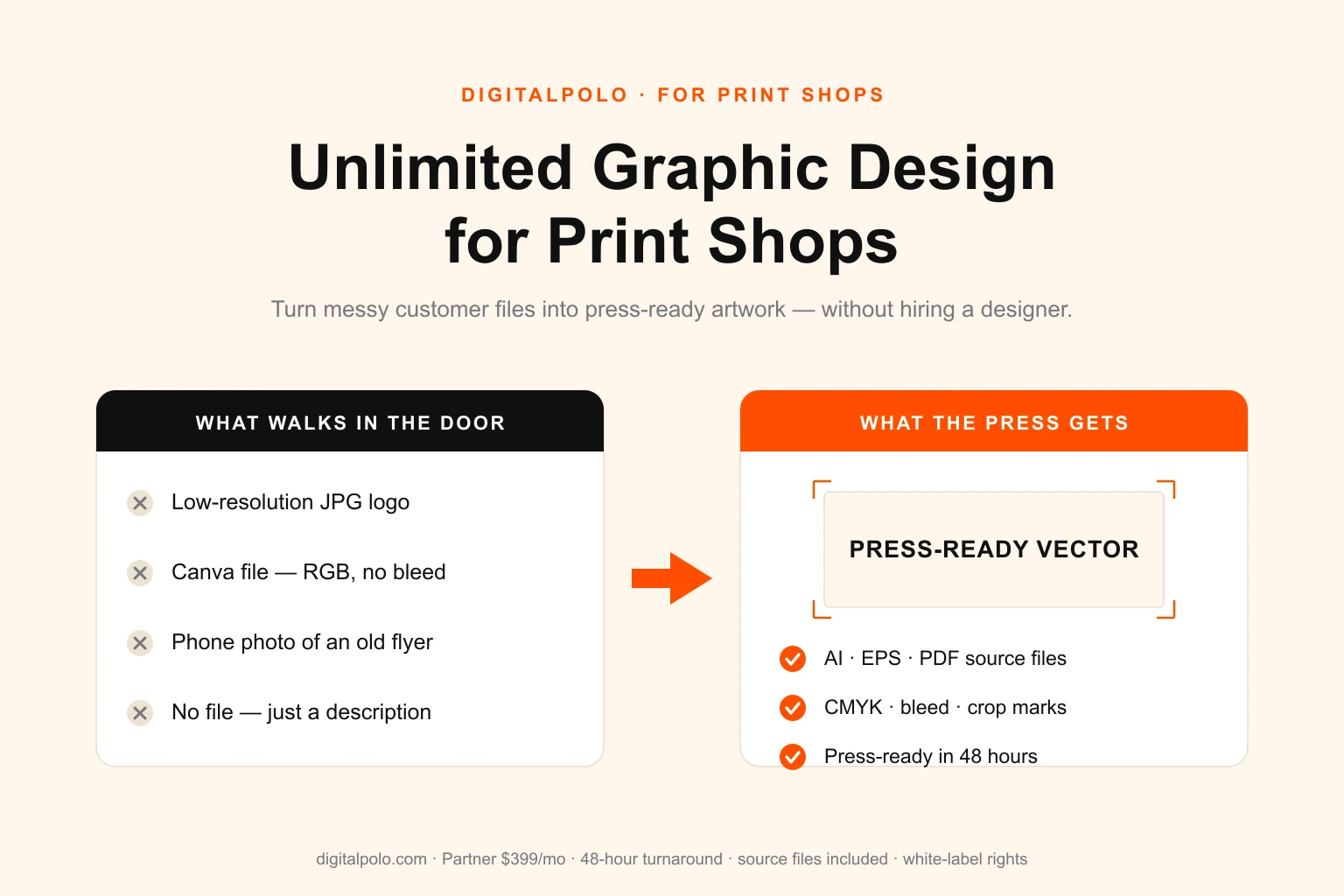
- Are an agency or print shop producing labels for several product clients.
- Also need adjacent design — packaging, stickers, e-commerce graphics, sell sheets — from the same source.
It fits less well if you have a single product, a finished label, and no foreseeable design needs. In that case a one-off freelance project is the cheaper call.
For most growing product businesses, the recurring nature of label work is the deciding factor. A subscription absorbs that volume at a flat monthly cost, with the same designer learning your brand and your printer's quirks over time.
DigitalPolo Plans and Pricing
| Plan | Price | Turnaround | What's Included | Best For |
|---|---|---|---|---|
| Partner | $399/month | 48 hours | Unlimited tasks, all source files | Single-line product brands, startups, candle and soap makers |
| Soulmate | $899/month | 24 hours (priority) | Dedicated team, 24×7 support, all source files | Multi-SKU brands, agencies, label-producing print shops, resellers |
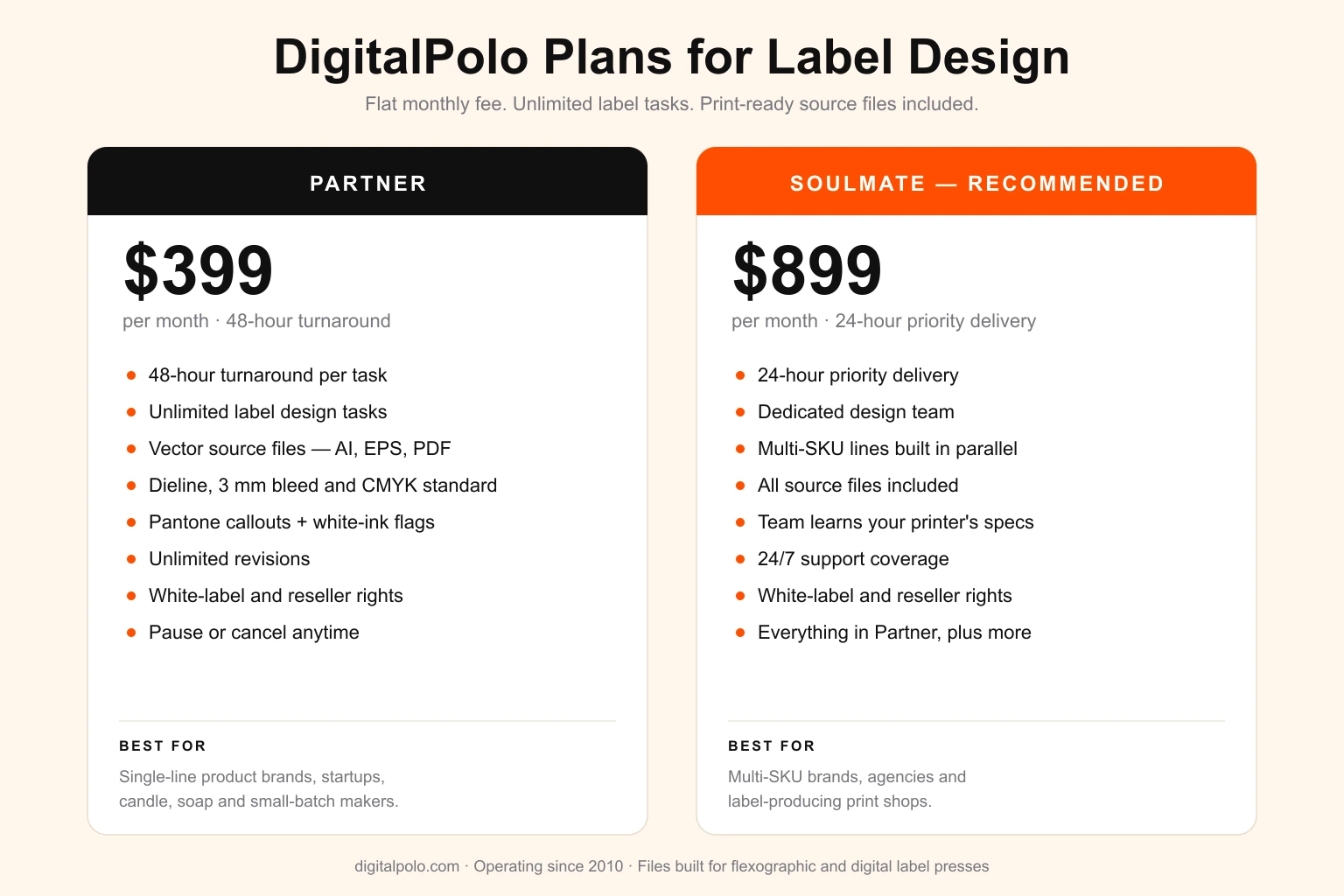
Both plans include delivery of all source files — vector formats (AI, EPS, PDF) suitable for print production, including product labels, packaging, stickers, signage, and promotional product manufacturing.
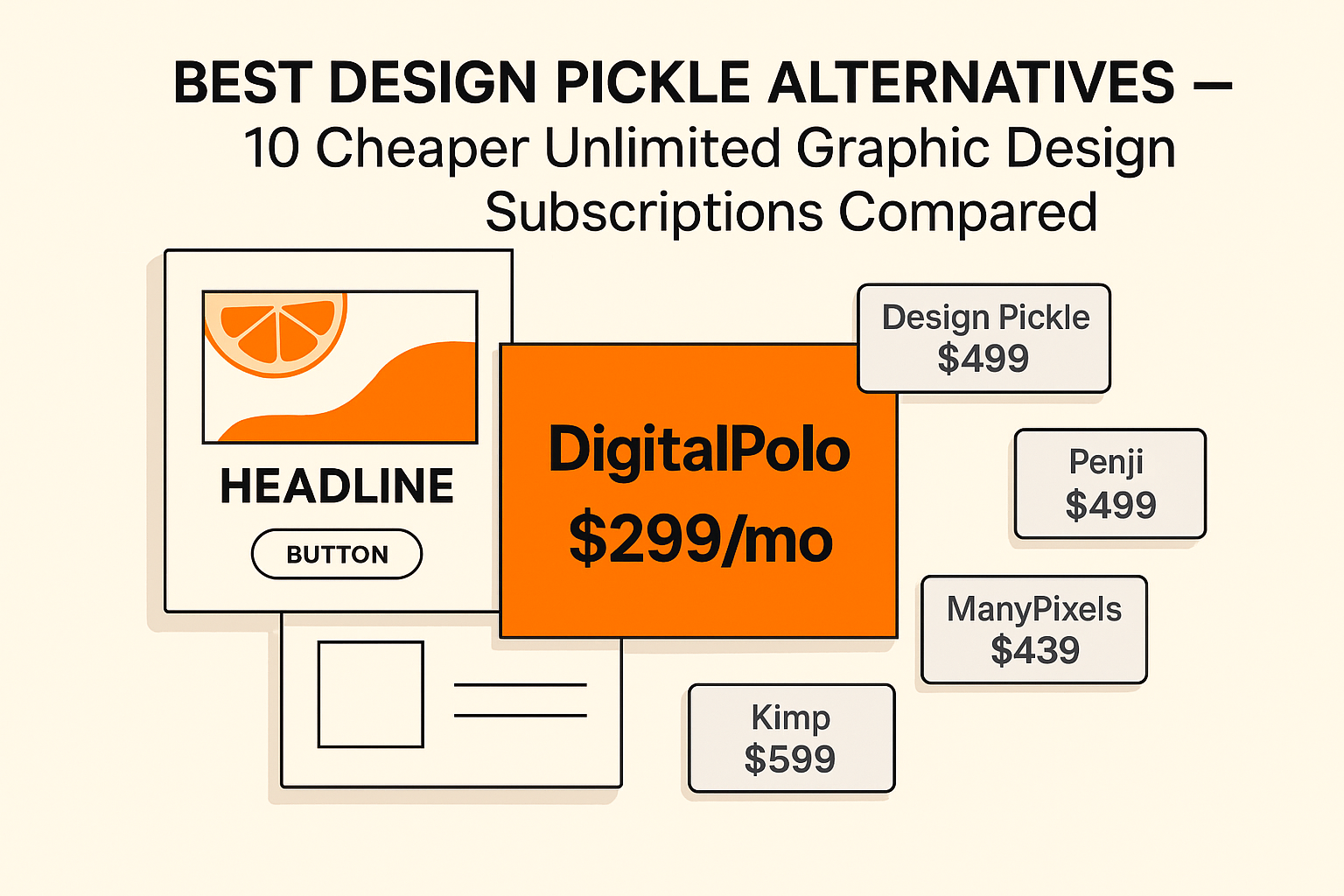
DigitalPolo's pricing sits below the entry tiers of Design Pickle, Kimp, and Penji while delivering the same core promise — unlimited tasks, unlimited revisions, and full source files. For a full side-by-side, see our Design Pickle alternatives comparison, and explore the packaging design service if your labels sit inside a wider packaging system.
Frequently Asked Questions
What file format do label printers need?
Most label printers require a vector file in AI, EPS, or print-ready PDF format, built at 100% final size. The file should include a separate dieline layer marking the label shape, 3 mm of bleed beyond that line, all text converted to outlines, and CMYK colour mode. Flat raster files such as JPG or PNG are routinely rejected because they carry no dieline and cannot be trimmed accurately.
What is a dieline and why does my label designer need one?
A dieline is a single-stroke vector path, on its own named layer, that shows the label printer exactly where the label will be cut. It defines the finished shape — rectangle, oval, custom contour — and the printer's cutter or die follows it. Without a dieline the printer either guesses the trim or returns the file, and both cost the product business a revision cycle and lost production time.
How much bleed does a product label need?
The standard bleed for a product label is 3 mm — about 1/8 inch — extending past the dieline on every edge. The safe zone, where logos, text, and barcodes must sit, is 3 mm inside the dieline. Bleed prevents a white sliver from showing when the cutting blade drifts slightly during a high-speed production run.
What is the difference between a roll label and a cut-to-size label for design?
A roll label is printed and supplied on a continuous reel for machine application, so the file must respect the printer's repeat length, web width, and unwind direction. A cut-to-size label is supplied as individual pieces for hand application. Both need a dieline and bleed, but roll labels also require the designer to confirm orientation and gap spacing with the printer before artwork is finalised.
Can I use an unlimited graphic design service for label design?
Yes. Unlimited graphic design subscriptions suit product businesses well because label work is recurring — new SKUs, flavour variants, seasonal runs, and regulatory updates. A subscription delivers vector source files with proper dielines and bleed, handles that volume without per-label fees, and includes unlimited revisions. DigitalPolo's Partner plan at $399/month covers unlimited label design tasks with 48-hour turnaround.
Does DigitalPolo deliver print-ready files for product labels?
Yes. DigitalPolo delivers vector source files (AI, EPS, PDF) at 100% size, with a separate dieline layer, 3 mm bleed, outlined text, CMYK colour mode, Pantone callouts where brand colours must hold, and white-ink or varnish layers flagged when the substrate requires them. Files ship in the formats flexographic and digital label presses actually use.
How fast can DigitalPolo turn around a label design?
Standard label design tasks deliver within 48 hours on the Partner plan from a clear brief. The Soulmate plan delivers within 24 hours on priority. A multi-SKU product line — several flavour or scent variants sharing one template — is best started on the Soulmate plan so the variants are designed in parallel rather than queued one behind another.
The Bottom Line
Label design is not generic graphic design. The file has to carry a precise dieline, survive a high-speed press, hold brand colour against process inks, account for substrate and seam and shrink, and lay out legally required content at compliant type sizes. Most generalist designers — including most freelancers and most in-house designers at small product brands — were never trained in this workflow and learn it slowly, one rejected file at a time.
A label-aware design subscription removes that cycle. The artwork ships with the dieline in place, the bleed and safe zone correct, the text outlined, the white-ink layer built where the substrate needs it, and the barcode placed so it scans — every time. For a product business with a growing range of SKUs, the recurring nature of label work makes a flat monthly subscription line up better than per-project freelance hiring on cost, speed, and consistency.
DigitalPolo has been delivering print-ready design since 2010, builds labels to press spec by default, and ships white-label so agencies and print shops can deliver the work under their own name. Partner plan from $399/month, 48-hour turnaround, unlimited revisions, source files included.
Need Print-Ready Label Design Files Without the Hiring Hassle?
DigitalPolo delivers vector source files (AI, EPS, PDF) with every task — a proper dieline, 3 mm bleed, CMYK with Pantone callouts, and white-ink layers flagged for clear and metallic substrates. Ready for flexographic and digital label presses. White-label by default. Partner plan from $399/month. 48-hour turnaround.