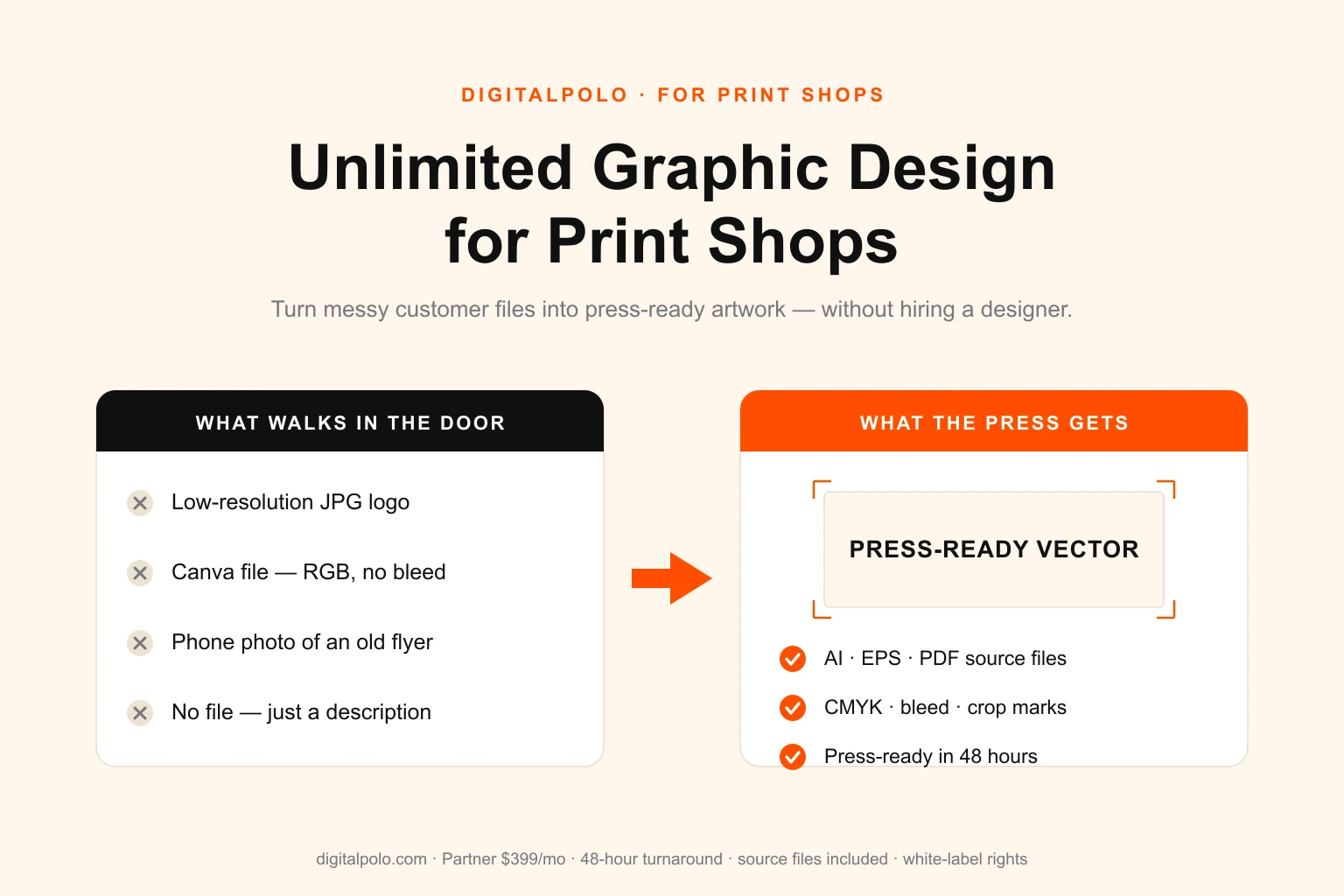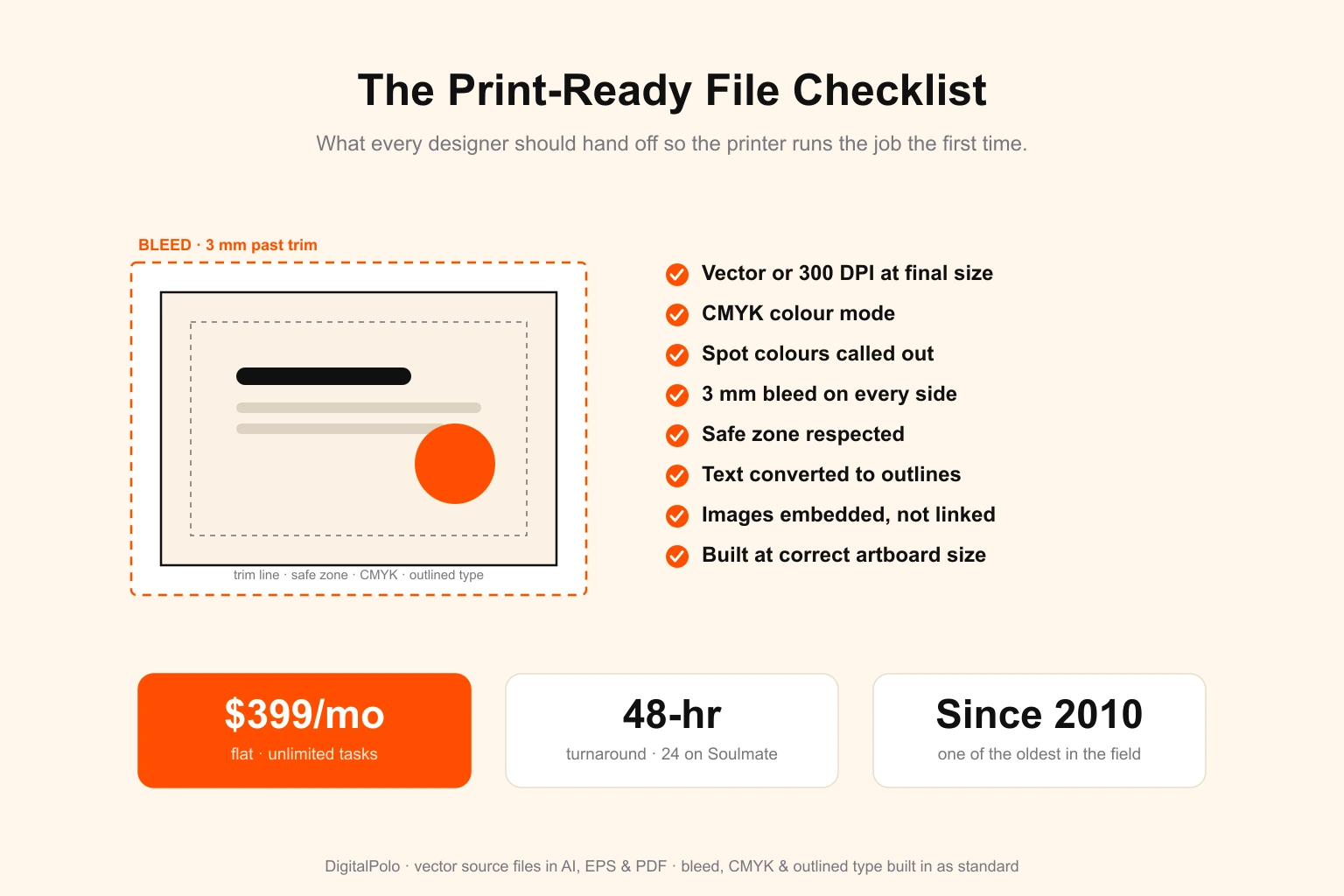
If you run a screen print shop or decorate apparel, the artwork file a customer or designer hands you decides whether the order goes straight to the press or back to the art department. A flattened JPG of a six-colour design is not artwork a printer can use — it has to be rebuilt and separated before a single screen gets burned. A photo dropped into a print at screen resolution turns to mush at 12 inches wide. A design for a black shirt with no white underbase channel prints dark and muddy. Every one of those problems costs a shop the same thing: time, a delayed order, and a customer waiting while the art gets fixed.
This guide is the practical playbook for the design side of an apparel decoration business. The file specs each decoration method actually needs, the mistakes that bounce artwork off the press, how to brief a designer so the first file is the right file, and the realistic options for handling design at the volume a busy print shop runs.
DigitalPolo has been delivering unlimited graphic design since 2010 — one of the oldest services in the category — with plans from $399/month, 48-hour turnaround, unlimited revisions, and production-ready files including spot-colour separations, white underbase channels, Pantone callouts and DTG/DTF-ready artwork delivered as standard. That last detail is the one most subscriptions skip, and it is the one apparel decorators cannot do without.
Why Apparel Artwork Is a Different Discipline from Graphic Design
Designing for a press is not the same as designing for a screen. A logo that looks crisp on a website can be unprintable on a garment without being rebuilt, because apparel decoration is separation work, not just illustration. The art has to be split into the exact layers the production method lays down — one per screen, one per ink, one for the white base — and built within the physical limits of mesh, ink, fabric, and the specific machine running the job.
An apparel designer has to think in production constraints first, aesthetics second:
- The decoration method, because spot-colour screen printing, simulated process, DTG, DTF, and embroidery each need a completely different file.
- The garment colour, because a design on white needs no underbase and the same design on black needs a full white base layer built in.
- The press's colour limit, because every spot colour is another screen, another setup, and another line on the customer's invoice.
- The minimum detail the method can hold — mesh count and halftone resolution for screen print, stitch density for embroidery, transfer edge quality for DTF.
- Pantone callouts the printer needs to mix or match ink, supplied as Pantone Solid Coated values rather than screen-only hex or RGB.
Get those right and the file runs the first time. Get them wrong and the order stalls in pre-press while someone rebuilds the art — which is exactly the bottleneck most growing shops are trying to design their way out of.
Apparel Design File Specs by Decoration Method
There is no universal "apparel file." What the press needs depends entirely on how the garment is being decorated. Here is what a production-ready file looks like for each of the five common methods.
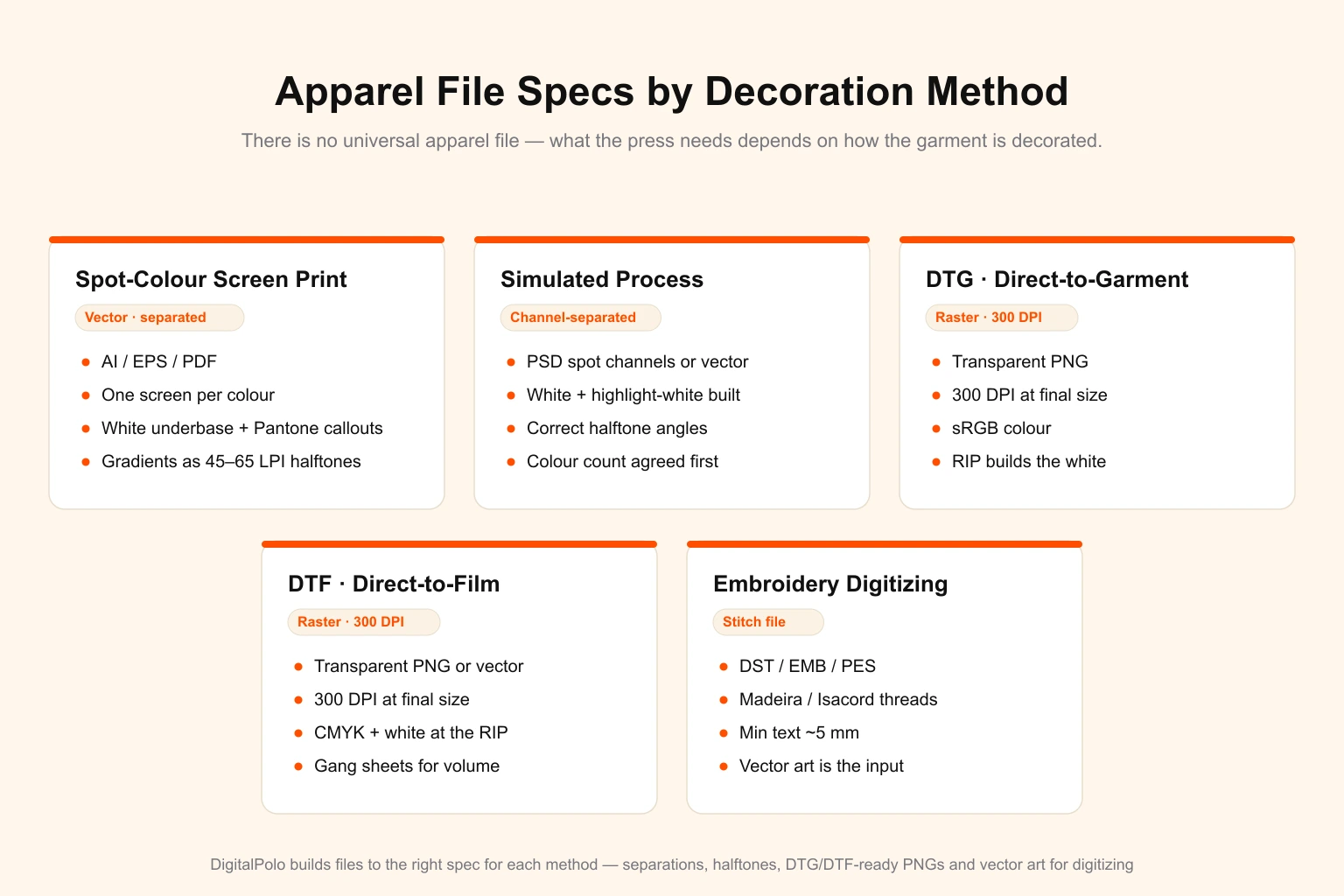
Spot-Colour Screen Printing
The workhorse of apparel decoration. Each ink colour is printed through its own screen, so the file has to be fully separated — one layer or channel per colour.
- Format: Vector — AI, EPS, or print-ready PDF.
- Colour: Each spot colour called out as a Pantone Solid Coated value. No RGB, no unnamed swatches.
- Separations: One screen per colour, with knockouts and trapping handled so colours register cleanly.
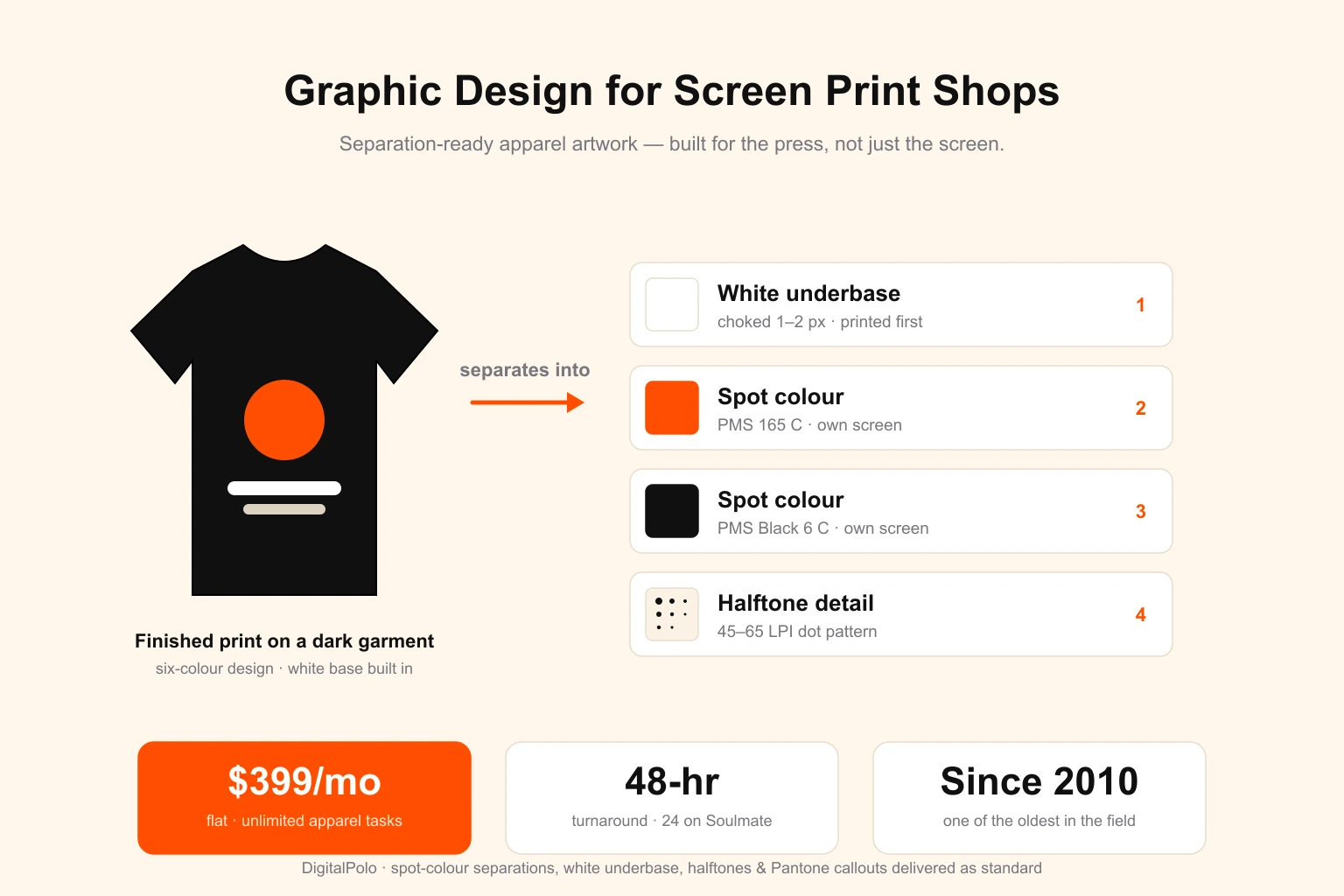
- White underbase: On any dark or coloured garment, a separate white base channel printed first, usually choked 1–2 px under the top colours so white does not peek out on the edges.
- Text and detail: All type converted to outlines; minimum line weight kept above what the mesh can hold.
- Gradients: Built as halftones — dot patterns at a screen-friendly resolution (typically 45–65 LPI) — because screens cannot print smooth continuous tone.
Simulated Process (Photoreal on Garments)
When a customer wants a photographic or highly detailed full-colour image on a dark shirt, you do not run CMYK process the way a paper printer would. You run simulated process — a controlled set of spot-colour halftone separations (often white, black, and a handful of key colours) that rebuilds the image within a fixed screen count.
- Format: Channel-separated file (PSD with spot channels, or vector with halftone separations).
- Critical: A built white underbase and highlight white, correct halftone angles to avoid moiré, and a colour count agreed with the shop before separation.
DTG (Direct-to-Garment)
DTG prints artwork straight onto the fabric like an inkjet, so it needs a high-resolution raster file, not separations.
- Format: Transparent-background PNG.
- Resolution: 300 DPI at final print size — a 12-inch front print needs about 3,600 px wide.
- Colour: sRGB; the RIP software generates the white underbase automatically on dark garments.
- Edges: Clean, anti-aliased transparency — no stray halo pixels, no leftover background.
DTF (Direct-to-Film Transfer)
DTF — the fastest-growing apparel method going into 2026 — prints the design onto a film, then heat-presses it onto almost any garment. It is forgiving on garment type but strict on file quality.
- Format: Transparent-background PNG (or vector for crisp linework).
- Resolution: 300 DPI at final size, same as DTG.
- Colour: CMYK + white; the white layer is generated under the colours at the RIP.
- Layout: For volume, designs are arranged on gang sheets to use the film economically.
Embroidery Digitizing
Embroidery is not printing and the artwork is not the deliverable. The design has to be digitized — converted into a stitch file the embroidery machine reads.
- Format: A digitized stitch file — DST, EMB, or PES — created from the vector art.
- Thread: Colours specified by Madeira or Isacord thread codes, not Pantone.
- Detail limits: Minimum text height around 5mm (0.2"); fine detail under about 3mm is simplified because thread cannot resolve it.
- Note: Vector art is the input; digitizing is a separate production step.
The 8 Mistakes That Get Apparel Artwork Rejected
Almost every bounced apparel file fails for one of these reasons. Each one sends the order back to pre-press and pushes the ship date.
- Submitting a flat JPG or PNG for spot-colour screen printing. It cannot be separated into screens without a full rebuild.
- No white underbase channel on a dark garment. Top colours sink into the fabric and print dull.
- Low-resolution raster for DTG or DTF. Art sized for screen prints pixelated and soft at garment scale.
- Too many colours for the press. A 10-colour design handed to a 6-colour manual press has to be reduced or re-separated.
- RGB artwork for process or DTF work instead of the CMYK/spot setup the RIP and screens need.
- Live text instead of outlines. Fonts shift or drop out on another machine.
- Smooth on-screen gradients with no halftones. They band or fail to print on screens.
- Forgetting the print is physical. Art that looks fine at thumbnail size was never built at the 11×14-inch print dimension the press will output.
Notice the pattern: none of these are taste problems. They are production-spec problems, and they come from artwork built by someone who designs for screens rather than for a press.
How to Brief a Designer for an Apparel Print
A clean brief is what gets the file right on the first round. For any apparel job, give the designer five things:
- Decoration method — spot-colour screen print, simulated process, DTG, or DTF (and whether embroidery digitizing is needed separately).
- Garment colour and brand — so the designer knows whether to build a white underbase and how colours will read on the fabric.
- Maximum ink colours your press allows — this caps the separation count and the cost.
- Print location and finished dimensions in inches — front, back, left chest, sleeve, plus the exact print width and height.
- Exact Pantone or thread colours — Solid Coated values for ink, Madeira/Isacord codes for thread, not hex codes pulled off a screen.
Hand a designer those five facts and a reference of the look you want, and a competent apparel designer returns a separated, press-ready file the shop can output without a rebuild. For a deeper template covering print artwork in general, see our guide on how to write a graphic design brief and the broader print-ready file checklist every decorator should hold suppliers to.
The Math: Outsourcing Design for a Screen Print Shop
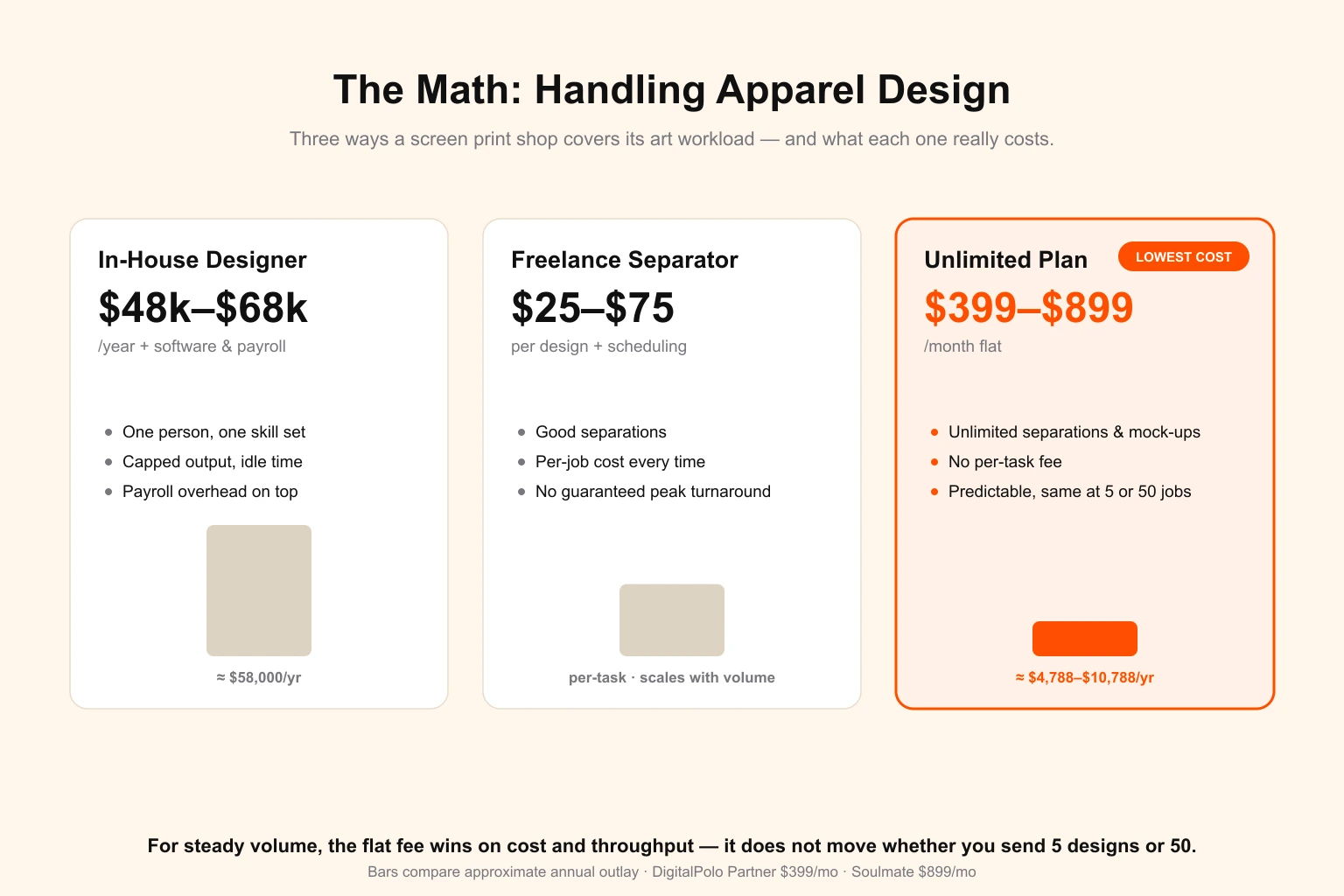
Apparel shops generate a relentless stream of art tasks — new customer designs, separations, mock-ups for quotes, re-colours, resizes for different print locations, gang sheets, and repeat-order tweaks. That volume is exactly where the design bottleneck forms. Here is how the three common ways of handling it compare.
| Approach | Typical cost | What you actually get |
|---|---|---|
| In-house apparel designer | $48,000–$68,000/year + software + payroll overhead | One person, one skill set, capped output, idle time between busy runs |
| Freelance separator (per job) | $25–$75 per design + scheduling delays | Good separations, but per-task cost and no guaranteed turnaround during peak season |
| Unlimited design subscription | $399–$899/month flat | Unlimited separations, mock-ups and re-colours; no per-task fee; predictable cost |
For a shop running steady volume, the flat-fee subscription wins on both cost and throughput, because the price does not move whether you send 5 designs or 50 in a month. That is the single biggest reason busy decorators move design off per-job freelancing and onto a subscription — and it is the same logic behind why print shops handle client work without hiring and why promotional product businesses outsource artwork the same way.
Why Unlimited Graphic Design Fits Apparel Decorators Specifically
Three features of an apparel shop's workload make the unlimited model fit better here than almost anywhere else:
- High, lumpy volume. Apparel design demand spikes with seasonal orders, team uniforms, events, and merch drops. A flat-fee plan absorbs the spikes without per-task billing.
- Repeat and variant work. Re-colours, location changes, size adjustments and gang sheets are quick for a designer who already has your files — and they are unlimited under a subscription.
- Separation expertise as standard. The right service treats white underbase, halftones, simulated process and DTG/DTF prep as the normal job, not as a surcharge.
That third point is the filter. Most unlimited subscriptions were built for social-media and marketing graphics and have never produced a colour separation in their life. The ones worth using for apparel deliver separated, press-ready files — which is precisely the gap DigitalPolo built its print-trade workflow to fill, including the dedicated screen print shop design service for decorators who want a design partner that speaks press.
DigitalPolo Plans and Pricing
| Plan | Price | Turnaround | Delivery | Best For |
|---|---|---|---|---|
| Partner | $399/month | 48 hours | Unlimited tasks, all source files | Solo and small screen print shops, startups, single-press decorators |
| Soulmate | $899/month | 24 hours (priority) | Dedicated team, 24×7 support, all source files | High-volume print shops, multi-press shops, contract decorators, resellers |
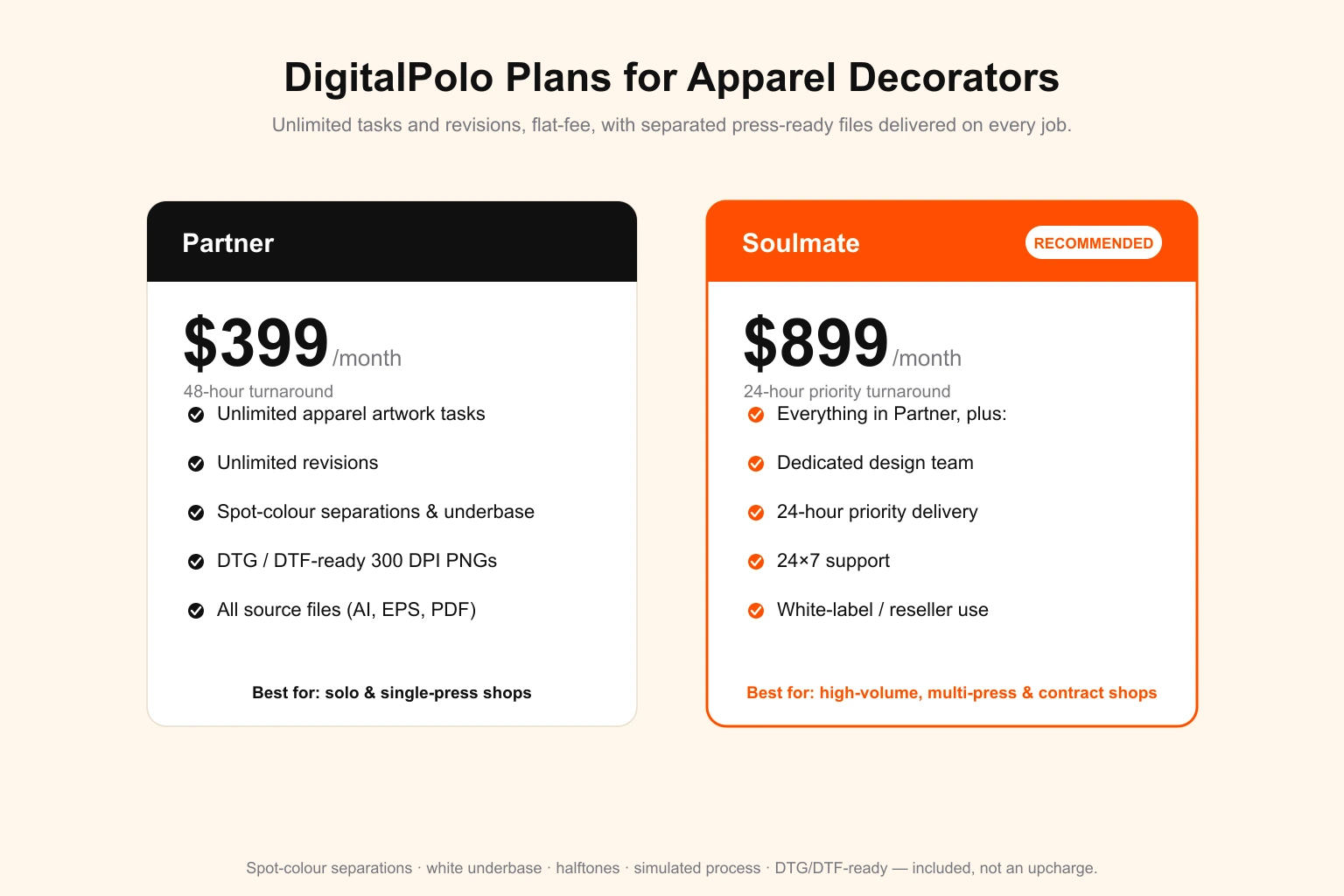
Both plans include delivery of all source files — vector formats (AI, EPS, PDF) and print-ready separations suitable for production, including spot-colour screen printing, simulated process, DTG, DTF transfers, and the vector base art used for embroidery digitizing.
For a wider view of how unlimited design compares across budget and volume, see our breakdown of the best unlimited graphic design for small business and the full Design Pickle alternatives comparison.
Who Should Use an Unlimited Design Service for Apparel
A subscription is the right call when your shop matches one or more of these:
- You run more than 15–20 design tasks a month across new art, separations, mock-ups and re-colours.
- You quote a lot of jobs and need fast, polished mock-ups to close them.
- You decorate for other businesses or resellers and need white-label artwork under their brand — both DigitalPolo plans include reseller use.
- You run multiple methods — screen, DTG, DTF, embroidery — and need files built correctly for each.
The Partner plan at $399/month covers a solo shop or single-press decorator comfortably. The Soulmate plan at $899/month is the fit for high-volume, multi-press, or contract shops where a dedicated team needs to internalise your press's colour limits, your house Pantone library, and your repeat customers' files.
Frequently Asked Questions
What file format do screen printers need for artwork?
Spot-colour screen printing needs vector artwork in AI, EPS, or print-ready PDF, with each ink colour on its own separated layer or channel, Pantone Solid Coated callouts for every colour, all text converted to outlines, and a separate white underbase channel for dark garments. Flattened JPG or PNG files cannot be separated into screens and get sent back.
What is a white underbase and when do I need one?
A white underbase is a base layer of white ink printed first on dark or coloured garments so the top colours show up true instead of sinking into the fabric. It is supplied as its own separation in the artwork file, usually choked slightly under the top colours. Any design printed on a non-white shirt needs an underbase channel built into the file.
What resolution do DTG and DTF designs need?
Direct-to-garment (DTG) and direct-to-film (DTF) printing both need raster artwork at 300 DPI at the final print size — not at screen size. A 12-inch-wide front print needs roughly 3,600 pixels of width. Files are delivered as transparent-background PNG with clean, anti-aliased edges. Low-resolution art that looks fine on screen prints pixelated on fabric.
How many ink colours can a screen print shop handle?
Most manual presses run up to 6 colours comfortably and automatic presses run 8 to 14. Each colour is one screen, so colour count drives setup cost and price. A good apparel designer either builds the art within your press's colour limit or converts a full-colour image to simulated process — a controlled set of halftone separations that reproduces photographic artwork in a fixed number of screens.
Can an unlimited graphic design service handle screen print separations?
Yes, if the service understands apparel production and delivers separated files rather than flat artwork. DigitalPolo's Partner plan at $399/month covers unlimited apparel artwork including spot-colour separations, white underbase channels, halftone work, simulated process, and DTG/DTF-ready files, with Pantone callouts delivered as standard rather than as a paid extra.
Is embroidery artwork the same as a screen print file?
No. Screen print and DTF artwork is graphic art a printer outputs directly. Embroidery needs a digitized stitch file — a DST, EMB, or PES — created by converting the artwork into stitch paths, densities, and thread colours. Vector art is the starting point, but a separate digitizing step is required, and fine detail or text under about 5mm gets simplified because thread cannot resolve it.
Does DigitalPolo deliver production-ready files for apparel decorators?
Yes. DigitalPolo delivers separated, press-ready apparel artwork — spot-colour separations with Pantone Solid Coated callouts, white underbase and highlight-white channels, halftone and simulated-process work, and 300 DPI transparent PNGs for DTG and DTF. Reseller and white-label use is included on both the Partner and Soulmate plans for shops decorating apparel for their own clients.
How do I brief a designer for a t-shirt print?
Give the designer five things: the decoration method (spot-colour screen print, simulated process, DTG, or DTF); the garment colour and brand; the maximum ink colours your press allows; the print location and finished dimensions in inches; and the exact Pantone or thread colours, not hex codes. With those five facts a designer can build a file the press runs the first time without a rebuild.
Verdict: How Screen Print Shops Should Outsource Design in 2026
If your shop runs more than 15 to 20 design tasks a month, the cheapest, fastest, and most production-reliable approach in 2026 is an unlimited graphic design subscription that delivers separated, press-ready files as standard, not as an upcharge. That filter rules out most unlimited subscriptions immediately, because they were built for marketing graphics and never developed a real separation workflow.
DigitalPolo's Partner plan at $399/month covers a solo or single-press shop comfortably. The Soulmate plan at $899/month is the right choice for high-volume, multi-press, or contract decorators where a dedicated team needs to hold your press's colour limits, your house Pantone library, your repeat-customer files, and your end-clients' brand standards. Either way, the flat-fee math beats per-job freelancing and a junior in-house hire by a margin wide enough that the decision is not close.
Need Press-Ready Apparel Artwork Without the Hiring Hassle?
DigitalPolo delivers separated, production-ready files with every task — spot-colour separations with Pantone callouts, white underbase and highlight-white channels, halftone and simulated-process work, and 300 DPI transparent PNGs for DTG and DTF. Press-ready as standard. Partner plan from $399/month. 48-hour turnaround. Unlimited revisions.
- See Digital Polo plans and pricing →
- Book a free 15-minute call →
- See the screen print shop design workflow →
Further reading for screen print shops and print-trade buyers: