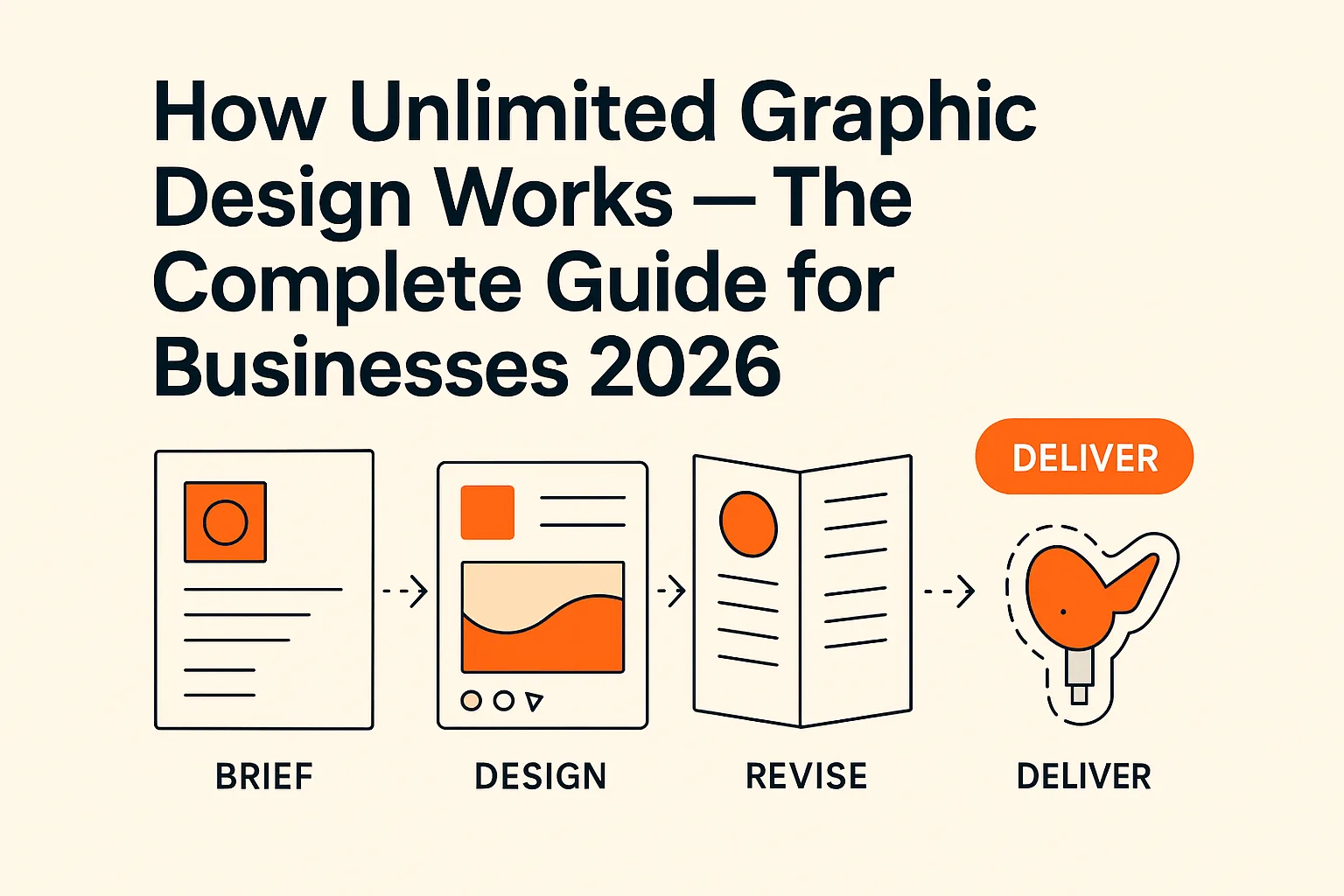
Almost every "the designer didn't get what I wanted" story traces back to the same root cause: the brief. Not the designer's skill, not the number of revisions allowed, not the price of the service — the two paragraphs (or two lines) that started the job. A good brief is the single highest-leverage thing you control. Get it right and the first draft lands close enough that one revision finishes the job. Get it wrong and you spend three rounds dragging the work back toward an idea you never actually described.
This guide is the fix. It covers exactly what belongs in a design brief, a template you can copy and reuse, worked examples for the three most common request types — a logo, a social graphic, and a print file — and the specific brief mistakes that quietly waste your time. It applies whether you are emailing a freelancer, handing work to an in-house designer, or queuing tasks on a subscription. DigitalPolo has been delivering unlimited graphic design since 2010 — one of the oldest services in the category — with plans from $399/month, 48-hour turnaround, and production-ready source files (AI, EPS, PDF) included as standard, and across fifteen years the pattern is consistent: the briefs that produce clean first drafts all share the same structure, and it is a structure anyone can learn in ten minutes.
The Seven Parts of a Brief That Gets Results
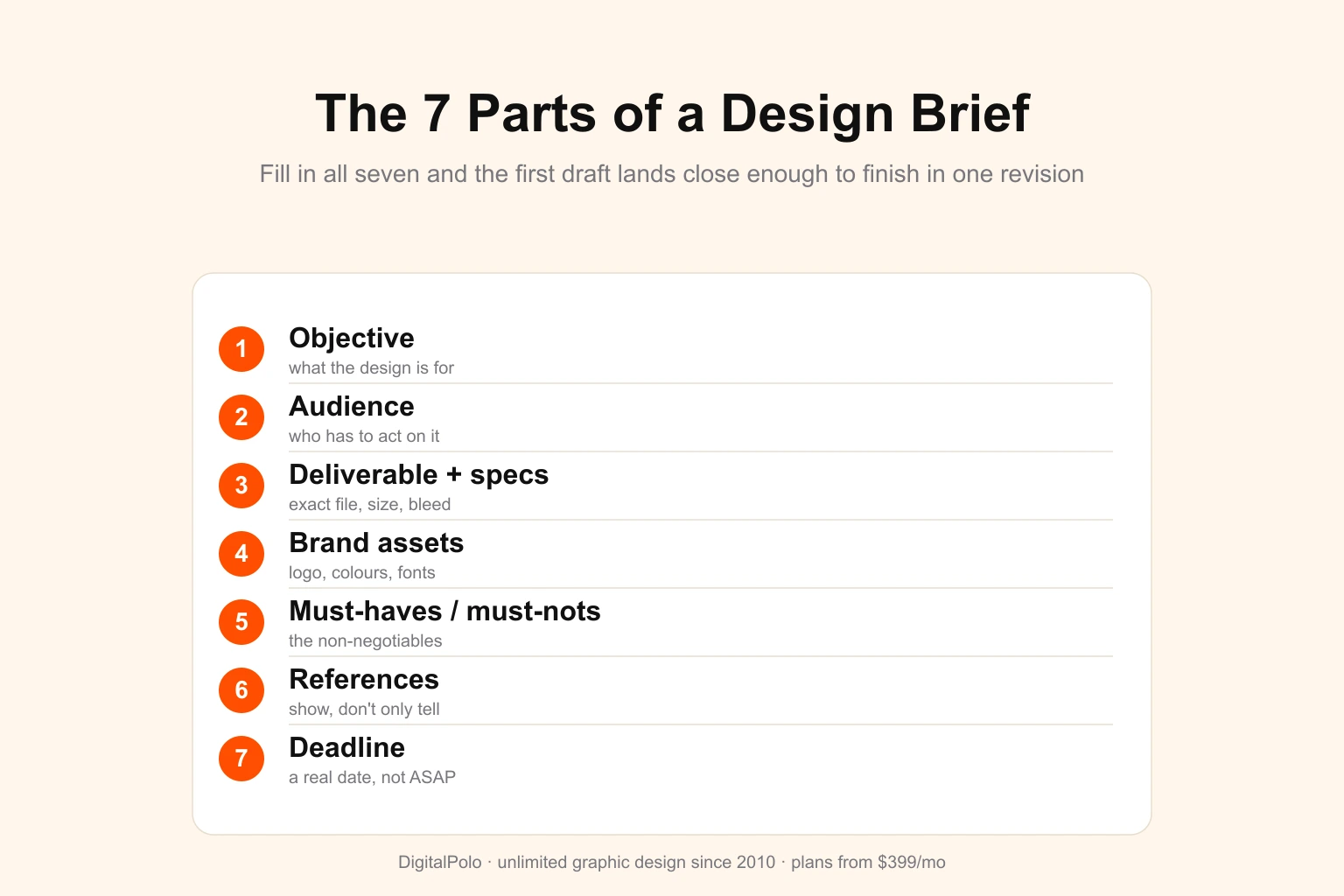
A design brief is not a wish. It is a set of constraints precise enough that a designer who has never met you can make confident decisions on your behalf. Every effective brief answers seven questions, in roughly this order.
- Objective — what is this design for? Not "I need a flyer," but "I need a flyer that gets people to register for our June 14 workshop." The job the design has to do determines every visual choice. State it in one sentence.
- Audience — who has to act on it? "Small-business owners aged 35–55 who are sceptical of marketing jargon" tells a designer more than "everyone." The audience sets the tone, the formality, and often the entire visual register.
- Deliverable and specifications — exactly what file, at exactly what size. This is where most briefs are thinnest and where the most time is lost. Name the format (PNG, PDF, AI), the exact dimensions, the orientation, and — for anything printed — the bleed and colour mode. A 1080×1080 Instagram post and a 1080×1920 story are different jobs; say which.
- Brand assets — what already exists. Attach the logo in vector form, the brand colours as hex or Pantone values, the fonts, and any prior work in the same style. A designer matching your brand needs the brand, not a screenshot of it.
- Must-haves and must-nots — the non-negotiables. The phone number that has to be legible. The legal disclaimer that cannot be cut. The competitor whose look you refuse to resemble. List the hard constraints separately from preferences so they are never treated as optional.
- References — show, don't only tell. Two or three examples of designs you like, each with one line on why you like it ("the spacing feels calm," "the type does the work, no clip art"). One disliked example is worth attaching too. Visual taste is almost impossible to convey in words alone.
- Deadline — when you actually need it. A real date, not "ASAP." If there is a hard external deadline (a print run, an ad launch), say so, because it changes how a designer prioritises and whether they flag a risk early.
That is the whole skeleton. Notice that none of it asks you to art-direct. A brief tells the designer the problem and the constraints; the designer brings the solution. The moment a brief starts dictating pixel positions, it has usually stopped describing the objective — and that is where first drafts go wrong.
The Copy-Paste Design Brief Template
Keep this somewhere you can reuse it. For a small task, delete the rows you do not need; the structure still holds.
PROJECT: [one-line name — "June workshop registration flyer"]

OBJECTIVE: [what this design must achieve, in one sentence]

AUDIENCE: [who it speaks to — be specific]

DELIVERABLE:
  - Type: [logo / social post / flyer / label / banner …]
  - Format: [AI / EPS / PDF / PNG / JPG]
  - Dimensions: [exact size + orientation]
  - For print: [bleed, safe area, CMYK or Pantone]
  - Quantity / variants: [e.g. 3 sizes, light + dark version]

BRAND ASSETS (attached):
  - Logo (vector): [file]
  - Colours: [hex / Pantone]
  - Fonts: [names or files]
  - Existing work to match: [link/file]

MUST-HAVE:
  - [exact copy, contact details, legal text, required elements]

MUST-NOT:
  - [anything off-limits — styles, colours, claims]

REFERENCES:
  - [link 1] — like because […]
  - [link 2] — like because […]
  - [link 3] — avoid this look because […]

DEADLINE: [real date — flag if hard/external]

NOTES: [anything else worth knowing]
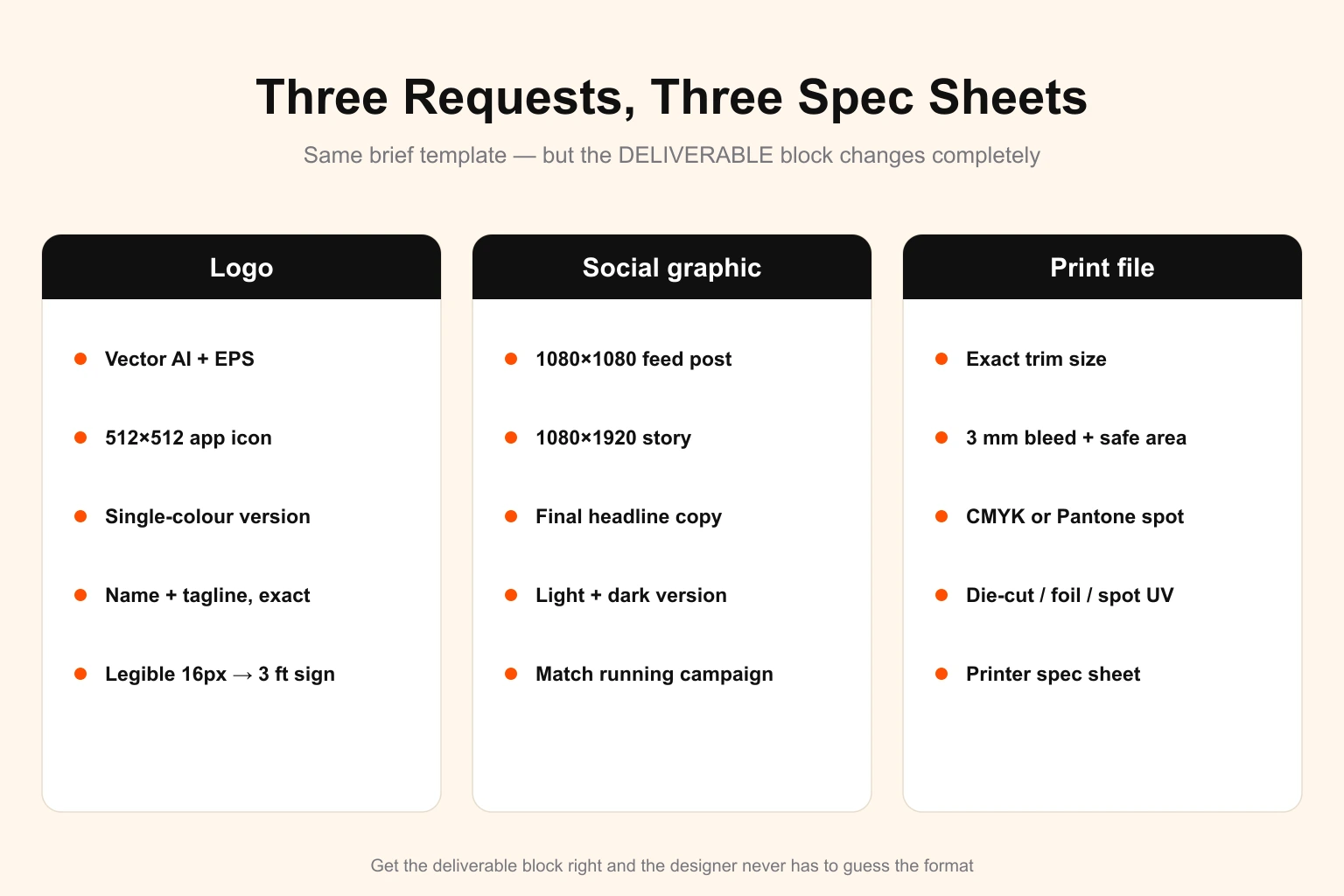
The discipline that makes this template work is filling in the DELIVERABLE block honestly. "A logo" is not a deliverable; "a primary logo in vector AI/EPS plus a 512×512 app icon and a single-colour version for embroidery" is. The more concretely you answer that block, the less the designer has to assume.
Three Worked Examples
The template is generic on purpose. Here is what it looks like filled in for the three request types people brief most often. Notice how the deliverable specifics change completely from one to the next — that is the part you cannot skip.
Briefing a logo
A logo has to survive at every size from a favicon to a building sign, so the brief has to anchor the extremes. State the business name and tagline exactly as they should be set. Give three or four adjectives for the feeling ("confident, warm, not corporate"). Attach two or three logos you admire with a reason each. Name the colours to use or avoid, and — critically — list where the logo will live most: app icon, website header, vehicle door, embroidered polo. "It has to read as a single shape at 16 pixels and still hold up three feet wide on signage" is the kind of constraint that changes the whole design, and a designer can only honour it if you write it down. For the strategic groundwork behind a strong logo brief, our guide to building a brand identity covers the decisions a logo should express.
Briefing a social graphic
Social is a volume game, so the brief should be fast but exact on format. Name the platform and the exact placement — feed post, story, carousel, ad — because each has its own dimensions (1080×1080, 1080×1920, and so on). Give the headline and any body copy as final text, not a rough idea, so the designer is setting type rather than writing it. Specify whether you need a light and a dark version, and whether it has to match a campaign already running. If you are producing these every week, agree a reusable template once and then each future brief is just "new headline, new photo, same template" — which is exactly the kind of repeat task a design subscription handles efficiently.
Briefing a print file
Print is where a thin brief costs real money, because the error shows up after the press run. The deliverable block does the heavy lifting: exact trim size, bleed (usually 3 mm / 0.125"), safe area, and colour mode. Say CMYK for standard printing, or name the Pantone spot colours if brand colour accuracy matters. State the finish if it affects artwork — die-cut shape, foil, spot UV. If the file is going to a specific printer, their spec sheet is part of your brief; attach it. A sticker, a vehicle wrap, and a packaging dieline each demand different file setups, and getting the colour mode right from the start avoids the classic RGB-looks-great-on-screen, prints-wrong surprise.
The Brief Mistakes That Quietly Waste Revisions
Most weak briefs are not missing information so much as carrying the wrong kind. These are the recurring patterns worth catching before you hit send.
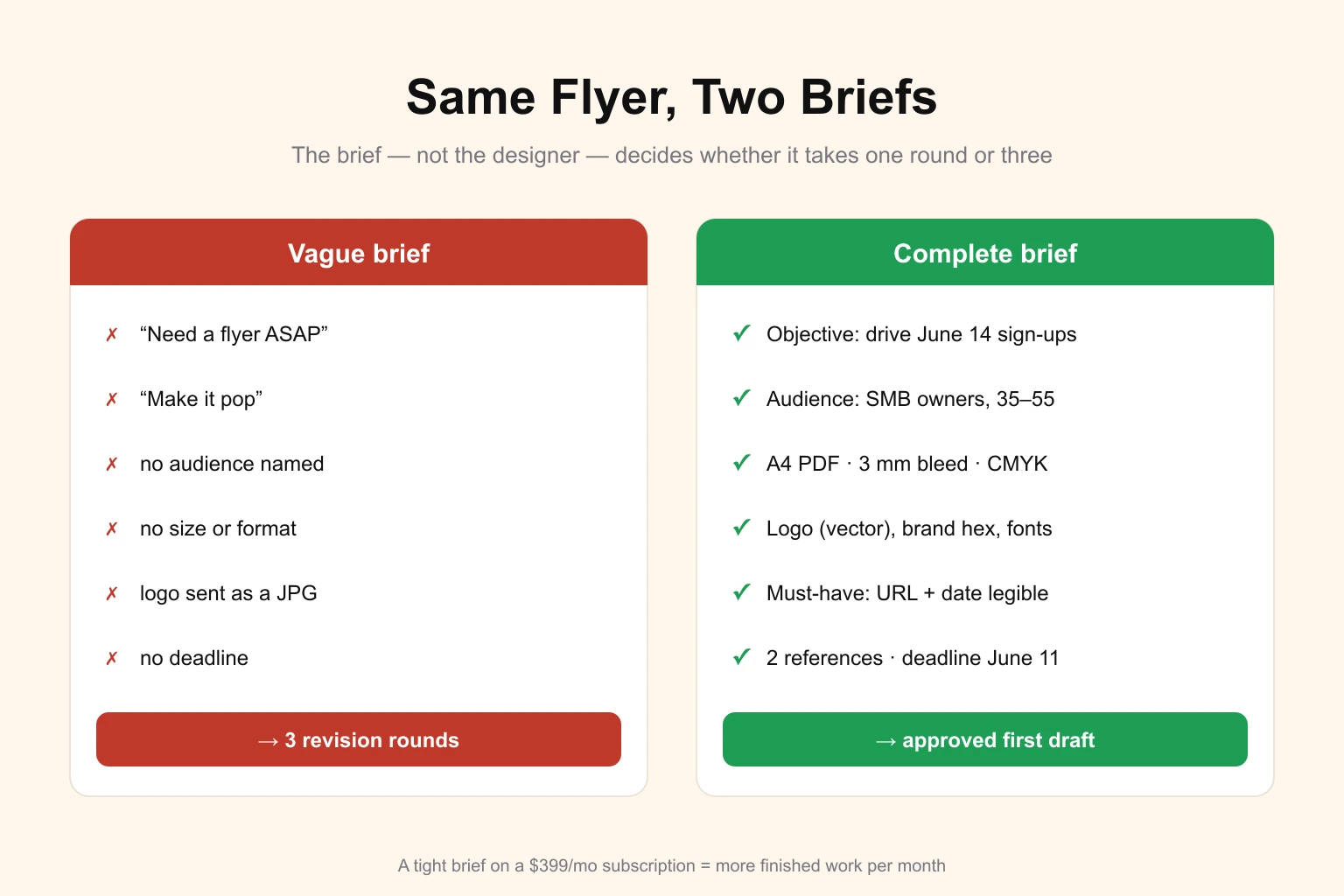
- "Make it pop." Subjective adjectives — pop, clean, modern, premium — mean something different to everyone. Replace each one with a reference image that demonstrates it. Show the pop.
- Burying the objective. When the brief leads with format details and never states what the design is for, the designer optimises the wrong thing. Lead with the job to be done.
- Approving by committee, briefing by one person. If four stakeholders will judge the result, gather their must-haves into the brief up front. A designer cannot pre-empt feedback that was never shared.
- Sending the logo as a JPG. A flattened, low-resolution asset forces the designer to recreate or compromise. Source files in, source files out — give them the vector.
- No deadline, then "where is it?" Without a date, your task sits behind everyone who gave one. State the deadline even when it is relaxed.
- Feedback that judges instead of directs. "I don't like it" stalls the work; "the headline is competing with the logo — make it secondary" moves it forward. The same discipline that makes a good brief makes good revision notes. Our guide to collaborating well with designers goes deeper on the feedback half of the loop.
Why the Brief Matters Even More on a Subscription
When you pay per project, a vague brief mostly costs you elapsed time. When you run on a flat monthly subscription, the brief governs how much finished work you extract from the fee. Services in this model — DigitalPolo included — deliver one task at a time per active slot inside a turnaround window, so every revision round you spend re-explaining what you meant is a round you are not spending on the next deliverable. A brief that lands the first draft clean is, quite literally, more design per month for the same price. That is why high-volume subscribers — agencies, print shops, busy marketing teams — treat the brief as the skill that pays for itself, and why it separates people who feel a subscription is "worth it" from those who don't, as our honest look at whether unlimited design pays off explains.
DigitalPolo Plans and Pricing
| Plan | Price | Turnaround | Includes | Best For |
|---|---|---|---|---|
| Partner | $399/month | 48 hours | Unlimited tasks, all source files | Small businesses, startups, print shops |
| Soulmate | $899/month | 24 hours (priority) | Dedicated team, 24×7 support, all source files | Agencies, high-volume printers, resellers |
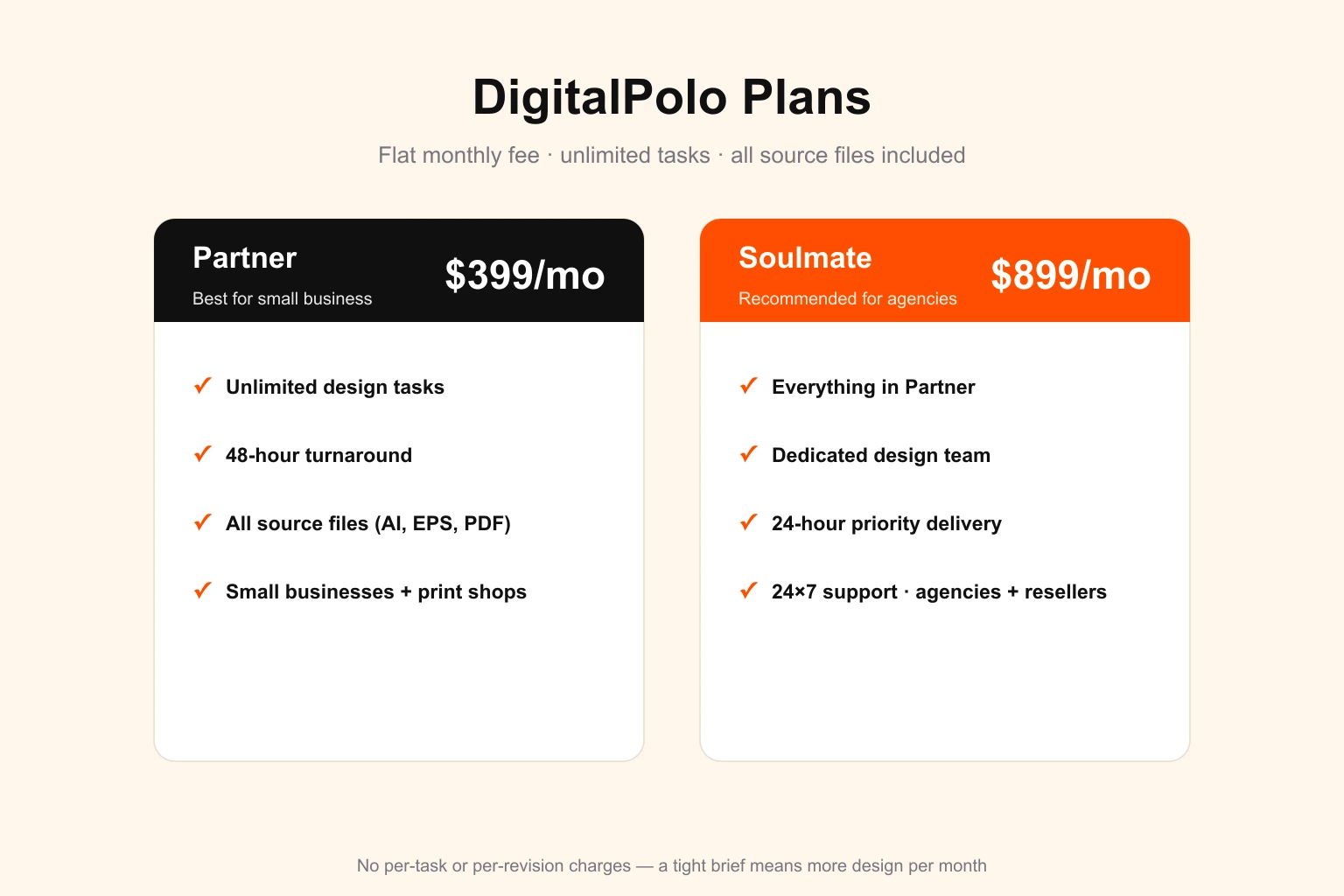
Both plans include delivery of all source files — vector formats (AI, EPS, PDF) suitable for print production, including sticker printing, vehicle wraps, signage, and promotional product manufacturing. A tight brief on either plan is the difference between one revision and three.
Frequently Asked Questions
What should a graphic design brief include?
A complete design brief includes seven things: the objective (what the design is for), the audience, the exact deliverable and its specifications, your brand assets, any non-negotiable must-haves, two or three visual references, and the deadline. Anything beyond that is helpful context; anything missing forces the designer to guess.
How long should a design brief be?
Most briefs work best at 150 to 300 words — long enough to state the objective, audience, deliverable, specs and references, short enough that the designer reads all of it. A simple resize needs two lines; a full brand identity needs a page or two. Match the brief length to the size of the decision, not to a fixed word count.
What is the difference between a creative brief and a design brief?
A creative brief sets the strategy for a whole campaign — the message, the market position, the big idea — and usually covers many deliverables. A design brief is narrower: it asks for one specific asset and lists its format, dimensions and constraints. A design brief often sits inside a creative brief, but you can write one without the other.
How do I write a brief for a logo design?
For a logo, state the business name and tagline exactly as they should appear, the industry and what the brand wants to feel like, three or four adjectives to aim for, two or three logos you admire and why, colours to use or avoid, and where the logo will appear most — app icon, signage, embroidery. Logos live everywhere, so name the smallest and largest sizes it must survive.
Do unlimited graphic design services need a brief for every task?
Yes, and that is their advantage. Because services like DigitalPolo deliver per task on a flat monthly fee, a clear brief turns directly into a clean first draft with fewer revision cycles, so you get more finished work each month from the same subscription. A vague brief still gets worked — it just burns a revision round you did not need to spend.
How much does DigitalPolo cost?
DigitalPolo offers two plans. The Partner plan is $399/month and includes unlimited design tasks, 48-hour delivery, and all source files. The Soulmate plan is $899/month and adds a dedicated design team, 24-hour priority delivery, and 24×7 support. Both are flat monthly fees with no per-task or per-revision charges.
Ready to Put a Good Brief to Work?
A clear brief is wasted if it sits in a queue that never moves. DigitalPolo's Partner plan starts at $399/month — unlimited tasks, 48-hour delivery, and all source files included, with print-ready vector files delivered as standard. Bring the brief; the design ships.