
If you are looking into digital and social marketing, you already know that social media platforms play a huge role. Blogs are the way to go right now, and it is up to you to make them as visually appealing — or as bland — as you want.
Pictures and infographics are ruling the roost. By using specific images in blogs and articles, you can see 90% more engagement than content with few or no images. It is simply easier for the human mind to grasp visual information than walls of text.
In this case, large blocks of words are relatively less appealing than a colorful image. Feeding that instinct and using it to build your business is one of the smartest moves you can make.
Photos are vital parts of media marketing that can make your journey to success smoother. This article covers all the key aspects of how to use images effectively in a blog post.
Images in a blog post matter because:
- Visually appealing articles attract more readers and generate more traffic. They enhance the visual factor and make content more reader-friendly.
- Images break the monotony of the blog and keep readers interested for longer.
- Images are easier for the human mind to comprehend than large chunks of text, so more people engage with articles that contain visuals.
How Images Increase Blog Traffic
Once your article or blog is done, you need to share it across social media to get eyeballs on it. Social media platforms like Instagram, Pinterest, and Snapchat are built around image-based posts. If you're new to using Instagram for marketing purposes, our beginner's guide to optimizing Instagram for business walks through the fundamentals of building an image-first presence.
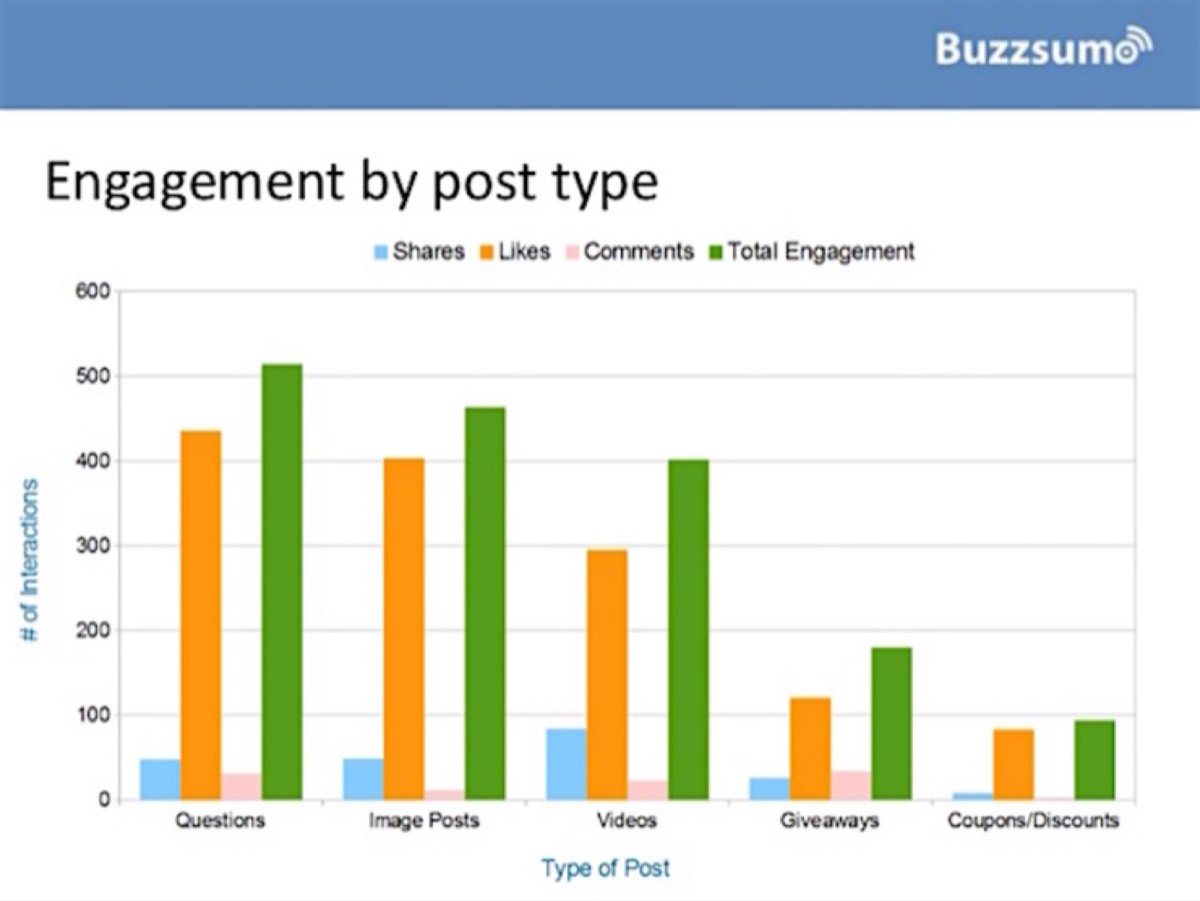
Research by Buzzsumo shows that image posts get far more engagement than video posts, giveaways, and even coupons. Almost more than half of all interactions go toward image content. Your viewers are looking for something quick and interesting, not time-consuming and irrelevant.
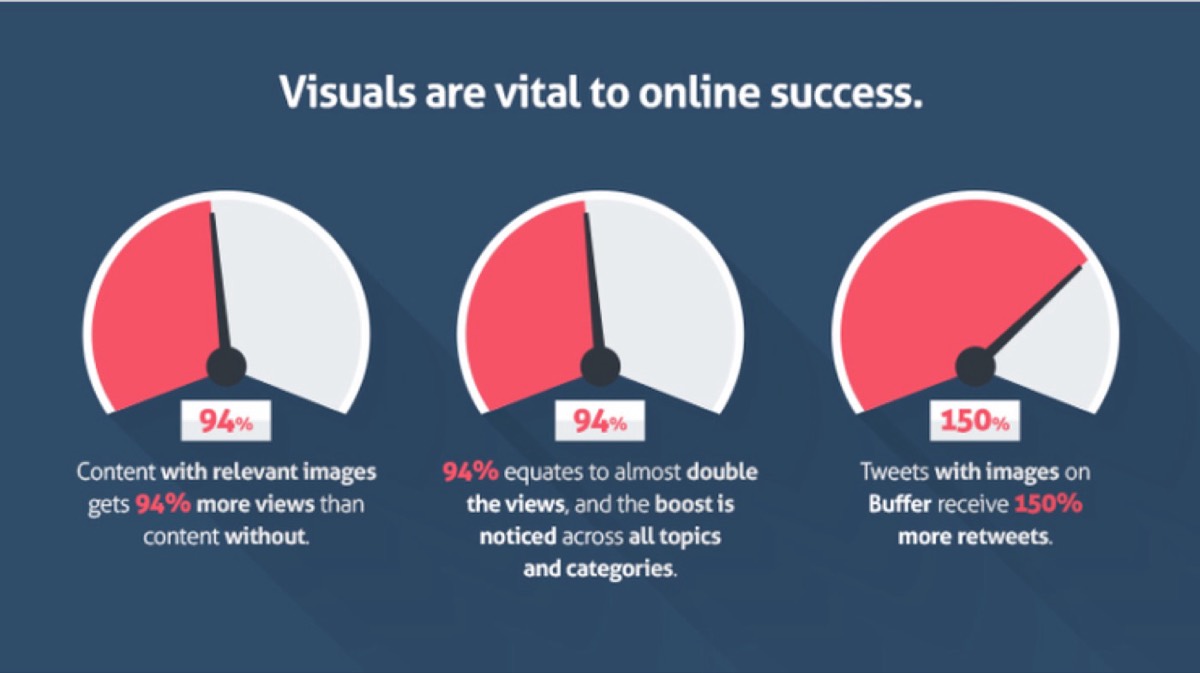
Visual content on blog posts is as necessary as water to plants. A simple research finding: articles with relevant pictures receive 94% more views than those without images. This means the reach of the post is higher than double, and it applies across virtually every topic and industry.
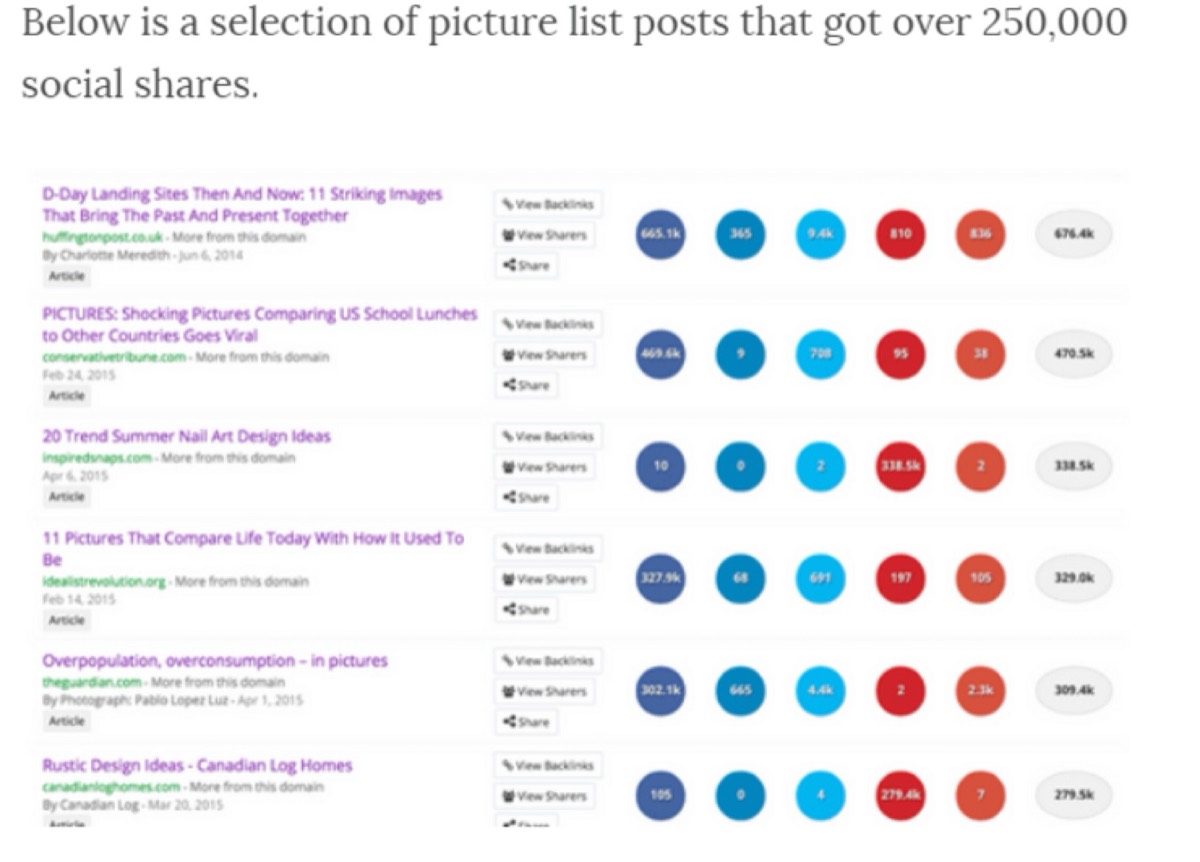
Blogs, vlogs, and even videos have replaced traditional advertisements. Likes, follows, comments, and shares have replaced direct customer conversations. A brilliant example of an image-driven blog platform is Tumblr, which had over 280 million blogs and generates millions of readers per day — all built around sharing images in communities that care about specific topics.
Simple images, photographs, icons, and even tweaking certain keywords and bullet points can make enormous differences in the reach of an article. As the saying goes: "It is not what you do but how you do it that makes all the difference."
Types of Images
Yes, there are various types of images you can use in your blogs. Using a mix of these to spice up your content is a very smart move. Some are visually aesthetic, some are known to go viral quickly, and some add a dash of humor. Together, they make a perfect visual cocktail that engages your readers effectively.
-
Infographics — Visual masterpieces that cover all aspects of a topic in a single image. They may include statistics, graphs, info, and more — all in one place. Infographics are some of the best examples of efficient information packaging.
-
Memes — The key to great marketing is humor, and it helps connect with your audience on a personal level. Memes are User Generated Content (UGC), which means once viewers realize a real person is behind the content, their trust increases. Memes go viral quickly. Avoid using memes you don't fully understand — using the wrong meme can make you look inconsiderate.

-
Graphic design — Many entertainment and business blogs contain a healthy amount of graphic design. There are also entire blogs dedicated to design. A professional graphic designer can help you create standout images for your blog.
-
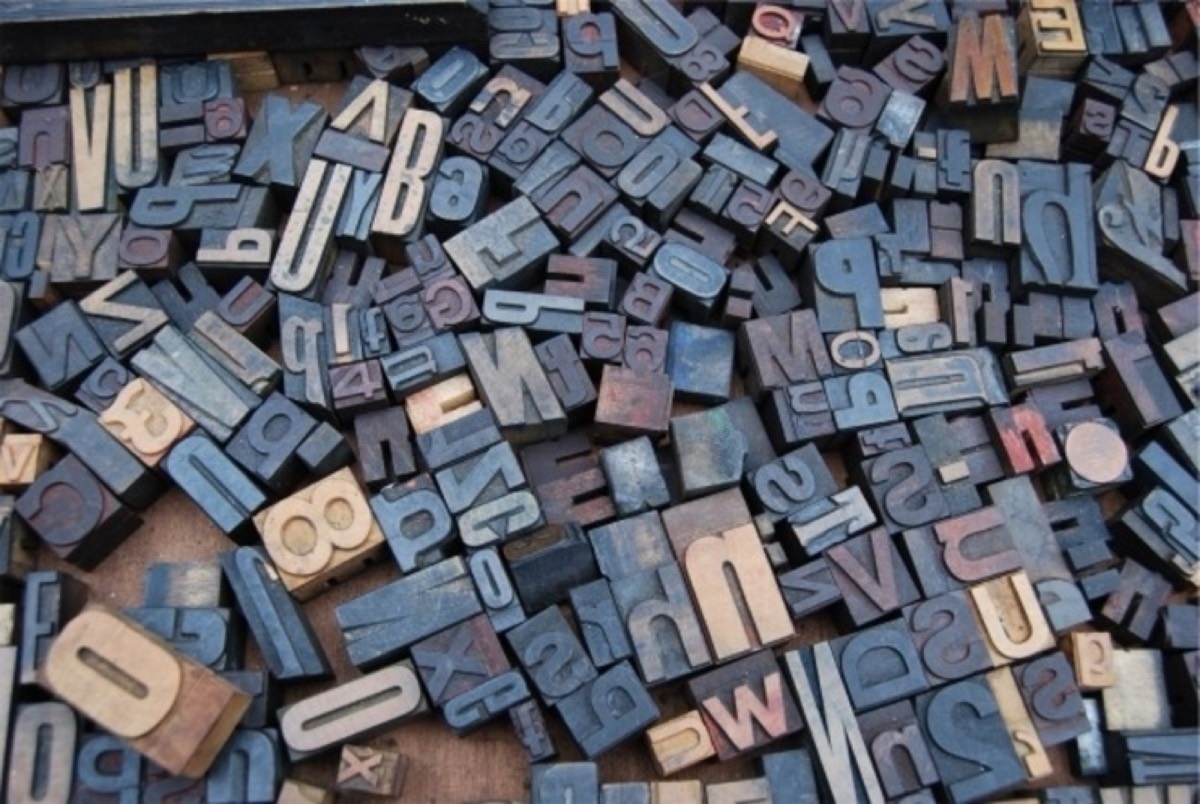
Typography — This is a form of digital art with enormous impact. Typography is the fusion of text and design. It is not simply about "fancy fonts" — it is a completely independent design technique that can emphasize your brand message more powerfully than most other methods. When you're planning visual content for a new campaign, using mood boards for logo and visual design is a practical way to align your image style with your brand direction before production begins.
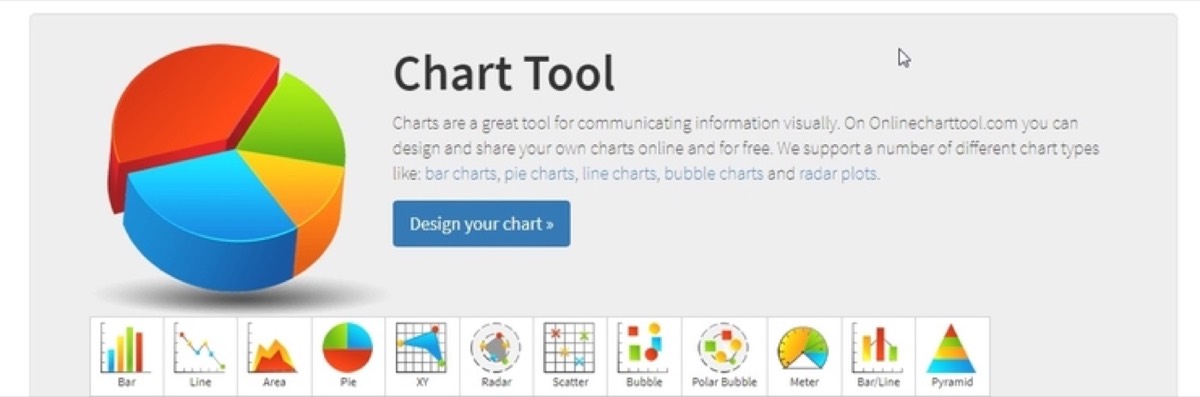
- Charts and graphs — Images that show statistics, numbers, and percentages. Readers need proof to believe what they are reading, and data-driven images give it to them easily.
- Photographs — Real photographs convey emotions and add a sense of authenticity. Using photographs of real people in your blogs consistently builds reader trust. Photographs stand out as windows into reality among digitally produced content.

- Illustrations and digital art — Vector graphics and digital paintings are excellent substitutes when photographs are not available. Some digital illustrations are used to show surrealism in situations where photography cannot capture it. Using illustrations or vector graphics in your blog will decorate it effectively.

Looking for professional designs that apply these strategies? See Digital Polo's plans →
Legal Issues
Using copyrighted images for your business can result in a serious lawsuit or a permanent ban. You do not want to take that risk.
You may have heard the terms "stock" or "royalty-free." These describe the main categories of images available online. Let's take a look at the kinds of photos available:
Free Images — Free images are easily available online, and the most popular source is Google. You can type in a keyword and find millions of results, though many contain watermarks or copyright claims. You can manipulate your Google search to show only copyright-free images:

Enter keyword in Google search bar > Click the 'gear icon' > Advanced search > Usage rights (drop-down list) > click 'Free to use, or share, even commercially' > Click on 'Advanced search' button.
Stock images — Stock photos are commercially available pictures previously taken by someone else. Depending on the business and site, they can be free or paid. The internet is full of both options.
Things to Do When Using Images from Online
- Use proper images that are paid for, from respected websites that offer stock image services.
- Use advanced Google search to show only royalty-free and copyright-free images.
- Avoid using photos without credits or captions if you have downloaded them for free.
- If you use screenshots of graphs or pictures, credit the website you took the screenshot from. The content still belongs to that website.
Where to Find Images
There are many online sites that allow users to download stock images for commercial and non-commercial use. Among free and paid options, the free ones find more popularity among new and small businesses.
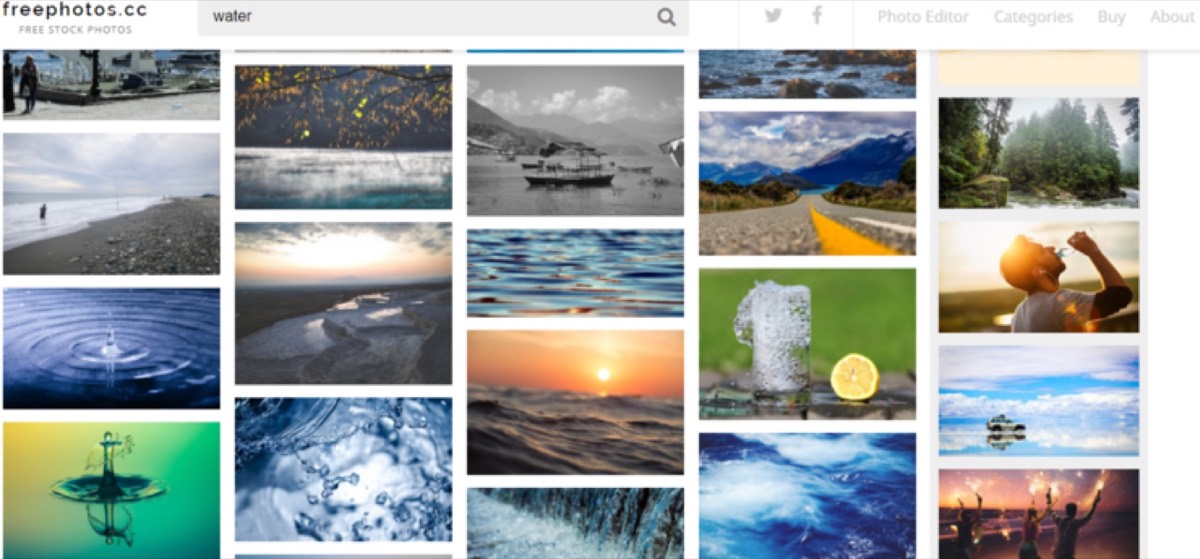
What needs to be remembered is that with free images, usage increases — so the risk of one image appearing on multiple sites also increases. This can bore readers or even trick them into thinking they have read your content before.
Paid Photo Services
The best advice is to buy stock images from reputable sites and have the rights to use the same image as many times as needed.
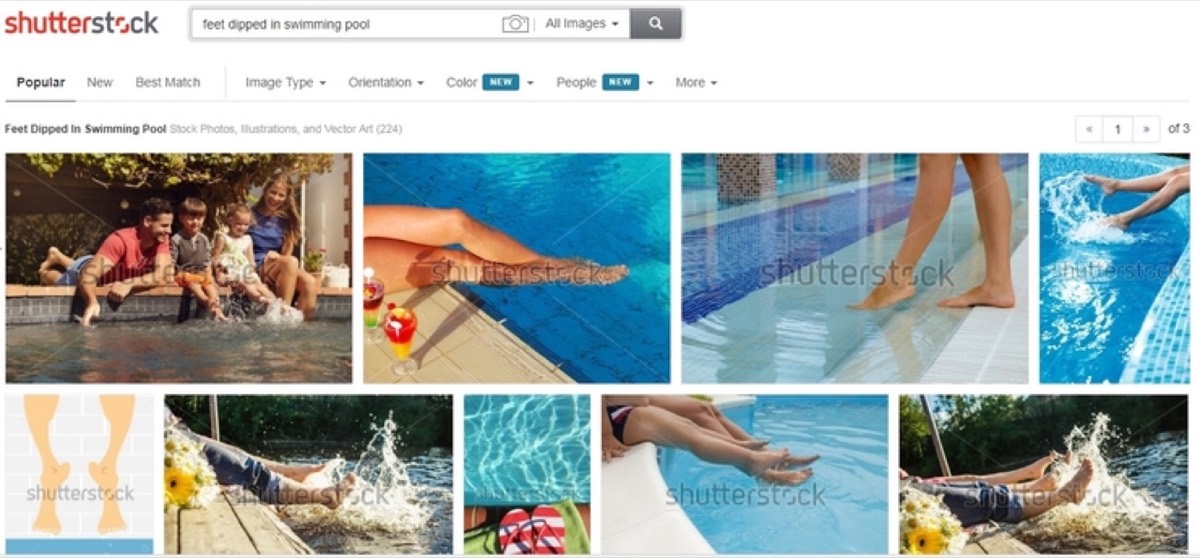
Shutterstock — Has over 130 million images to choose from. Photos that match keywords, even quirky ones, are easily found. Unique watermarks are removed after payment, and bundle plans allow multiple downloads.
123RF — Provides both free and paid image services. Their gallery is rich in quality images. The price is minimal and comes as a bundle for a limited number of downloadable images. It also offers annual service plans.
Unpaid Photo Services
If you are just starting out and cannot invest in paid images, there are high-quality free alternatives. According to research, less than 30% of business users pay for images.
Some popular free stock image sites: Pexels, Pixabay, Freeimages, Unsplash, iStockphoto.
Pexels — Allows users to upload and download royalty-free images for commercial use. The library contains thousands of pictures contributed by world-class photographers. Categories include landscape, food, portraits, street, minimal, black and white, and more.
Visual Hunt — Has over 340 million stock images, all for free. Unlike Pexels, this one includes both portrait and landscape oriented photographs. You can also specify license type: commercial, non-commercial, or public domain.
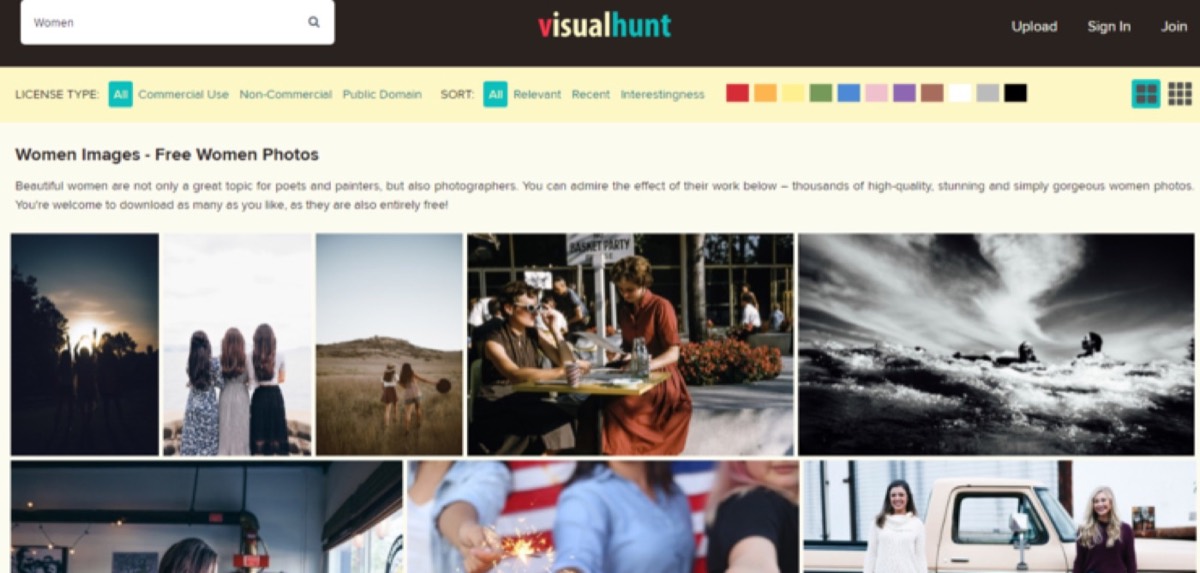
Image Formats
There are a lot of formats in which an image can be presented: JPEG, PNG, GIF, RAW, and more. Some formats work better with certain image types.
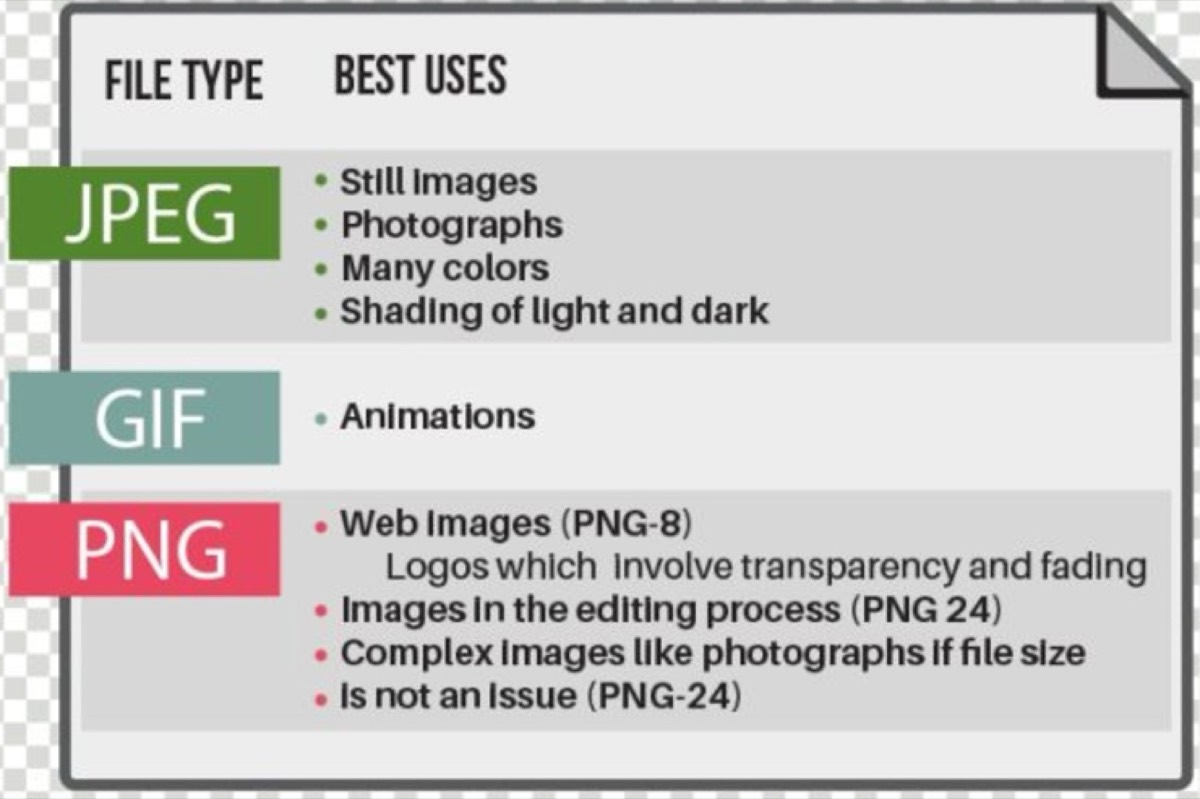
JPG or JPEG — The most popularly used image format. Almost all blogs contain mostly JPEG images. Best for photographs. However, it is a lossy format, so images with straight lines and drawings lose quality when compressed.
PNG — Created as a substitute for GIF. Web images, digital art, and drawings are saved in this lossless format. The downside: PNG file sizes are heavier and harder to compress.
GIF — Similar to PNG in being lossless after compression. Best used for short animated sequences. Files containing solid bold figures, shapes, and colors can also be saved efficiently as GIF.
Image Sizes
Image size falls into two categories: file size and resolution. Both can be manipulated and optimized differently.
- If images are very large, the page will feel like an image-based blog and viewers may get sidetracked.
- To maintain your voice, keep image size proportionate to your content width. If the blog post is 600 pixels wide, images should be 600 pixels wide or less.
- Never use images just to inflate the size of your blog. If your blog is short, keep it that way.
- Using out-of-proportion portrait images can throw off readers' attention. Wrap portrait images with surrounding text where possible.
Optimize Images for SEO
Image size is a key factor controlling page load time and SEO. Resize images before uploading to the blog.
- If an image is large, use software like Photoscape or a photo resizer to resize it or save at 80% of the original quality. Unless printing quality is needed, this should be fine.
- Avoid resizing to 50% or less — this causes images to appear blurry when zoomed out.
- Use more JPEG or JPG for photographs. They offer better results after compression and handle gradients well.
- For graphs, straight lines, or diagrams, use PNG. It is a lossless format and retains quality.
- For solid colors and animations, use GIF. They produce lossless compression and are healthy for file resolution.
How to Place Images
Strategic placement of images is critically important. Even if you follow every step above, your blog can fail if you ignore placement. Remember: too many images spoil the blog. For blogs that use custom graphics rather than stock photos, understanding how to design and size social media images is equally important — the same graphic often needs to work across multiple channels at different dimensions.
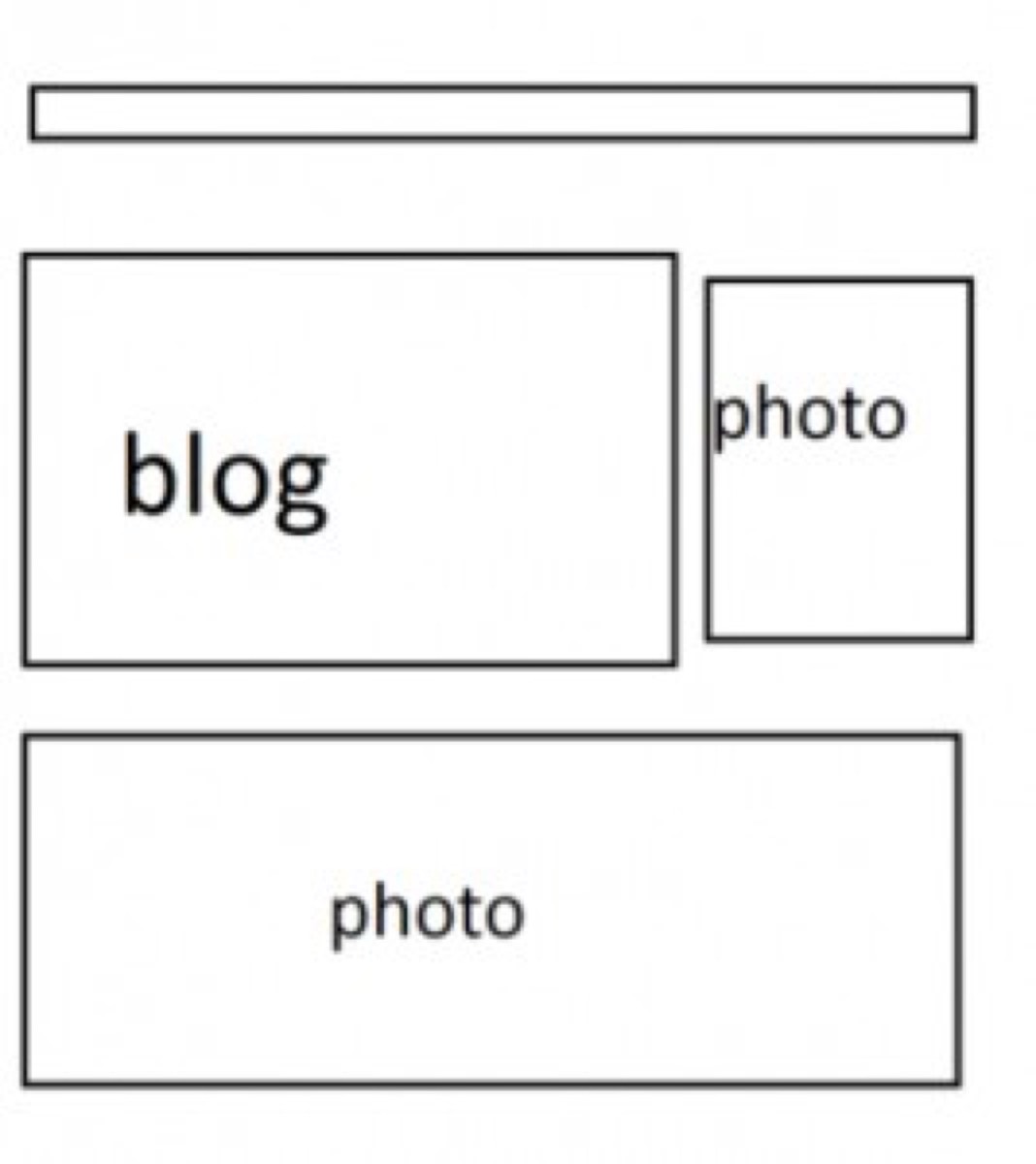
- Place images at intervals of every 300–400 words.
- If your article is lagging at a particular part, add one image to break the monotony and keep readers moving forward.
- Depending on photo orientation (landscape or portrait), place images on the sides or middle. Portrait photos generally look best in the top right corner, or on the left side.
- When using landscape images, try to keep all landscape images equal in size throughout the post.
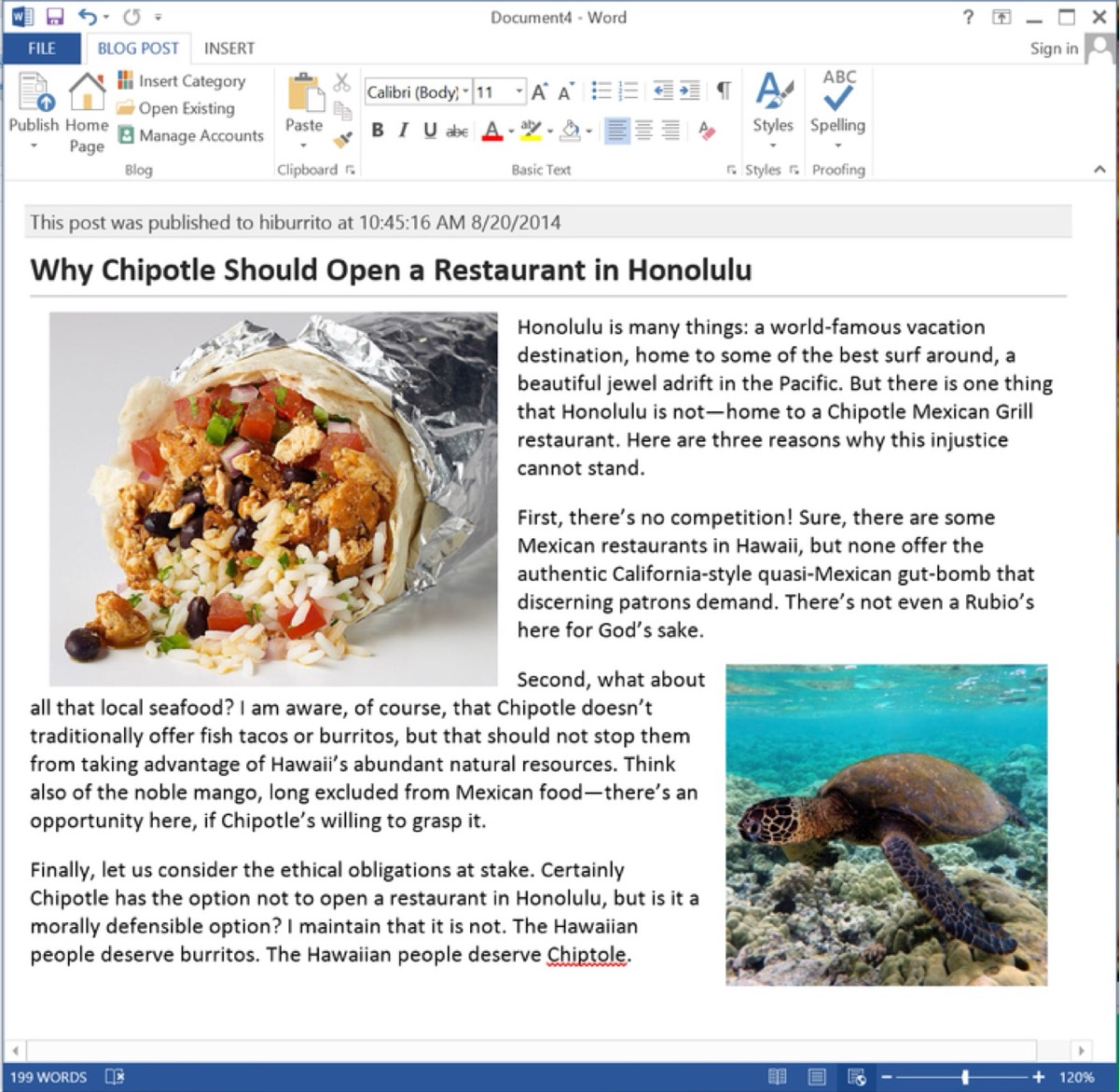
At the end of the day, images are there to draw attention to the blog — not the other way around. One image per 200–300 words is a general rule. One image per 50 words will clutter the post and make it difficult for readers to focus.
A user takes approximately 10–20 seconds to judge a website. Keep page loading time around 1–3 seconds, otherwise viewers lose interest quickly.
Dos and Don'ts of Using Blog Images
| Do | Don't |
|---|---|
| Use photographs that complement your blog post. This avoids misleading viewers. | Use unnecessary or irrelevant pictures. |
Keep photographs minimal and to the point. If your blog is about dogs, it may contain pictures of dogs, dog toys, and dog food — but not unrelated topics like parks or flowers.
| Do | Don't |
|---|---|
| Keep the theme of your blog within light and neutral colors for readability. | Use tacky, flashy, or eye-pricking colors. |
It has been observed that images with excessive saturation and contrast drive away viewers. "Tacky" does not always mean "too bright" — a bright photo can catch attention better than a bland one. The key is intentionality.
| Do | Don't |
|---|---|
| Maintain subtlety. Keep the blog neat and classy. | Bombard readers with 100 images in a 200-word post. |
| Do | Don't |
|---|---|
| Resize images to the correct format for the image type. | Edit images to the point where they become unrecognizable. |
| Do | Don't |
|---|---|
| Give credits and obtain permissions before using images that belong to others. | Assume that a screenshot is your own content. You still need permission to use it. |
Not giving proper credits or not obtaining permission before using an image can lead to severe legal charges and may even result in your blog being banned.
Pictures, photos, illustrations, icons, GIFs, and charts are all keys to making your blog post more energetic and interesting. People tend to click on images rather than read long paragraphs — even if the text contains brilliant ideas, it may simply not be visually appealing enough.
We live in an age where digital marketing drives brand awareness and customer loyalty. Visual content is not optional — it is foundational. The brands and bloggers who treat images as a core part of their content strategy consistently outperform those who treat them as an afterthought.
Apply these tips, test your results, and adjust as your audience responds. The right image strategy, applied consistently, will compound its impact over time and make your blog a destination readers return to.
Digital Polo creates compelling visual content and blog graphics for one flat monthly fee with unlimited revisions. Start for $399/mo → | Soulmate at $899/mo →
Frequently Asked Questions About Using Images in Blog Posts
How many images should I use per blog post? A general rule is one image per 200–300 words. Placing images every 300–400 words keeps content visually engaging without overwhelming the reader. The exact number depends on your topic and image type — data-heavy posts may benefit from more charts and infographics.
What image format is best for blog posts? Use JPEG for photographs and images with gradients, PNG for graphics, diagrams, or images with transparent backgrounds, and GIF for short animations or solid-color graphics. Each format has a specific strength, and using the right one improves both quality and page load speed.
Where can I find free images for my blog? High-quality free stock images are available on Pexels, Unsplash, Pixabay, and Visual Hunt. These sites offer royalty-free images for commercial use. For premium images, Shutterstock and 123RF offer extensive libraries at affordable subscription rates.
Do blog images affect SEO? Yes, significantly. Images affect page load speed, which is a Google ranking factor. Using descriptive alt text, appropriate file formats, and compressed file sizes all help your blog rank better. Images can also appear in Google Image Search, driving additional organic traffic to your post.
Can I use any image I find on Google for my blog? No. Most images found through Google are copyrighted. You must use images that are explicitly labeled for commercial use, purchase them from a stock photo site, or create your own. Use Google's advanced search filters to find images labeled "free to use, or share, even commercially" to stay legally safe.