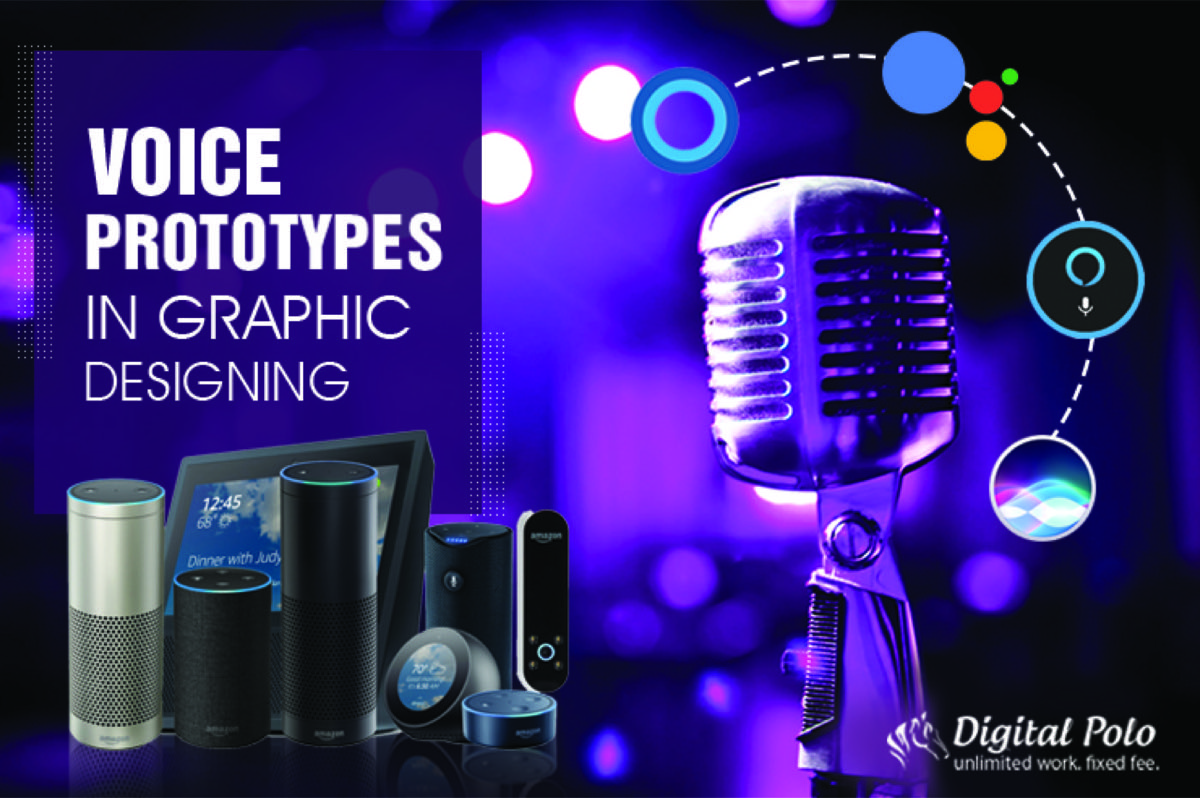
With the rise of voice assistants like Google Assistant, Alexa, and Siri, more and more people are using voice to search, shop, and interact with their devices. The trend has grown to the point where voice search is no longer a novelty — it is a primary mode of interaction for hundreds of millions of users worldwide.
The rising prevalence of voice search creates a real challenge for graphical user interfaces (GUIs). Some graphic design companies are now working to bridge the gap by incorporating voice prototypes into their design process. Understanding how to design for voice is becoming a critical skill for any UX or design team. To see how the broader discipline has evolved to accommodate new interaction modes like this, the history of graphic design over the last decade provides useful context.
Why Are People Moving Towards Voice User Interfaces?
There was once a time when people looked into an encyclopedia for information. Then came search engines, where people typed their queries. Now, people do not even need to type — they simply speak to their voice assistants. Voice search has made it faster and easier for anyone to access information hands-free.
Voice is especially useful in situations where a screen is inconvenient or unavailable: driving, cooking, exercising, or multitasking. When people want to play music, control lighting, or set a reminder quickly, voice commands win. The simplicity and speed of voice interaction is what drives its rapid adoption.
Research
When designing voice prototypes, user experience is the first priority — just as it is with any other design. The designers must first understand what the target audience requires and how they behave. The very first step in research is identifying who the target audience is.
The user experience should be the primary concern at this stage. Once the design team identifies the problems users face, it becomes easier to develop voice-based solutions. Another critical factor is language — not which language users speak, but the exact phrases they use when speaking naturally to each other.
Designers who understand how people speak colloquially can build voice interactions that feel intuitive rather than robotic. This research phase sets the foundation for everything that follows.
Define
In this step, the capabilities of the voice prototype must be clearly defined. Why would someone use this VUI? Designers need to create design scenarios that deliver genuine value to the target audience — scenarios where voice is clearly better than typing or clicking.
The next step is to confirm that those design scenarios actually work with voice prototypes. Even the most skilled designers must ask honestly: is voice actually helping the user here, or is it adding friction? There is no benefit to voice prototyping unless it solves problems faster than traditional GUIs.
Voice is commonly used while driving or cooking. It is also preferred when people want an easier, faster way to interact — such as playing music or adjusting smart home settings. However, voice has real limitations: when it comes to selecting from a long list of choices, voice search becomes problematic. In those cases, the list of choices must be kept short.
Create
Once research is complete and the voice prototype is defined, it is time to build. Storyboards help visualize the interaction and make scenarios appear more realistic, giving designers a concrete way to think through the user experience.
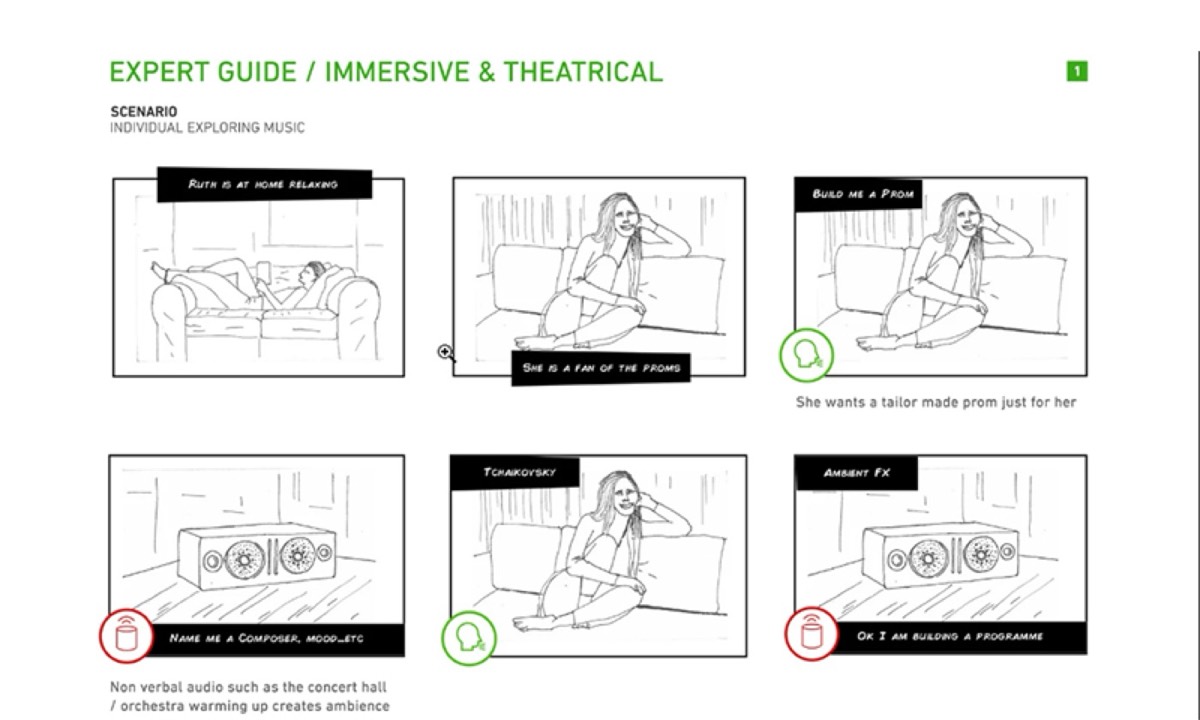
Designers should also write dialogues so they can anticipate how the conversation will unfold. The more conversational the dialogue, the better the experience for users. The goal of writing dialogues is to create a natural conversation between the user and the app — realistic dialogue makes the interaction feel authentic.
At this stage, the target is to reduce the number of steps as much as possible. Users are turning to voice specifically because they want a faster solution. If there are too many steps, people will not use it. Offer solutions in short, clear sentences — longer outputs risk confusing users.
Every design goes through a trial and error phase, and voice prototyping is no different. When errors are identified, they must be handled carefully. Spelling and grammatical errors in voice scripts must be eliminated. Designers should also account for ambiguity — conversations can be ambiguous, and when the system does not have the answer, it should guide the user to related options rather than hitting a dead end.
Looking for professional designs that apply these strategies? See Digital Polo's plans →
The tone of the voice prototype matters enormously. People appreciate empathetic answers even from an app. That is why voice assistants like Siri, Google Assistant, and Alexa have become so widely adopted — they feel human enough to be comfortable to interact with.
Confirmation messages are also essential. If a user schedules an event in a calendar, they need a confirmation from the voice assistant. The same applies to any completed transaction. Text-to-speech design should ensure the confirmation is both displayed on screen and spoken aloud.
Using Adobe XD for Prototyping
After completing research, defining the scope, and creating the dialogue map, it is time to design the app. Design teams commonly use Adobe XD to create voice-enabled prototypes that work on Google or Amazon devices. With Adobe XD, designers can prototype the voice commands that will be used in the final product.
Adobe XD allows designers to prototype for products such as Google Home and Amazon Echo Show — making it the industry standard tool for voice UX prototyping.
Test
Testing is the final step of the process. After the prototype is created and designed, it is time to test with real users. Designers typically choose representatives from the target audience and observe how they interact with the app. Customer satisfaction scores along with task completion rates help designers understand whether the prototype is performing as intended.
Testing often uncovers blind spots that were invisible during the design phase. A user who struggles to complete a task in three steps may sail through it if the steps are reordered or simplified. Iterating on these insights is what transforms a good voice prototype into an exceptional one.
With every passing year, people look for easier, more natural ways to communicate with technology. Voice is becoming the natural language of the next generation's digital interaction. For graphic designers, this represents both a challenge and an opportunity — the discipline must evolve to meet users where they are, and that now includes the spoken word.
The graphic designers who develop fluency in voice UX alongside traditional visual design will be far better positioned to serve businesses in an increasingly voice-first world. Voice prototyping is not a replacement for visual design — it is an extension of the same core discipline: understanding the user and removing friction from their experience. Staying current with graphic design trends worth embracing right now is one way practitioners keep pace with how user expectations are evolving.
Digital Polo creates custom UI assets, design systems, and visual prototypes for one flat monthly fee with unlimited revisions. Start for $299/mo → | Soulmate at $899/mo →
Frequently Asked Questions About Voice Prototypes in Graphic Design
What is a voice prototype in UX design? A voice prototype is a working model of a voice user interface (VUI) that simulates the conversational interaction between a user and a voice-enabled app or device. It allows designers to test and refine voice commands, responses, and dialogue flows before full development begins.
How is designing a VUI different from a traditional GUI? VUI design focuses on dialogue and audio responses rather than visual layouts. Instead of designing screens, you are writing conversation scripts and defining how the system handles different user inputs — including errors and ambiguous requests. However, core UX principles like user research, iteration, and usability testing apply equally to both.
What tools are used to design and prototype voice interfaces? Adobe XD is one of the most popular tools for voice prototyping, supporting Google Home and Amazon Echo Show. Other tools include Voiceflow, which is purpose-built for conversational and voice interfaces, and Figma for visual companion screens that accompany voice interactions.
What are the biggest design challenges with voice interfaces? The biggest challenges are handling errors gracefully, managing long lists of options, and maintaining a natural-sounding dialogue. Voice interfaces fail when they force users into rigid response patterns or dead-end conversations. Designing fallback paths and confirming completed actions are essential elements of a well-functioning voice UX.
Is voice UI design relevant for small businesses? Increasingly, yes. With the rise of smart speakers and voice search on mobile devices, businesses that optimize for voice stand to gain visibility in voice search results and can create differentiated customer experiences. Even simple voice-enabled features — like hands-free order confirmations or appointment scheduling — can meaningfully improve customer satisfaction.