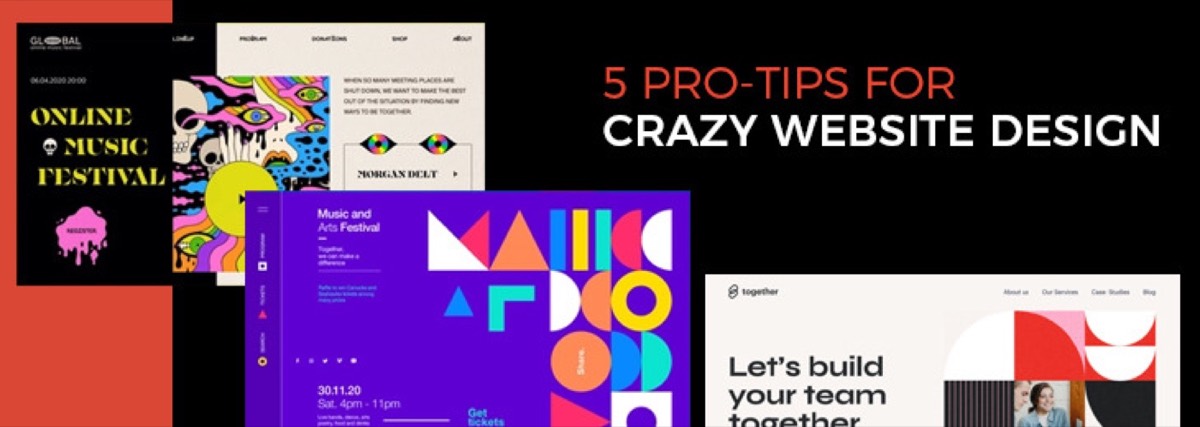

A website redesign is one of the highest-impact decisions a business can make — and one of the easiest to get wrong. Done well, it improves conversion rates, search visibility, and user trust. Done poorly, it destroys SEO rankings, alienates existing users, and costs more to fix than it cost to build. Before you redesign, it's worth reading about how website design directly affects business results — the design decisions that lose customers are often the ones that feel harmless on paper.
This guide covers everything you need to execute a successful website redesign: when to do it, how to protect your SEO, what a reliable redesign strategy looks like, and a complete checklist to keep your project on track.
Website Redesign vs. Website Refresh: What's the Difference?
These two terms are often used interchangeably — they shouldn't be.
- Website refresh: Updates the visual layer while preserving the underlying structure. New colors, updated photography, font changes, minor layout tweaks. Typically doesn't require a developer for every change. Right choice when the site works well but looks dated.
- Website redesign: Structural overhaul — new information architecture, new UX flows, rebuilt page templates, often a CMS migration or platform change. Takes months, not weeks. Right choice when the site has fundamental conversion or usability problems that surface-level updates won't fix.
Most businesses that think they need a redesign actually need a refresh. Audit your analytics first — if your traffic is solid but your bounce rate is high, you likely have a UX or messaging problem, not a structural one.
The 7 Key Steps in a Website Redesign
1. Analyze Current Performance Before You Change Anything
Don't touch a pixel until you know exactly what you have. Pull KPIs from Google Analytics or your analytics platform of choice:
- Organic traffic by page (which pages are performing?)
- Bounce rate and average session duration
- Conversion rate by landing page
- Top traffic sources
- Mobile vs. desktop split
- Core Web Vitals scores (Largest Contentful Paint, Cumulative Layout Shift, First Input Delay)
Your highest-traffic, highest-converting pages need to be protected in the redesign — any structural changes to these pages require 301 redirects and careful metadata preservation. Your lowest-performing pages are candidates for pruning, consolidation, or a content refresh.
2. Define What the Redesign Needs to Achieve
Vague objectives produce vague results. Before briefing a designer or developer, define:
- What is the primary conversion goal of the site? (Contact form? Purchase? Demo request?)
- Which specific pages are underperforming relative to their traffic volume?
- What do you want the redesigned site to do differently — and how will you measure that?
"The site looks old" is not an objective. "Increase contact form submissions from the services page by 25%" is.
3. Protect Your SEO During the Redesign
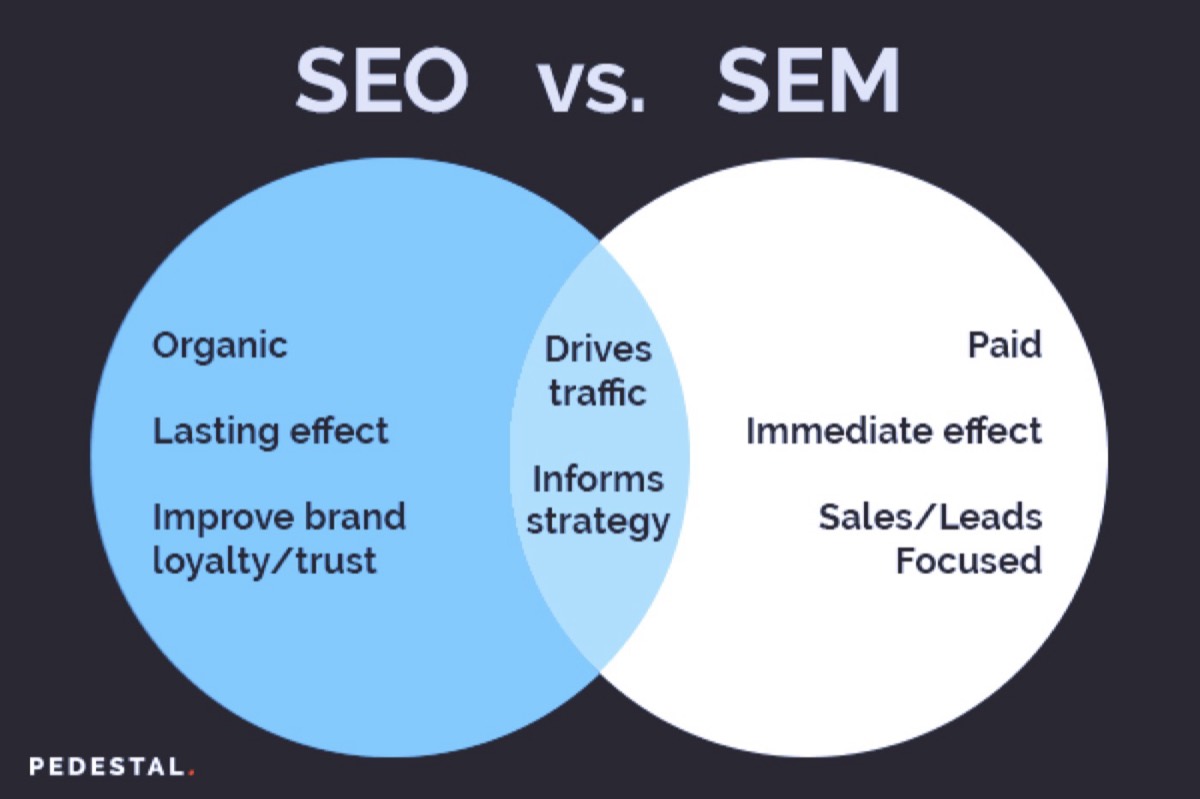
Rankings built over years can collapse in weeks if a redesign is handled carelessly. The most common causes of post-redesign ranking drops:
- URL structure changes without 301 redirects
- Missing or changed title tags and meta descriptions
- Removal of high-performing content that was embedded in old page templates
- New site launches without preserving internal link structure
- Canonical tags misconfigured on a staging environment that gets crawled
Minimum SEO protection checklist:
- Export all existing URLs before the redesign begins
- Map every URL that will change to its new destination
- Set up 301 redirects at launch (not after — at launch)
- Preserve existing H1 tags, title tags, and meta descriptions on all pages that rank
- Crawl the new site in a staging environment with Screaming Frog or a similar tool before going live
4. Audit Competitors

Your competitors' websites tell you what's working in your market right now. Before designing anything, review the top 5 competitors and assess:
- What does their homepage emphasize above the fold?
- How are they structuring their services or product pages?
- What trust signals do they use (testimonials, case studies, certifications)?
- How fast do their pages load on mobile?
You're not looking for things to copy — you're looking for patterns that indicate what your market expects. If every competitor has a chat widget, customers probably expect one. If none of them use video on the homepage, you may have an opportunity.
5. Evaluate Your CMS and Technology Stack
A redesign is the right moment to evaluate whether your CMS is serving your needs.
- Open-source CMS (WordPress, Drupal): More customization options, lower licensing cost, larger plugin ecosystem — but requires ongoing security updates and maintenance
- Closed/headless CMS (Webflow, Contentful, Sanity): More structured, often faster, better developer experience — but higher cost and steeper learning curve
- E-commerce platforms (Shopify, WooCommerce): Purpose-built for transaction flows — right choice if selling products is the primary goal
The right CMS for a 10-page service site is different from the right CMS for a 500-product e-commerce store. Evaluate based on your team's technical capacity, content publishing frequency, and long-term scalability needs.
6. Prioritize Core Web Vitals and Mobile-First Design
Google's Core Web Vitals are direct ranking signals. Any redesign that ignores them is building on a weak foundation:
- Largest Contentful Paint (LCP): Time for the main page element to load. Target: under 2.5 seconds
- Cumulative Layout Shift (CLS): Visual stability — does content jump around while loading? Target: under 0.1
- First Input Delay / Interaction to Next Paint (INP): Responsiveness to user interaction. Target: under 200ms
Mobile-first design is not optional. Google uses mobile-first indexing — the mobile version of your site is what determines your search rankings, regardless of how good the desktop version looks. Design for the smallest screen first, then scale up.
7. Beta Test Before Full Launch
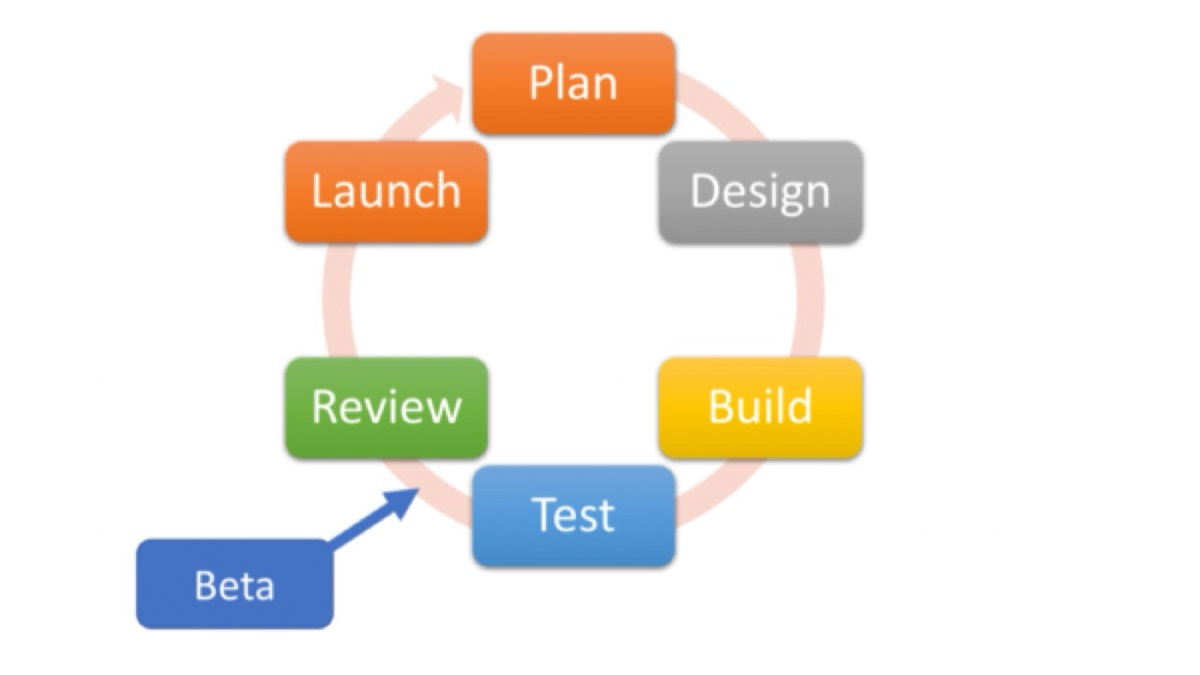
Launch to a controlled audience before going live to everyone. Internal testing catches obvious errors; external beta testing catches assumption errors.
- Test with 5–10 people who represent your actual target audience
- Ask them to complete specific tasks: find the pricing page, submit a contact form, navigate from a blog post to the homepage
- Watch where they hesitate — hesitation is a UX problem
- Measure LCP and CLS on the staging environment using Google PageSpeed Insights before flipping the DNS
The 20-Point Website Redesign Checklist
Before you start:
- Export all current URLs
- Pull 6 months of analytics data
- Document current title tags and meta descriptions for ranking pages
- Define redesign objectives with measurable KPIs
- Set up a staging/development environment separate from production
During the redesign: 6. Map URL structure changes with 301 redirect plan 7. Maintain H1 tag targeting for SEO-critical pages 8. Verify mobile responsiveness at multiple breakpoints 9. Optimize all images (WebP format, correct dimensions, compressed) 10. Minimize third-party scripts (each one adds page load time) 11. Ensure all forms work end-to-end (submit → confirmation → email notification) 12. Set up canonical tags correctly across all pages 13. Verify robots.txt doesn't block staging content from being crawled before launch
Before launch: 14. Crawl the staging site with Screaming Frog — fix all 4xx errors 15. Run Google PageSpeed Insights on staging — LCP must be under 2.5s 16. Check CLS score on mobile 17. Test all CTAs and conversion points 18. Set up Google Search Console and submit new sitemap
After launch: 19. Monitor Google Search Console for crawl errors and coverage drops daily for the first 2 weeks 20. Compare KPIs week-over-week at 30, 60, and 90 days post-launch
How Often Is a Website Redesign Required?
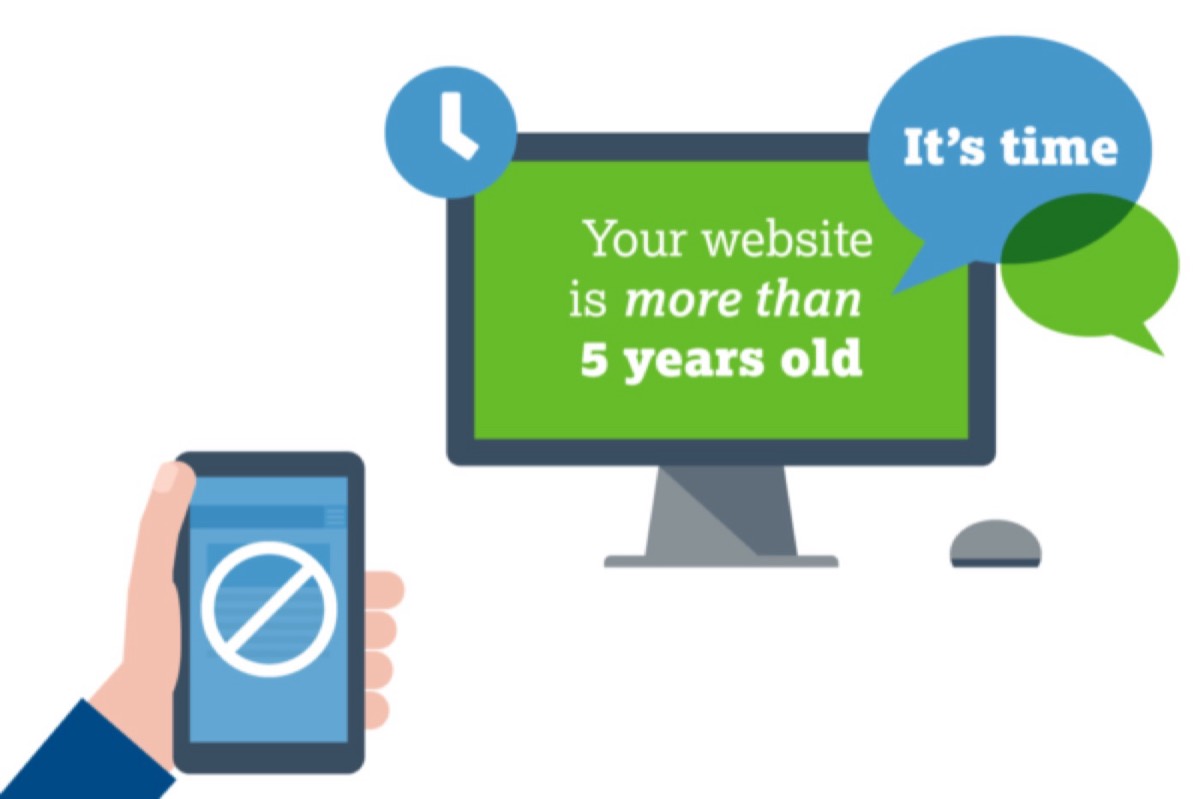
There is no fixed rule, but research indicates the functional lifespan of most website designs is 3–4 years. Key triggers that indicate a redesign is needed sooner:
- Major change in company vision, mission, or product direction
- Site is not responsive or performs poorly on mobile
- Core Web Vitals scores are consistently failing
- Conversion rates have declined without an obvious cause
- Brand identity has undergone a significant refresh
- CMS is no longer supported or secure
Between redesigns, regular refreshes — updated photography, new landing pages, seasonal design updates — extend the lifespan and keep the site feeling current.
In-House or Outsource?
Once you've decided to redesign, the question becomes whether to execute it internally or with an outside partner. The answer depends on your internal team's capabilities and the scope of what you need. Our guide to choosing a design outsourcing partner covers the six criteria that separate reliable agencies from unreliable ones — worth reviewing before you brief anyone on a project this significant.
In general, if your redesign requires specialized expertise — UX strategy, conversion rate optimization, brand identity integration — outsourcing to an agency or design subscription delivers better outcomes than internal execution without those skills. If you have a strong in-house team, they can lead the project with outside support for specific deliverables. For an honest look at the true costs and tradeoffs, our guide on why most businesses outsource graphic design rather than doing it in-house makes the case plainly.
Planning a redesign and need professional design? Digital Polo handles web design assets, landing page designs, and brand collateral from a flat monthly fee — no project quotes. See what's included →
The 4 Strategies for Website Redesign
Not all redesigns are equal. Choosing the right approach depends on your timeline, budget, and risk tolerance:
- Complete overhaul: New platform, new structure, new visual design — launched on a fixed date. Highest risk, highest potential reward. Requires thorough redirect mapping.
- Phased rollout: Redesign one section at a time (e.g., homepage first, then services, then blog). Reduces risk and spreads cost but requires maintaining two design systems temporarily.
- CMS migration: Moving from one platform to another (e.g., WordPress to Webflow) while preserving content. Technically complex — URL mapping is critical.
- UX-first redesign: Rebuild the user flows and information architecture while keeping the visual design largely intact. Lower cost, faster, preserves brand recognition — right choice when the conversion problem is structural, not aesthetic.
Conclusion
A successful website redesign protects what's working, fixes what isn't, and creates a measurable improvement in the metrics that matter to your business. The projects that go wrong typically skip one of three things: the analytics audit before starting, the SEO protection plan during the build, or the performance testing before launch.
Use the 20-point checklist above to make sure none of those steps get missed. A redesign done right is a durable investment — one that compounds over time as your SEO rebuilds, your conversion rates improve, and your users experience a site built with their needs in mind.
Need design support for your website redesign? Digital Polo's subscription gives you unlimited design requests — landing pages, graphics, brand assets — for a flat monthly fee. Start with Partner at $399/mo → | Soulmate at $899/mo →
Frequently Asked Questions About Website Redesign
What is the difference between a website redesign and a website refresh? A website refresh updates visual elements — colors, fonts, images, minor layout changes — while preserving the underlying structure. A full redesign rebuilds the information architecture, UX flows, and often the CMS or platform. Refreshes take weeks; redesigns take months. Most businesses that think they need a redesign actually need a refresh — audit your analytics before deciding.
How often should you redesign your website? Most websites have a functional lifespan of 3–4 years before a redesign is warranted. Sooner if: Core Web Vitals scores are consistently poor, your mobile bounce rate is significantly higher than desktop, your conversion rate has declined without an obvious cause, or your brand identity has changed substantially.
What are the 4 strategies for website redesign? The four main approaches are: (1) Complete overhaul — new platform, structure, and design launched at once; (2) Phased rollout — one section at a time to reduce risk; (3) CMS migration — platform change while preserving content; (4) UX-first redesign — rebuilding user flows while keeping the visual design intact.
How do I protect my SEO rankings during a website redesign? Export all current URLs before the redesign begins. Map every URL that will change to its new destination. Implement 301 redirects at launch. Preserve existing H1s, title tags, and meta descriptions on ranking pages. Crawl the staging site before go-live to catch broken internal links. Monitor Google Search Console daily for the first two weeks after launch.
How much does it cost to redesign a website? Freelance redesigns typically cost $2,000–$10,000. Agency redesigns range from $10,000–$50,000+ depending on scope. Subscription-based design services like Digital Polo offer an alternative: unlimited design work — including web assets, landing pages, and brand collateral — from $399/month, without large upfront project fees.