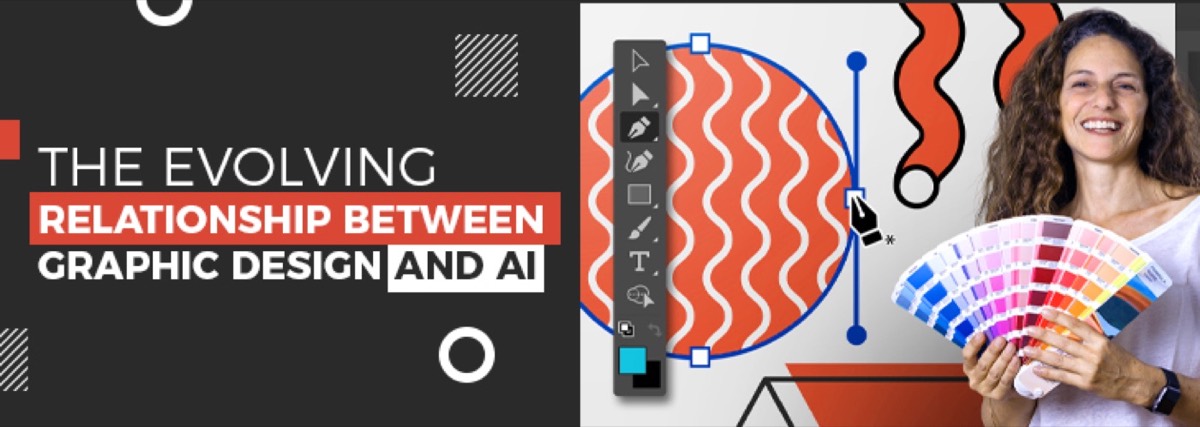
The relationship between AI and graphic design has changed more in the last three years than in the previous three decades. When this post was originally written in late 2022, ChatGPT hadn't launched yet, Midjourney was in early beta, and Adobe Firefly didn't exist. The AI design landscape in 2026 looks almost nothing like it did then.
This updated guide reflects the current reality: what AI can do well, what it still can't, and the straightforward answer to whether designers — human ones — are still necessary.
AI in Graphic Design: What Changed After 2022
The early AI design tools — basic layout generators, simple template systems — were genuinely limited. The post-2022 generation is categorically different.
Airbnb had already been using machine learning for design component generation from wireframes. Netflix was using AI to localize and personalize graphics across languages. Nutella created 7 million unique packaging designs using an algorithm. But those were bespoke, enterprise-scale applications — not tools available to every designer.
What changed between 2022 and 2026:
- Midjourney v5/v6 made photorealistic image generation accessible at consumer prices — with a quality ceiling that rivals professional photography for many use cases
- Adobe Firefly integrated generative AI directly into Photoshop and Illustrator, making AI-assisted editing a standard part of the professional workflow
- DALL-E 3 (integrated into ChatGPT) made text-to-image generation mainstream for non-designers
- Canva AI brought AI image generation, text effects, and background removal to the world's most-used design tool
- Stable Diffusion gave advanced users an open-source, locally-runnable alternative with extensive customization
AI went from an interesting experiment to a daily workflow tool for most professional designers in roughly 24 months.
AI Graphic Design Tools in 2026
Here's the current landscape for designers and businesses:
For image generation:
- Midjourney — highest aesthetic quality for illustrative and artistic work; prompt-based; subscription model
- Adobe Firefly — integrated into Creative Cloud; best for commercial use (trained on licensed content, indemnified for commercial use)
- DALL-E 3 — accessible via ChatGPT; strong at following complex prompts; best for concept visualization
- Stable Diffusion — open-source; highest customization for advanced users; steeper learning curve
For design workflow:
- Adobe Firefly in Photoshop/Illustrator — Generative Fill, generative expand, vector recoloring; transforms tedious tasks into seconds-long operations
- Canva AI — background removal, Magic Write, AI image generation; accessible for non-designers
- Figma AI — prototype generation, auto-layout, design feedback; increasingly used in UI/UX workflows
For brand and logo work:
- Looka, Brandmark, Turbologo — AI logo generators; appropriate for very early-stage businesses that need something quickly; not a substitute for professional brand identity work. For a comparison of where AI tools fall short, the best Photoshop alternatives guide covers the professional-grade options designers actually use.
What AI Does Well in Design — and What It Doesn't
AI accelerates several parts of the design process significantly:
AI handles well:
- Generating reference imagery and mood board concepts
- Removing backgrounds and cleaning up images
- Producing multiple variations of a concept quickly for client review
- Upscaling low-resolution images
- Generating stock-quality photography at scale
- Automating repetitive production tasks (resizing, reformatting, color adjustments)
AI still requires human expertise for:
- Brand strategy — understanding what a brand should communicate and to whom
- Consistency across a brand system — AI generates; it doesn't maintain
- Trademark clearance — AI-generated logos cannot be registered without screening
- Client communication — interpreting a vague brief into a clear creative direction
- Print production specifications — bleed, CMYK conversion, file preparation
- Layout and hierarchy decisions — what the eye should read first and why
The clearest way to frame it: AI is a powerful production tool. It doesn't do strategy, judgment, or brand stewardship.
What Is the 30% Rule for AI in Design?
The "30% rule" refers to a guideline increasingly used in professional design practice: treat AI-generated content as a starting point that requires approximately 30% of the total project effort to refine, adapt, and make brand-appropriate.
The rule addresses a common misconception — that AI outputs are ready to use. In practice, an AI-generated image may be visually impressive but tonally wrong for a brand, technically unsuitable for print, inconsistent with brand color systems, or legally problematic if trained on copyrighted material without clearance.
The 30% figure is a rough heuristic, not a law. Simple tasks (background removal, basic upscaling) need far less refinement. Complex brand identity work requires considerably more. The principle is that AI output is a draft, not a deliverable.
Will AI Replace Graphic Designers?
The honest answer: no. But the role is changing.
The designers whose work is most threatened by AI are those who primarily execute production tasks that AI can now automate: image resizing, basic photo retouching, generating layout variations, creating generic social media graphics. For those tasks, AI is already faster and cheaper.
The designers who are thriving with AI are using it as a force multiplier. A designer who can generate 20 concept variations in Midjourney in 30 minutes — and then select, refine, and brand-align the best two — is delivering more value per hour than was possible three years ago. AI didn't replace that designer; it made them significantly more productive.
What AI cannot do, and what remains entirely human: understanding a client's business context, developing brand strategy, building a cohesive identity system, communicating creative decisions to stakeholders, and managing the relationship between design and business outcomes. If you're weighing the costs of doing design in-house versus outsourcing it, the AI shift makes that calculation even more decisive — professional agencies now offer AI-augmented output at the same flat rate.
The businesses that win are those working with human designers who use AI strategically — not those who try to replace professional design with AI tools entirely. This is one of the core reasons every business benefits from a professional design agency — the expertise to make those judgment calls comes from practitioners who live and breathe design, not AI outputs alone.
How Digital Polo Uses AI in Its Design Process
Digital Polo's design team uses AI tools — including Adobe Firefly, Midjourney, and others — as part of our standard workflow. This means:
- Faster concept generation at the brief stage, giving clients more options to react to early
- AI-assisted production work (background removal, image upscaling, variation generation) that reduces turnaround time on routine tasks
- Human designers reviewing, refining, and brand-aligning all AI-generated content before it reaches clients — applying the 30% rule in practice
The result: the efficiency gains of AI with the quality control, brand judgment, and strategic thinking that only experienced human designers provide.
Get the best of both — professional human designers using the latest AI tools, for a flat monthly fee. See what's included →
Conclusion
AI has fundamentally changed what's possible in graphic design. It hasn't made human designers obsolete — it has raised the baseline and shifted what the designer's value contribution is. The work that can be fully automated by AI was never where the real value was.
For businesses: the practical implication is that working with a professional design agency in 2026 means getting AI-augmented output — faster, higher-quality results — rather than choosing between AI tools and human designers. The best outcomes come from combining both.
Work with designers who use AI as a tool, not a crutch. Digital Polo's subscription gives you unlimited professional design — AI-enhanced, human-verified — from $399/mo. Get started → | Soulmate at $899/mo →
Frequently Asked Questions About AI and Graphic Design
Will AI replace graphic designers? No — but it's changing the role. AI automates production tasks (image generation, background removal, resizing, variation creation) and accelerates concept development. Designers who use AI as a production tool are more productive than ever. What AI cannot do: brand strategy, identity system coherence, client communication, creative judgment, and print production. The role shifts toward curation and strategy; the execution tools become faster.
What is the 30% rule for AI in design? The 30% rule is a professional practice guideline: treat AI-generated output as a starting point requiring approximately 30% of the total project effort to refine, adapt, and brand-align. AI generates compelling visuals quickly; making them on-brand, print-ready, trademark-safe, and tonally correct for a specific business requires human judgment. The 30% figure varies by task complexity.
What AI tools are graphic designers using in 2026? The main tools in professional use are: Midjourney (artistic image generation), Adobe Firefly (Creative Cloud integration — commercial-safe, indemnified), DALL-E 3 (via ChatGPT, strong prompt following), Canva AI (accessible for non-designers), and Stable Diffusion (open-source, advanced customization). For workflow: Firefly in Photoshop/Illustrator, Figma AI, and various automation tools for batch production tasks.
Can AI generate logos and brand identities? AI tools like Looka, Brandmark, and Midjourney can generate logo concepts. However, AI-generated logos cannot be trademarked without clearance screening, may lack the vector formats needed for print production, and don't come with the brand strategy or identity system that makes a logo part of a coherent brand. For early-stage startups needing something fast, AI logo tools can work as a placeholder. For brands that need a registrable, production-ready identity system, professional designers remain necessary.
Does Digital Polo use AI in its design process? Yes. Digital Polo's designers use AI tools — including Adobe Firefly, Midjourney, and others — to accelerate concept generation, production tasks, and variation creation. All AI-generated content is reviewed, refined, and brand-aligned by human designers before delivery. The goal is to combine the speed of AI with the quality control and brand judgment that experienced designers provide.