What words struggle to communicate, images convey instantly. Images make blog posts complete and immediately understandable — they give readers a visual anchor for the concepts described in text. Without them, even well-written content can feel dense and exhausting to read.
Continuous reading with no visual breaks makes a blog post dull and tedious. Readers will abandon it halfway through, even when the information itself is genuinely useful. Adding well-chosen images gives your content a new layer of engagement that pure text cannot match.
The Relationship Between Blog Content and Images
With the growth of digital marketing and social media, the importance of visual content has only increased. Informative content paired with relevant images, bold headlines, and clear subheadings creates the kind of blog post that earns complete reads, comments, shares, and return visitors. For a broader look at how Digital Polo approaches content strategy, see our introductory post on affordable graphic design for growing businesses.
The word "images" in this context is broader than most people assume. It includes:
- Infographics
- Schemes and diagrams
- Custom graphics
- Graphic illustrations
- Wireframes
- Tables and charts
- Screenshots
- GIFs
A blog post without images is like a book without a cover — bare and easy to overlook. Dress your content with appropriate visuals and it gains the structure, credibility, and visual appeal that keeps readers engaged from first paragraph to last.
10 Reasons to Use Images in Your Blog Posts
Studies confirm that images significantly improve content retention. This is known as the "Pictorial Superiority Effect." People reading text-only content can recall roughly 10% of what they read. People reading content paired with relevant images retain around 65%. Here are the ten most compelling reasons to make visuals a non-negotiable part of your blogging strategy.
Images make blog posts visually more appealing. The first thing a reader notices when landing on a post is the images — not the opening sentence. Strong visuals create an immediate positive first impression and connect emotionally with readers. They give the post an informal, inviting tone that encourages actions like commenting, liking, and sharing. In some posts — a roundup of street food, a portfolio showcase — the images are the primary content, with text playing a supporting role.
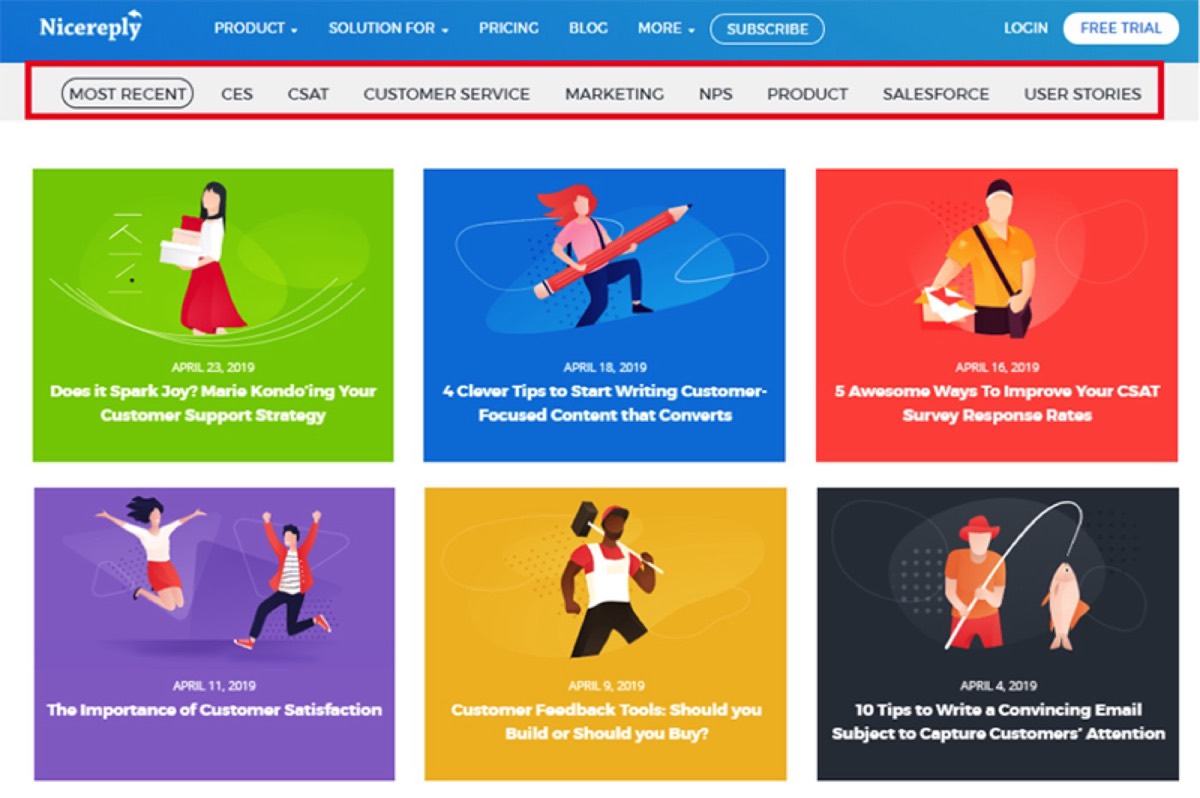
Images provide better structure. Visuals help divide long posts into logical, readable sections. Each image acts as a visual cue that signals a new topic or idea is beginning. This kind of chunking makes the full post feel less daunting and more scannable, which increases the likelihood that readers will complete it.
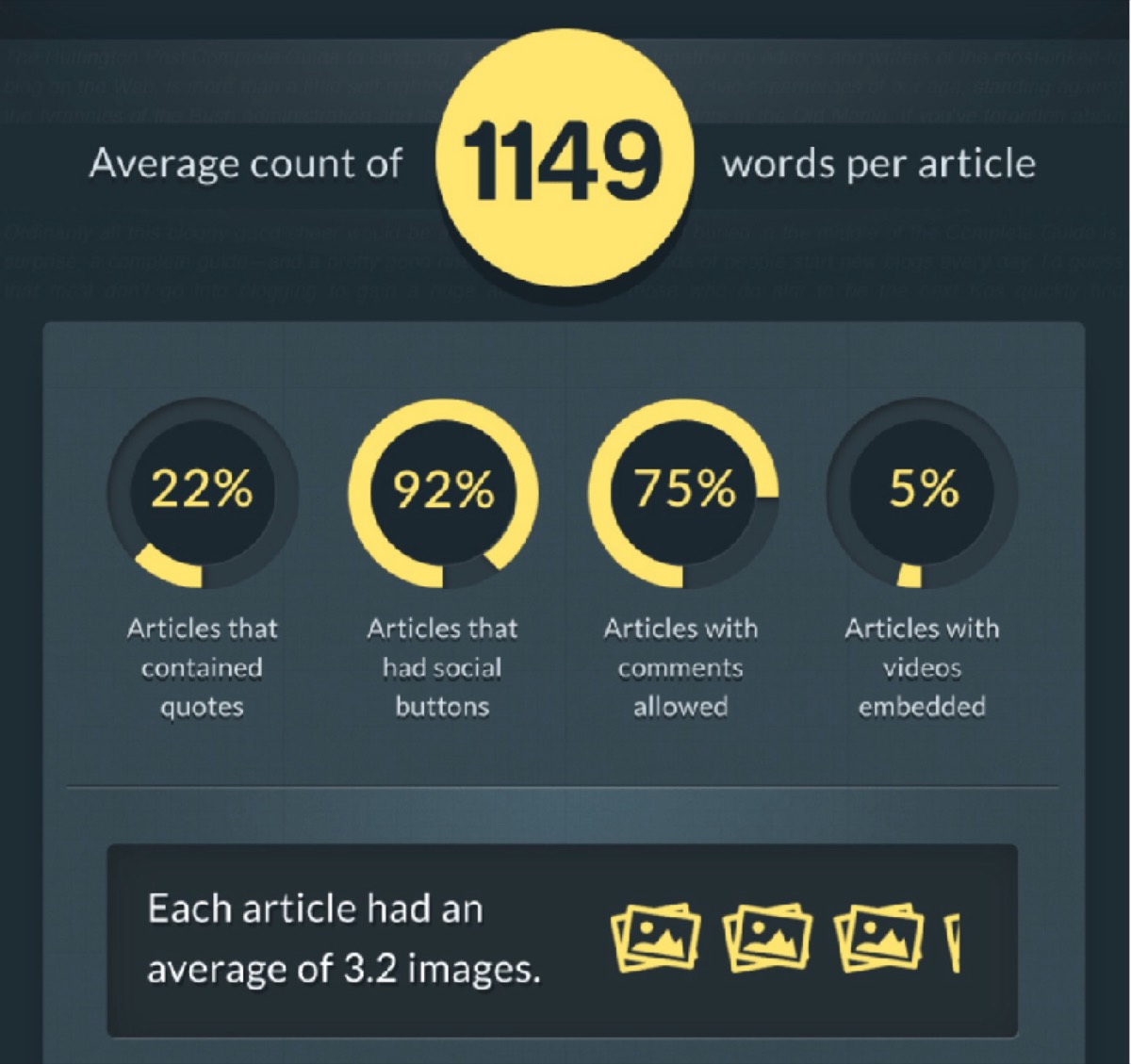
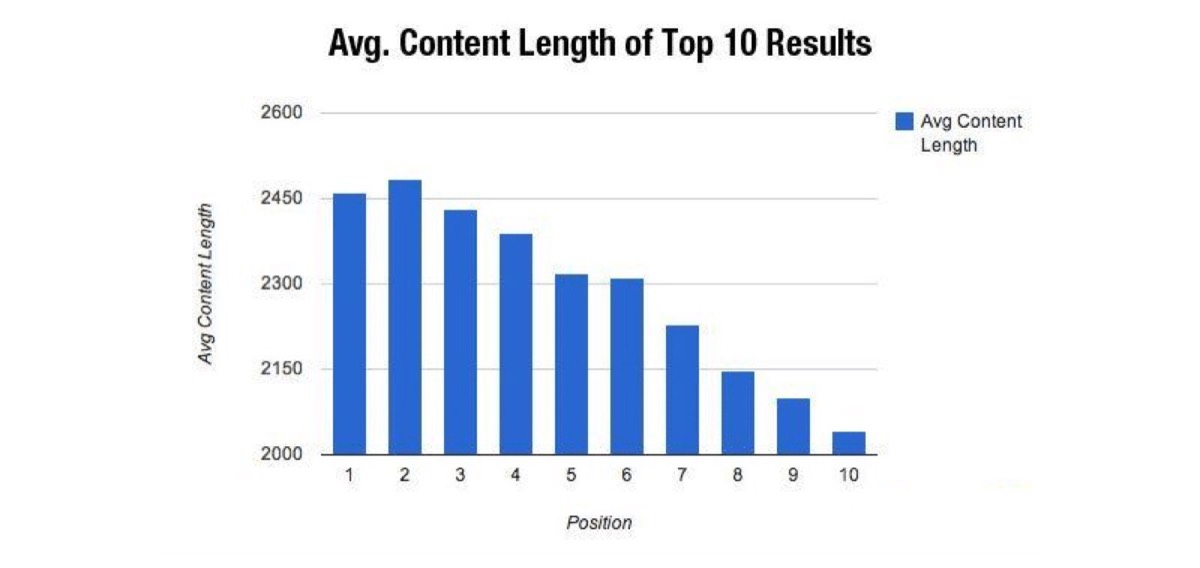
Images boost SEO rankings. Blog posts with images consistently rank higher in search results. Search engines reward long-form, media-rich content. Beyond length, images allow you to add alt tags, titles, and descriptions — all of which provide additional keyword signals. Just remember to resize and compress images before uploading to keep page load speeds fast.

Images increase perceived content length. Relevant visuals extend the natural reading length of a post without padding the word count. For a post covering ten hair styles, twenty subheadings paired with twenty images creates a thorough, well-paced piece that readers appreciate — even when individual written sections are brief.
Images make complex content easier to understand. Technical or specialized content can alienate readers who are unfamiliar with the terminology. Screenshots, flowcharts, and step-by-step diagrams break down complicated ideas into visuals that any reader can follow. This approach widens your potential audience and improves comprehension for all skill levels.
Looking for professional designs that apply these strategies? See Digital Polo's plans →

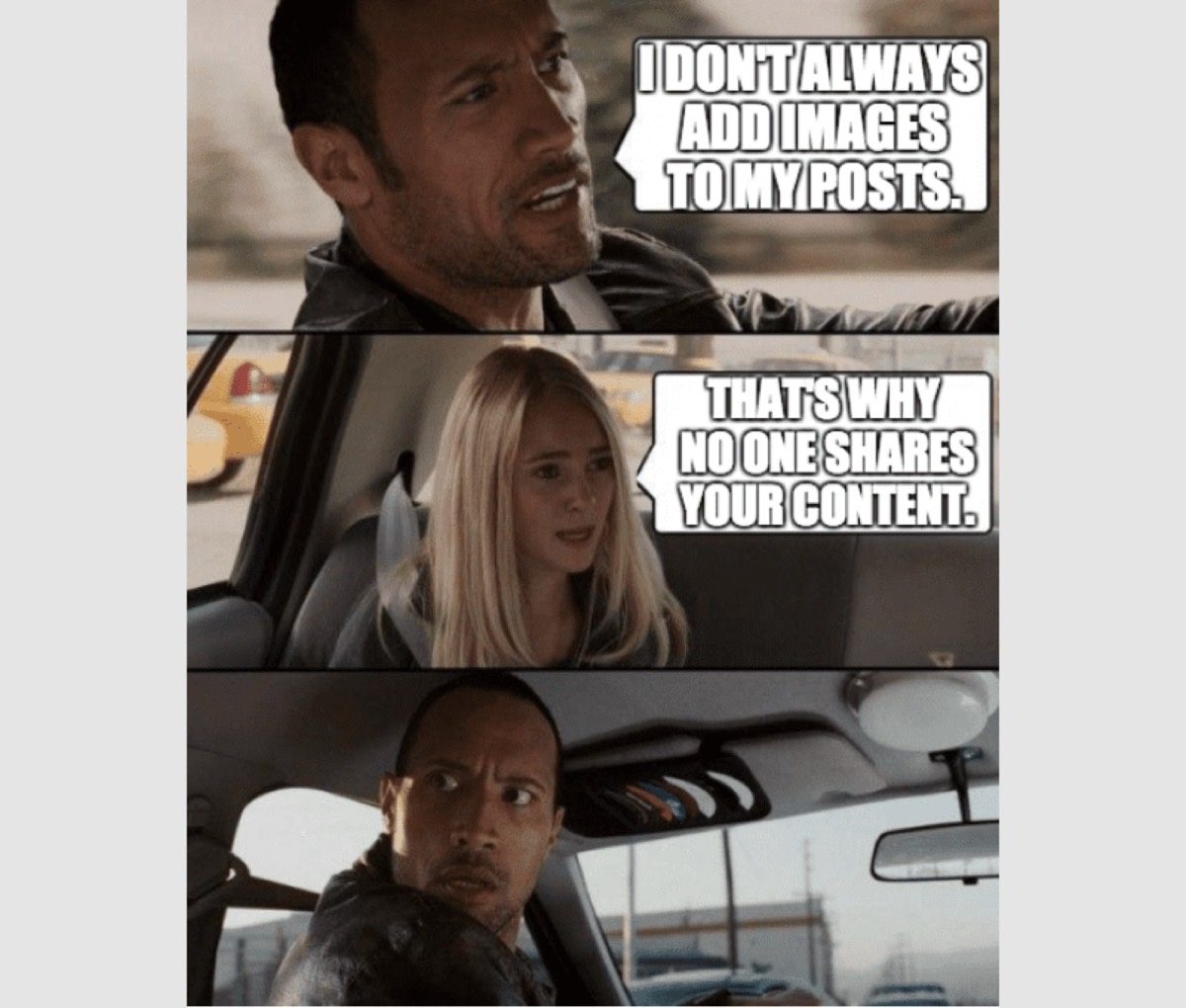
Images increase social media reach. Posts that include images receive approximately 35% more traffic than text-only posts. On social media platforms driven by visual content, image-rich posts get more likes, more shares, and more saves. When readers share your content to their own networks, your reach multiplies without any additional marketing spend. This visibility compounds your sales pipeline — the same principles behind building a tight sales loop that wins more customers apply to content reach too.
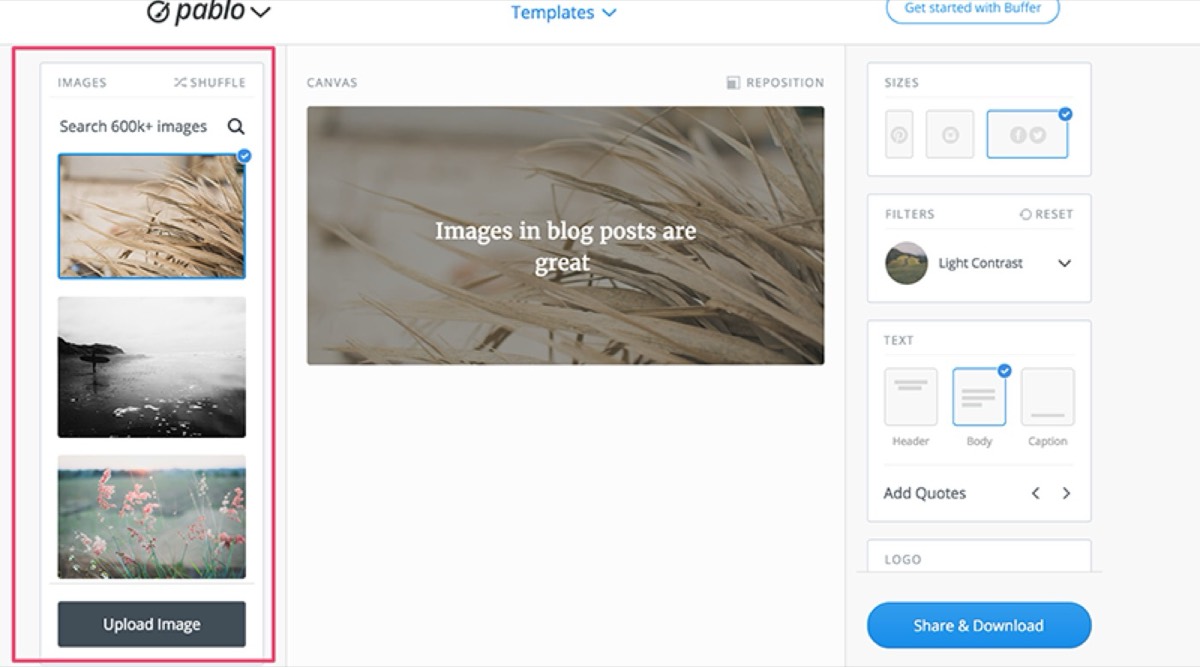
Custom images help you stand out from competitors. The number of bloggers publishing content in almost every niche is growing steadily. Custom images — illustrations, branded graphics, original photography — signal quality and attention to detail. Readers consistently rate bloggers who create original visuals as more professional and authoritative than those who rely entirely on generic stock photos.
Images validate and reinforce your written arguments. A well-chosen image gives readers visceral proof of what the text describes. If your post advocates for a particular fitness routine, a compelling before-and-after image creates immediate emotional buy-in. Images give urgency and tangibility to abstract statements, pushing readers closer to action.
Real-life images create lasting memories. For travel, food, and lifestyle bloggers especially, authentic photographs are irreplaceable. A travel blogger's genuine, candid images of a mountain destination are far more persuasive than any description. These images become part of a permanent online record — stories that readers can return to and share long after the original post date.

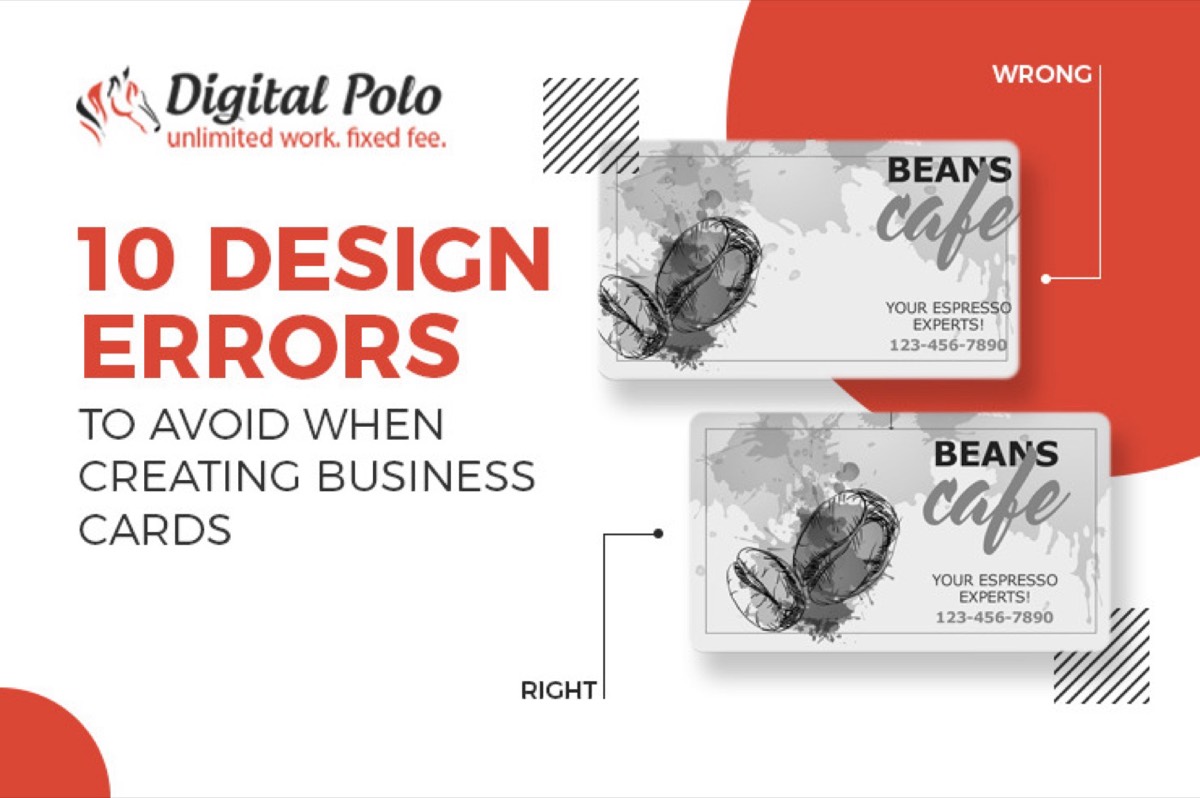
Images make your blog look professional. A balanced combination of text and visuals, distributed evenly throughout the post, signals that you take your work seriously. It shows care, planning, and an understanding of what your audience needs. That professionalism builds trust, and trust builds readership. The same attention to detail matters in print — the most common business card design mistakes are worth reviewing if you want every touchpoint to reflect well on your brand.
Words and images are not in competition — they complement each other. What one medium cannot convey, the other can. The most effective blog posts use both deliberately, with each image earning its place by adding genuine value to the surrounding content. Text alone reaches people intellectually; images reach them emotionally. Together, they create the kind of content that gets read, remembered, and shared.
Start treating visuals as a core part of your content strategy, not an afterthought. Even one or two strong images per post can dramatically improve engagement metrics, SEO performance, and reader satisfaction.
Digital Polo creates custom blog graphics, infographics, and visual content assets for one flat monthly fee with unlimited revisions. Start for $399/mo → | Soulmate at $899/mo →
Frequently Asked Questions About Using Images in Blog Posts
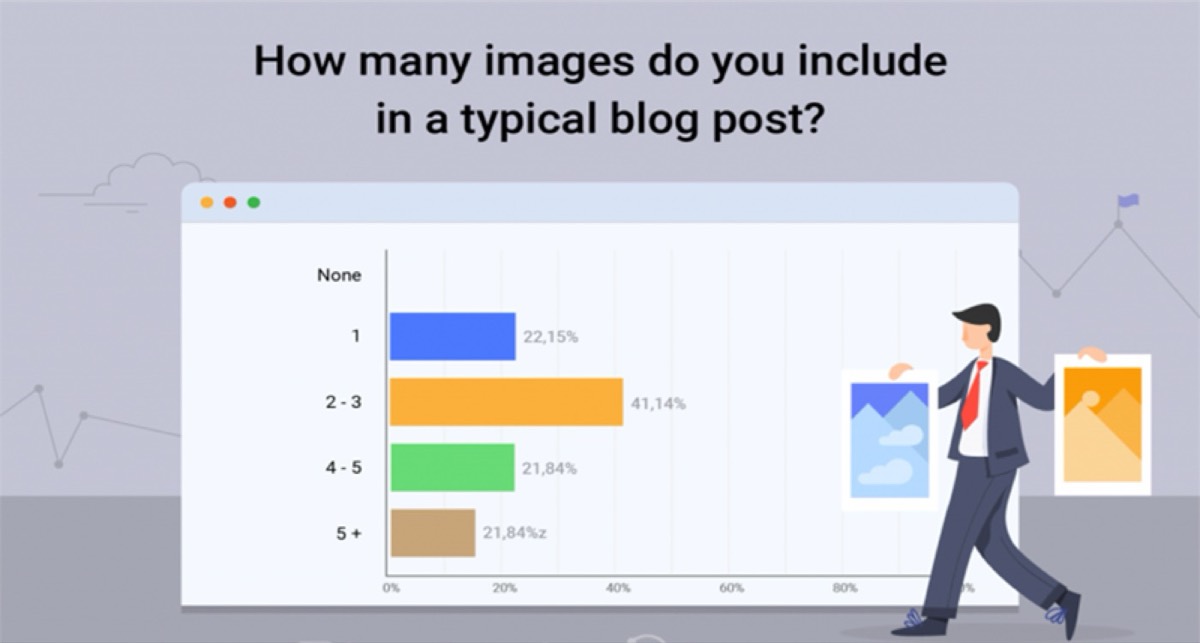
How many images should a blog post include? There is no fixed rule, but research suggests that top-performing articles average around 3–4 images. A practical guideline is one image for every 300–400 words of content. The key is relevance — every image should add something the text alone does not convey. More images are not automatically better if they are irrelevant or purely decorative.
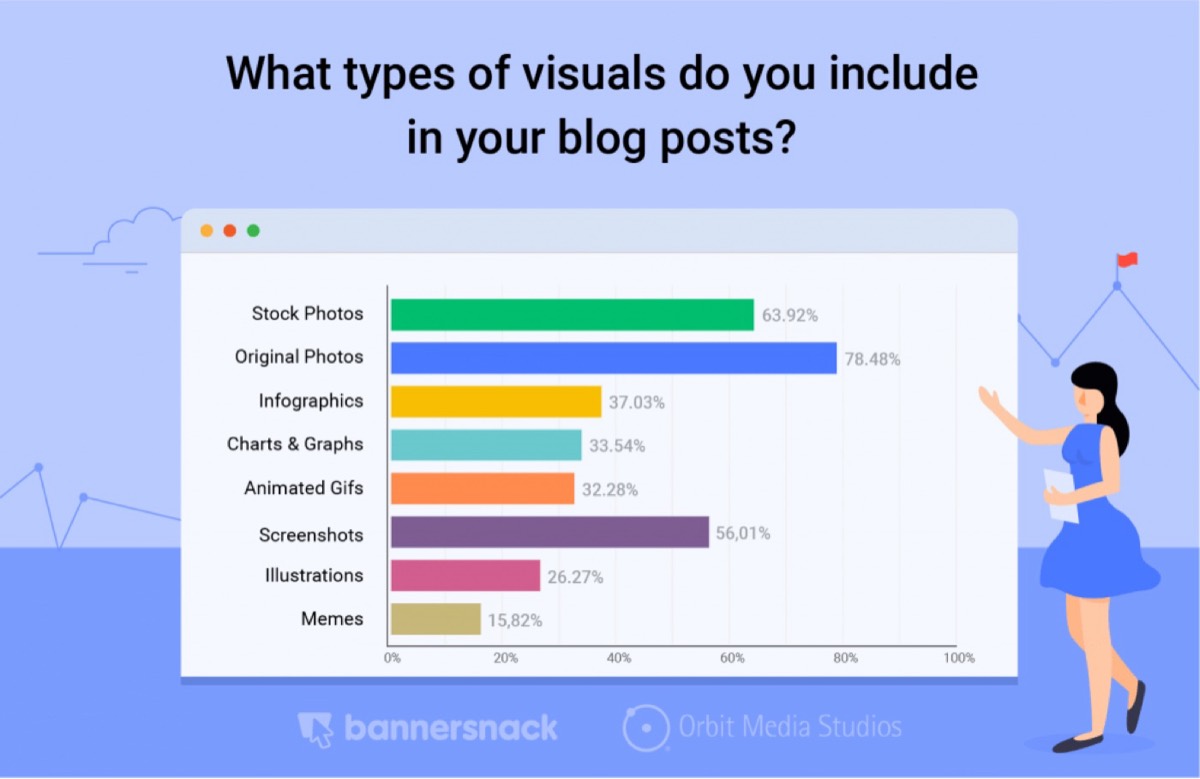
What types of images work best for blog posts? The most effective visuals are those directly relevant to the content: screenshots, custom infographics, charts, step-by-step diagrams, and original photos. Stock photos can work but tend to feel generic. Custom graphics and original images make your content more distinctive and more shareable on social media.
Do images in blog posts actually improve SEO? Yes, in several ways. Images provide opportunities to add keyword-rich alt text, file names, and captions. Posts with rich media (images, video) tend to rank higher than text-only posts. Properly optimized, compressed images also improve page load speed — a direct ranking factor. Together, these benefits make image optimization an important part of any content SEO strategy.
How do I optimize blog images for faster loading without losing quality? Use image compression tools before uploading. For photographs, JPEG typically offers the best balance of quality and file size. For graphics with flat colors and text, PNG works well. Newer formats like WebP offer superior compression with no visible quality loss and are supported by all major browsers. Always check your page speed after adding new images.
Where can I find high-quality images if I cannot create custom ones? Several platforms offer free, high-resolution images for commercial use — including Unsplash, Pexels, and Pixabay. For branded or data-driven visuals, tools like Canva make it straightforward to create simple custom graphics without design experience. For more polished, on-brand visuals at scale, a flat-rate design service like Digital Polo gives you unlimited custom image requests.