LinkedIn is the most professional of the major social networking platforms — used by over 450 million business professionals worldwide. Because it's focused on business connections, LinkedIn should be a core part of your social media marketing strategy. It works especially well when paired with other channels — see how Instagram and Pinterest can complement your B2B presence for a more complete picture.
92% of all marketers prefer LinkedIn over other social media platforms for B2B marketing. That number alone should tell you everything about where professional opportunities live online.
LinkedIn gives you access to potential employers, clients, partners, and collaborators. About 40% of users engage with LinkedIn daily, and two new members join every second. From generating leads to building brand awareness and establishing partnerships, LinkedIn is one of the most valuable digital marketing assets available — especially for B2B businesses.
Here is a comprehensive list of LinkedIn marketing strategies to help you find new customers, expand your network, and grow your business.
1. Complete Your Personal Profile
Your personal profile is the foundation of everything you do on LinkedIn. When someone searches for you to evaluate your credibility, your profile is the first thing they see. An incomplete or generic profile can cost you opportunities before you've even had a chance to pitch.
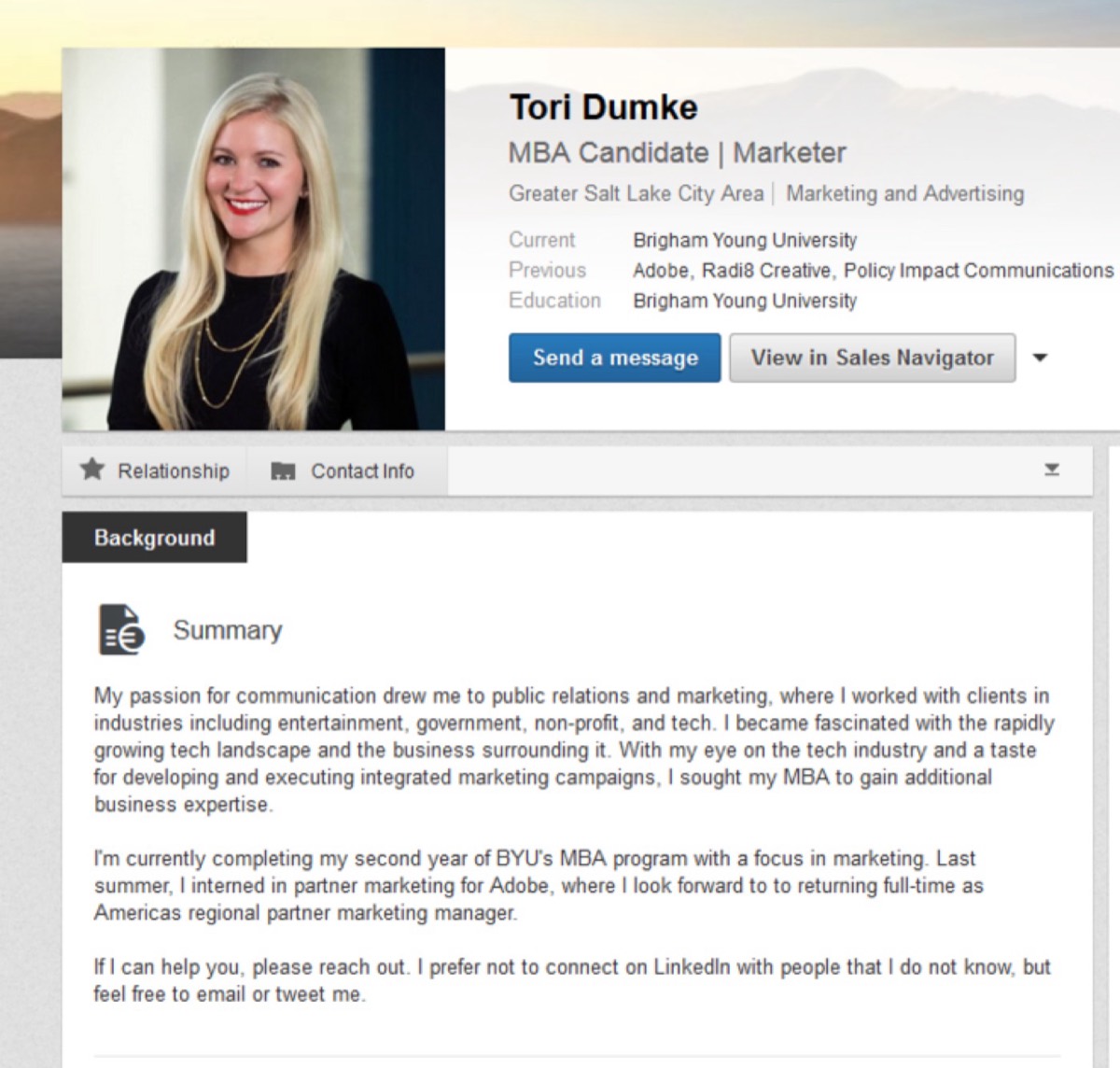
Fill in your profile with accurate, relevant information. Show how your personal background and expertise are central to your business. Think creatively about your "About" section — be informative, but don't be afraid to have some personality. The best LinkedIn profiles are both credible and memorable.
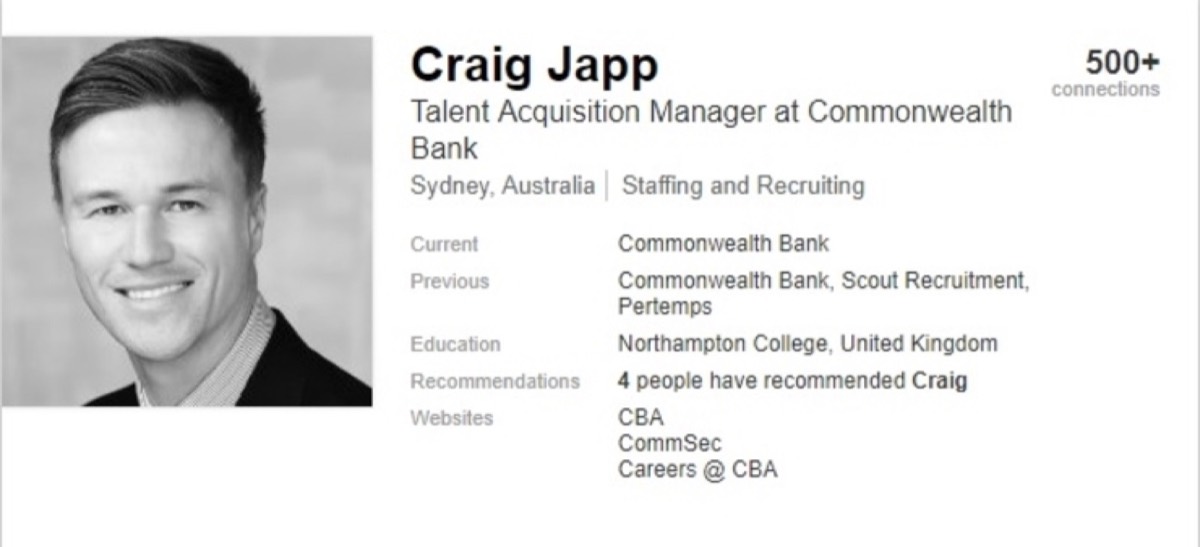
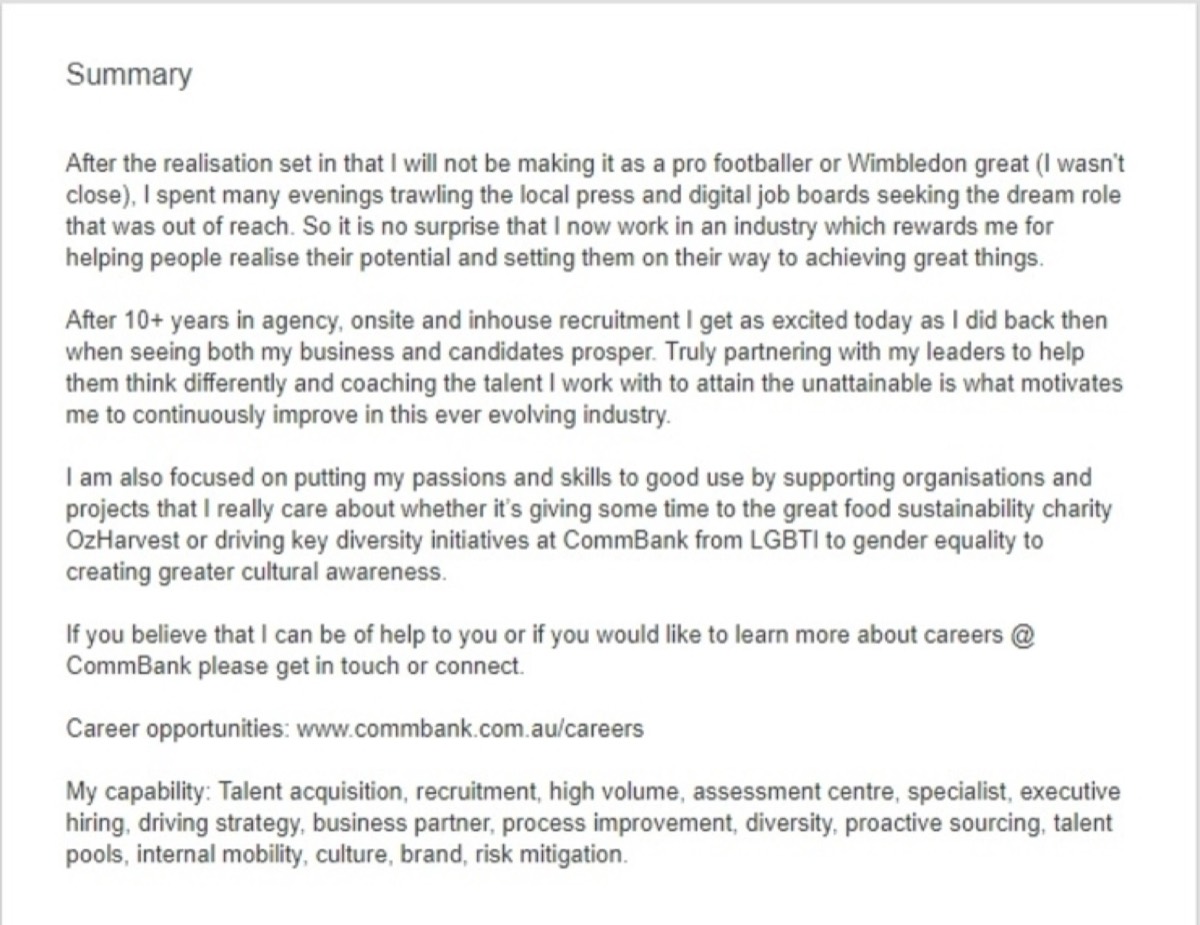
The bio shown above works because it combines impressive credentials with genuine humor. It stands out in a sea of identical corporate profiles.
Don't skip the profile photo. LinkedIn profiles with photos receive 21x more profile views and 36x more messages. Professional headshots earn 14x more profile views than casual photos. Your photo is not optional — it's one of your most powerful first impression tools.
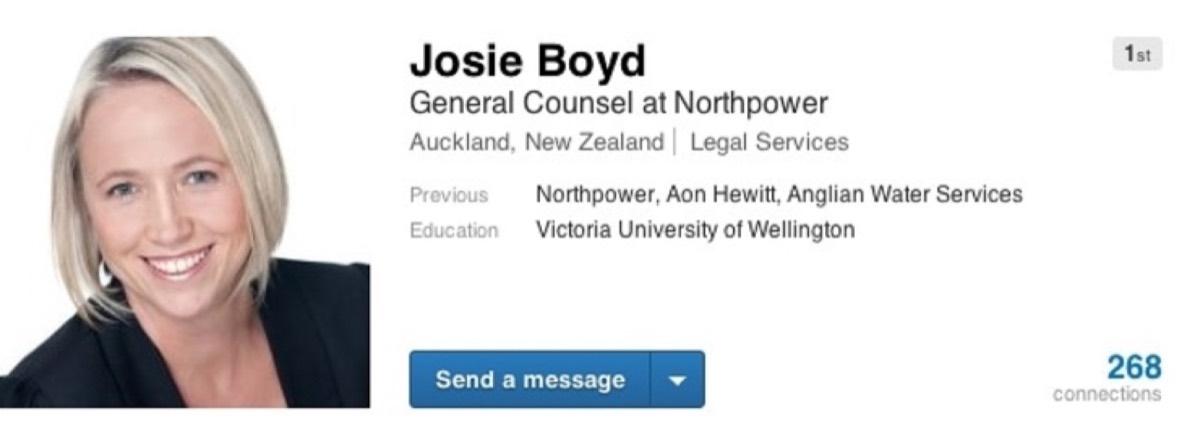
Adding skills to your profile can drive a 13x increase in profile views. Even seemingly unrelated accomplishments — like a martial arts certification — add dimension and memorability to your profile.
2. Post Useful Status Updates
Status updates are short, valuable statements that keep your connections informed about what you're thinking, creating, or observing in your industry. They can include links to your website or relevant third-party content.
Post regular, actionable updates that are useful to your audience. Your status shouldn't always be a sales pitch — sharing insights about your industry or a thoughtful take on a new development makes you appear knowledgeable rather than promotional.
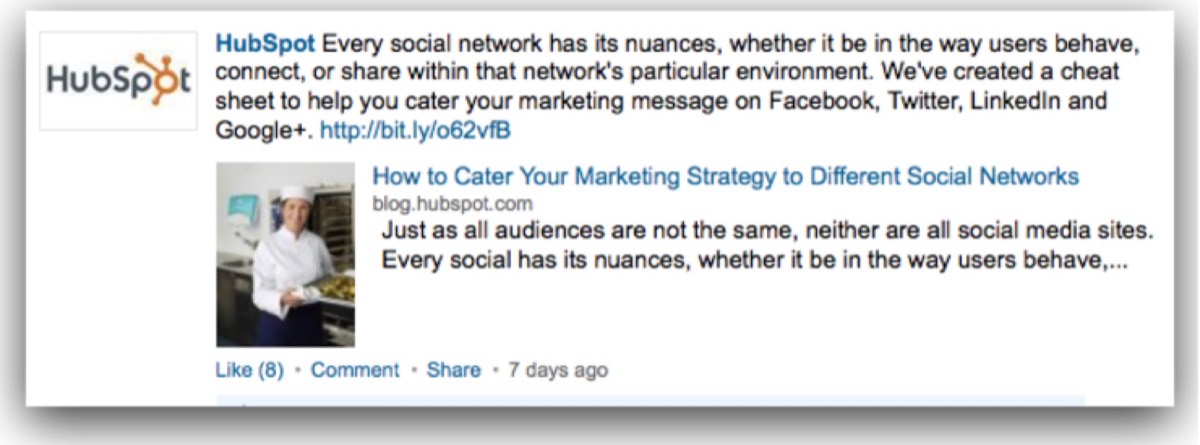
HubSpot consistently creates value through insightful LinkedIn status updates. Notice how the focus is on helping readers — not selling to them.
3. Publish Long-Form Posts
Long-form posts let you publish full articles directly to your LinkedIn profile. This is a powerful way to establish yourself as a thought leader. Posts differ from status updates in their depth — they're directed at a specific audience and explore a topic thoroughly.
94% of marketers use LinkedIn to distribute content. Publishing thoughtful posts consistently builds authority and keeps your profile active and credible. Use engaging language, include relevant images, and reference industry data where appropriate.
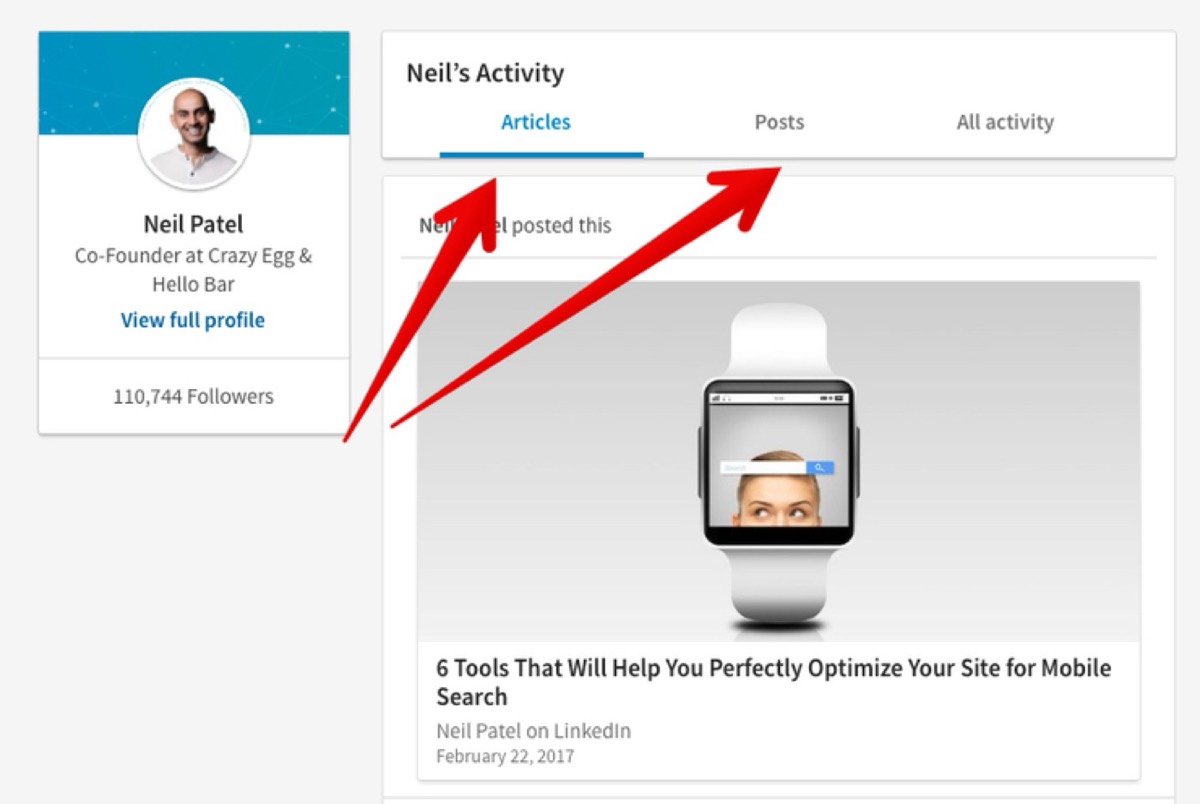
4. Collect Recommendations and Endorsements
Recommendations and endorsements let your network vouch for your skills without you having to claim them yourself. A strong collection of endorsements significantly enhances your profile's credibility.
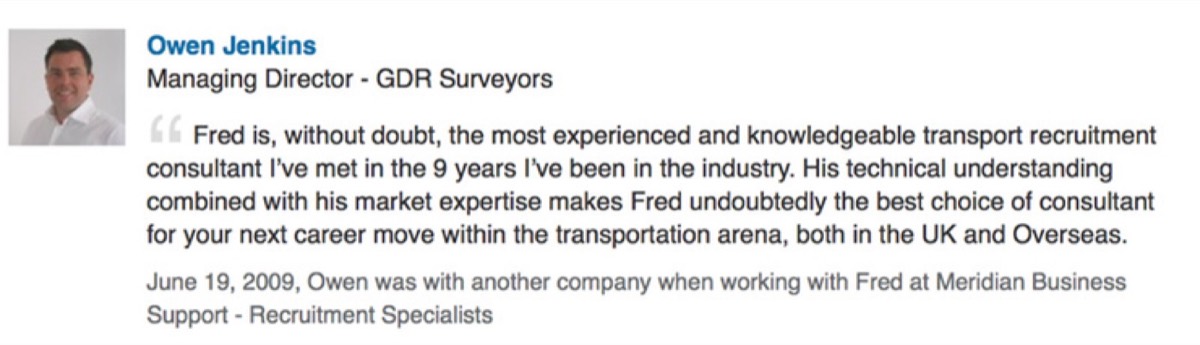
LinkedIn endorsements have crossed 10 billion worldwide — and employers actively look for them. Endorsing others is equally strategic: it builds relationships, generates reciprocal endorsements, and creates goodwill within your professional network.
5. Highlight Successful Projects
Projects show what you've actually built and delivered. They serve as an ongoing portfolio of your capabilities and are one of the most underused sections of a LinkedIn profile.
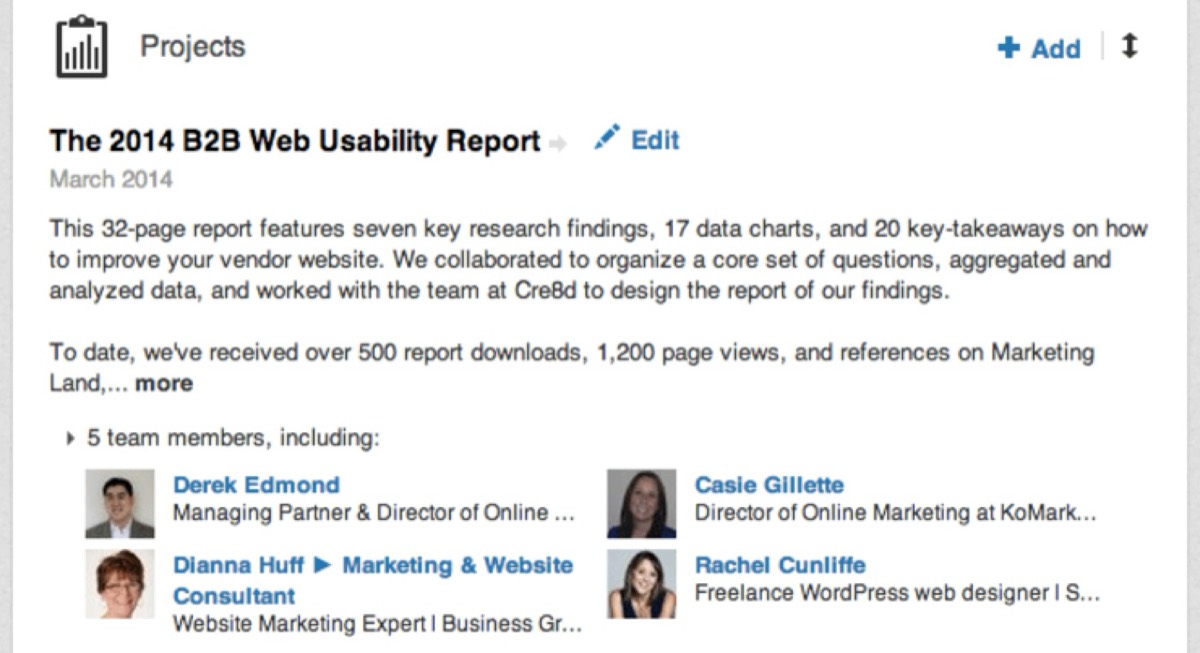
For each project, include a clear description, a link, and the names of team members involved. This positions you as both a capable professional and a collaborative one.
6. Add Publications
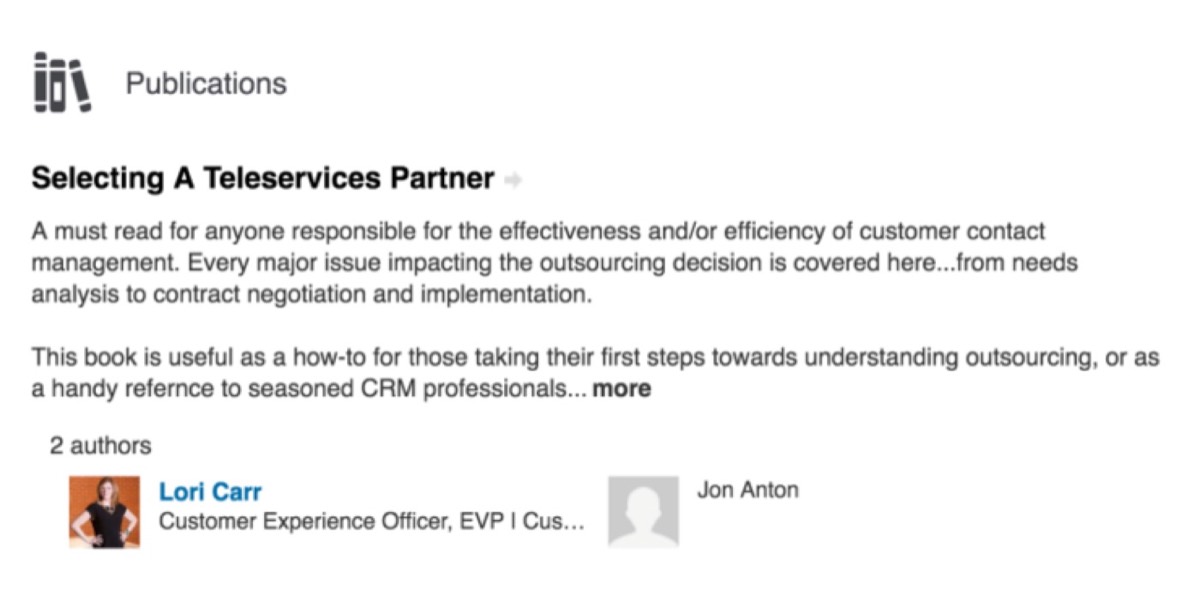
If you've written books, e-books, or major articles, showcase them with active links so connections can view and purchase them. Published content signals expertise and significantly increases the trust prospective clients place in you.
Statistics show a 23% increase in positive client engagement when individuals are approached by published professionals versus those without publications.
7. Join and Engage in LinkedIn Groups
LinkedIn Groups connect you with professionals who share your interests and expertise. You can join existing groups in your field or create your own to build a focused community around your niche.
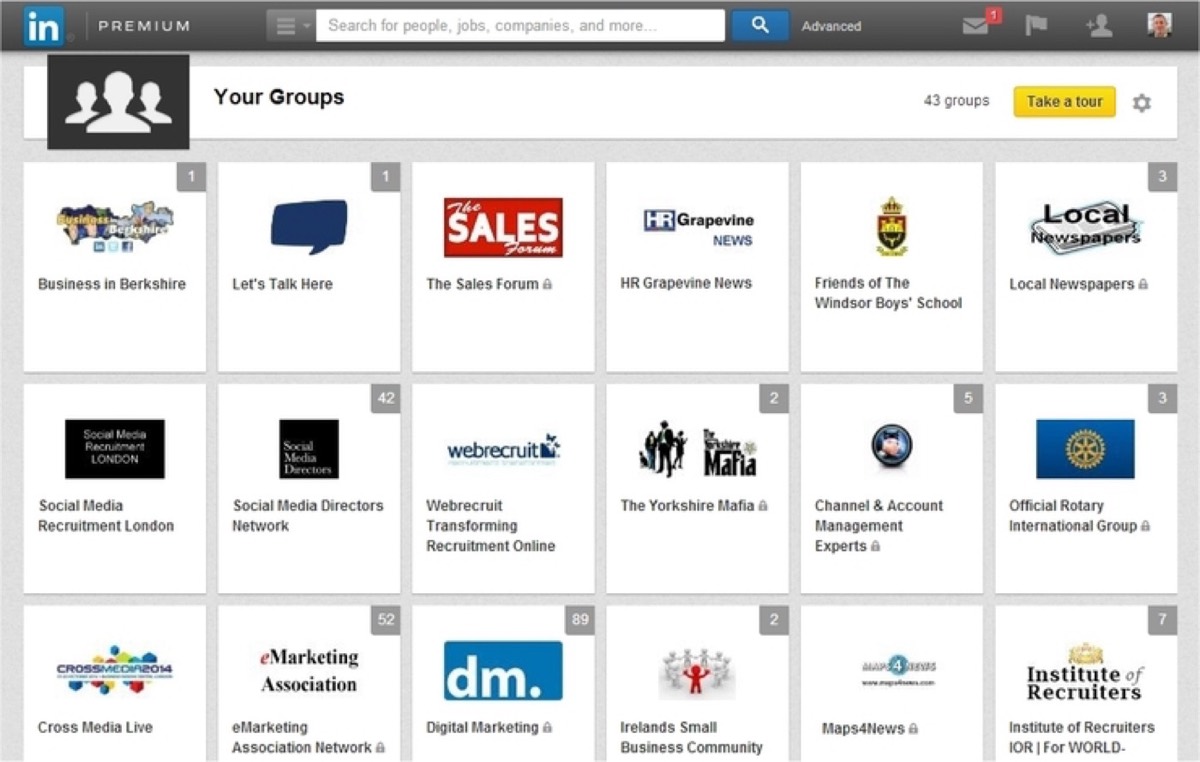
Groups are powerful for building relationships, generating referrals, and staying current with industry conversations. Active participation in the right groups can become a meaningful source of business leads.
8. Optimize Your Company Page
Your Company Page is a platform to showcase your expertise, share updates, and publish job listings, product information, and recruitment videos. It's also a research tool for finding companies to partner with and analyzing competitors.
Company Page usage has grown dramatically among businesses. A well-maintained, visually consistent Company Page tells your brand's story and attracts followers who become a built-in audience for every update you publish.
9. Find Targeted Customers and Connections
LinkedIn's search and targeting capabilities are unmatched in the professional networking world. You can filter by industry, company size, job title, location, and more — allowing you to reach exactly the type of decision-maker you're trying to connect with.
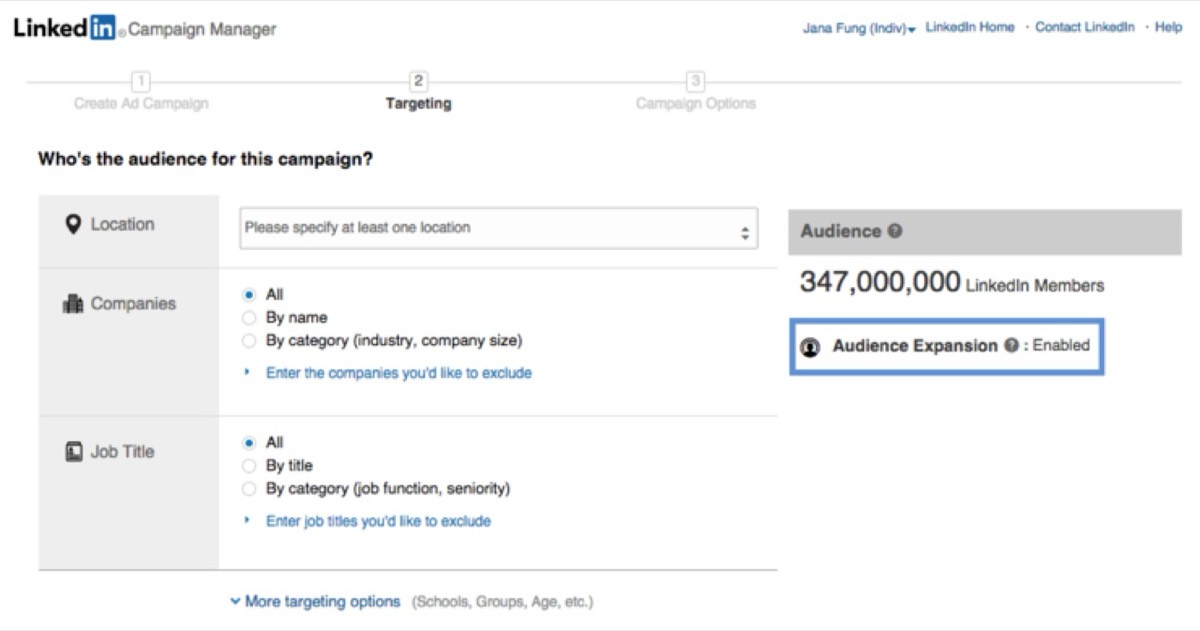
This precision targeting makes LinkedIn invaluable for B2B prospecting. Whether you're looking for suppliers in a specific city or buyers in a niche market, LinkedIn's search tools can surface them directly.
10. Grow Your Email List with InMail and Direct Messaging
InMail is a premium LinkedIn feature that lets you message people outside your network. Even free accounts can message users who allow open connections.
LinkedIn lets you message up to 50 people at a time through direct messaging. When you do, personalize each message, explain what the recipient gains by signing up for your list, and include a direct link to your email signup page. Pairing LinkedIn outreach with a strong email marketing platform makes the follow-up sequence far more effective.
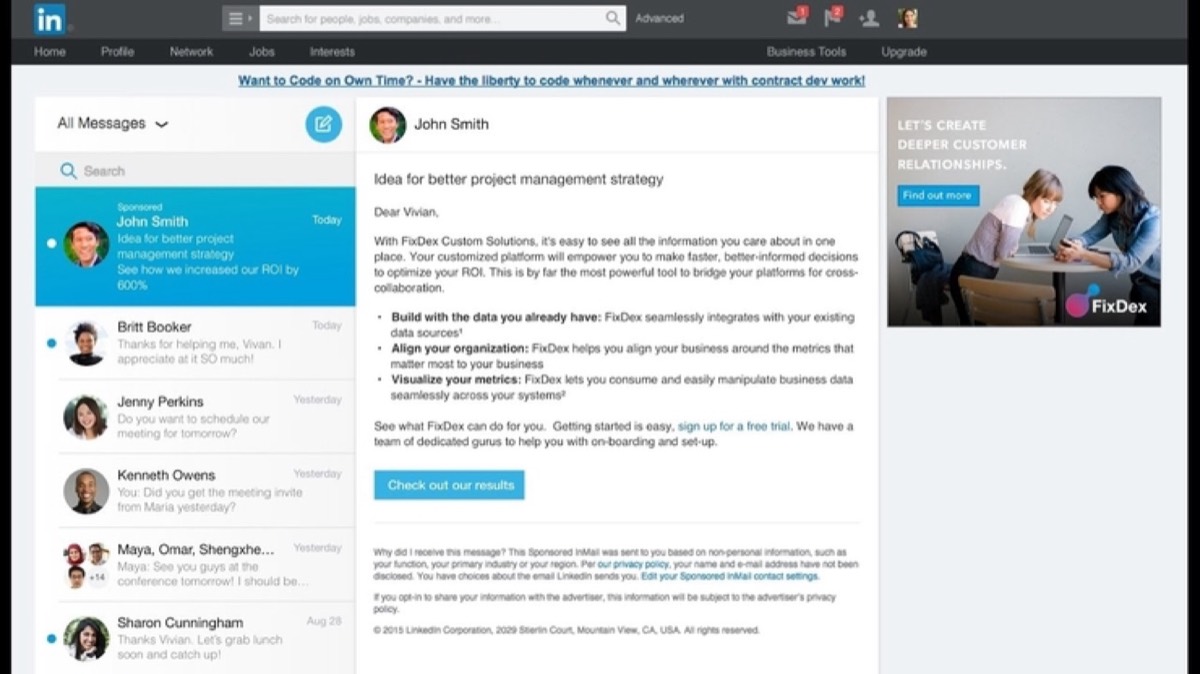
Personalization is essential here. Generic mass messages get ignored. Messages that show you've done your research — and reference the recipient's industry or recent activity — earn responses.
Need branded marketing assets that make your LinkedIn outreach more professional? See Digital Polo's plans →
11. Establish Yourself as a Recognized Expert
Consistent participation in LinkedIn group discussions and regular publication of insightful posts builds your reputation as a thought leader in your field.
When you carry expert credibility into every interaction on LinkedIn — your posts, your comments, your messages — clients give you more attention and take your recommendations more seriously.
12. Use Sponsored Updates
Sponsored Updates push your content directly into targeted LinkedIn feeds on a pay-per-click or pay-per-1,000-impressions basis. Unlike broad social advertising, LinkedIn allows you to target by company name, job title, job function, skill, school, and group membership.
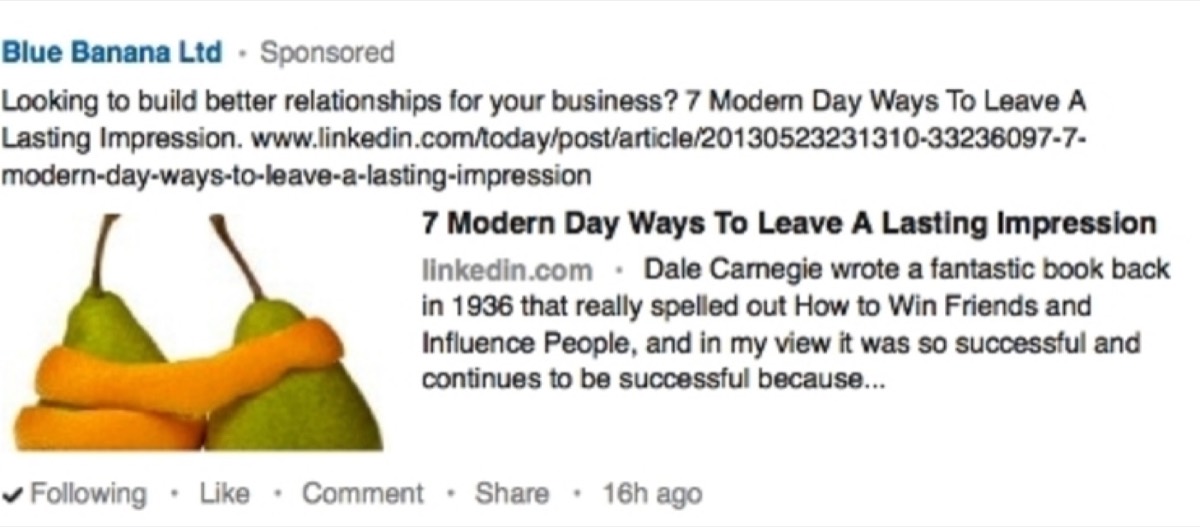
Sponsored Updates work best when the content provides genuine value — not just a sales message. A well-sponsored piece of educational content can drive meaningful website traffic and generate qualified leads.
13. Link LinkedIn with Twitter and Facebook
Syncing your LinkedIn with Twitter means updates can reach both audiences simultaneously. LinkedIn updates tend to stay visible longer than Twitter posts — so even identical content often gets more traction on LinkedIn.
Cross-platform linking also gives your audience the flexibility to follow you on their preferred network, which maximizes your overall reach.
14. Add Advanced Applications and Integrations
LinkedIn supports integrations with numerous applications — including presentation tools, scheduling apps, and content platforms. These integrations enhance your profile and improve how you communicate your value to connections.
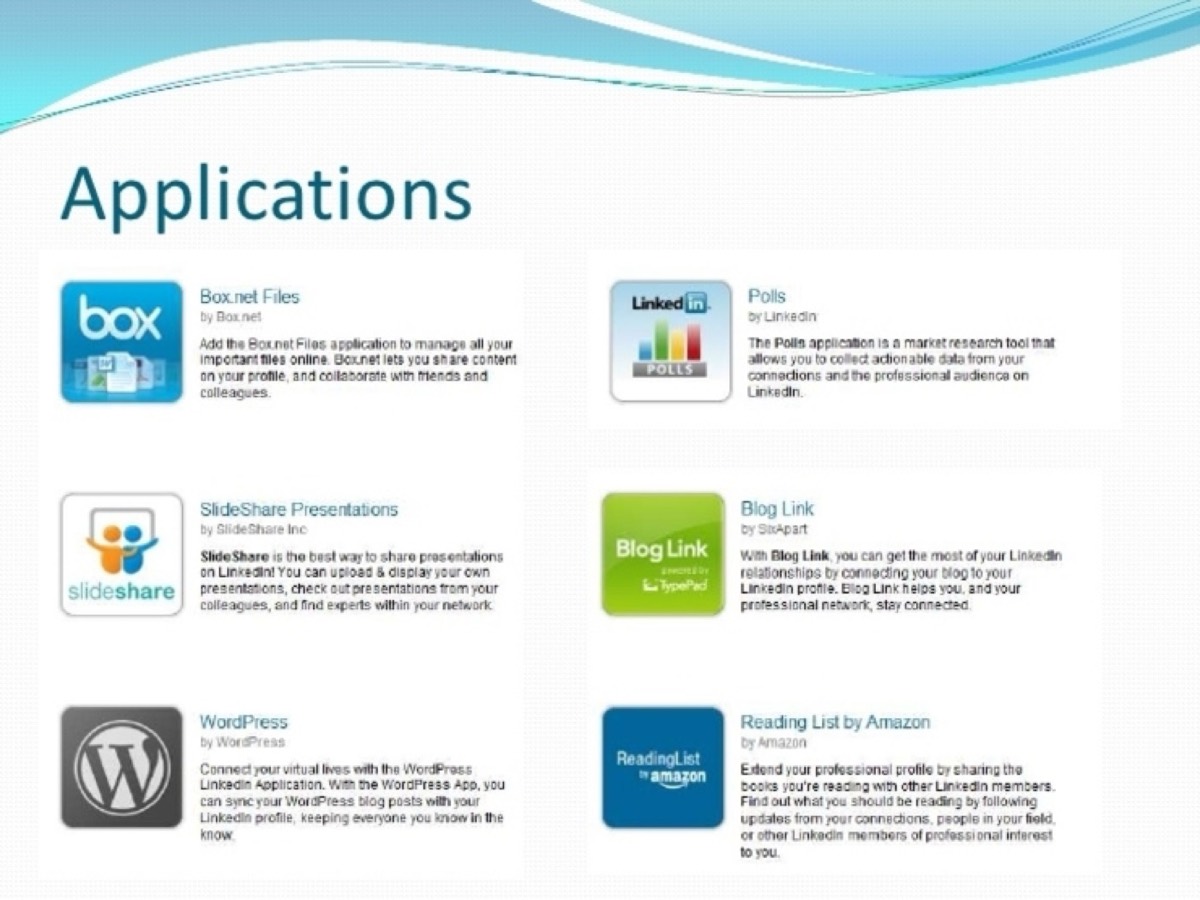
Review the integrations available in your LinkedIn settings and activate those relevant to your business. New integrations launch regularly — staying current gives you fresh ways to stand out.
15. Optimize Your Company Page for LinkedIn Search
LinkedIn search, like Google search, rewards well-optimized pages. Three key tactics:
- Insert keywords into your Company Page description that accurately reflect what your business does and who it serves
- Create links to your Company Page from your website, blog, and other marketing materials to improve your ranking
- Share relevant content regularly — updates that earn engagement signal to LinkedIn's algorithm that your page is valuable, improving its visibility in search results
16. Grow Your Company Page Followers
Followers see every update you publish directly in their LinkedIn feed. The more followers you have, the greater the organic reach of each post.

Three practical approaches: start with your employees (they're your most natural advocates), promote your Company Page in emails and newsletters, and add a "Follow" button to your website so visitors can subscribe with a single click.
17. Request Introductions
When you want to reach someone in your 2nd or 3rd-degree network, introductions are a professional way to do it. They're free for all users and often yield warmer connections than cold outreach.
18. Follow Other Company Pages
Following partners, customers, and prospects — and engaging with their updates through comments and shares — keeps you visible in their feeds. This builds goodwill and puts your Company Page on their radar without a hard sell.
Staying current with competitor and partner activity also helps you evaluate your own strategy against industry benchmarks.
19. Run LinkedIn Ads
LinkedIn Self-Service Advertising is designed for businesses serious about B2B growth. You pay by click and target people with specific job titles, seniority levels, industries, and company sizes.
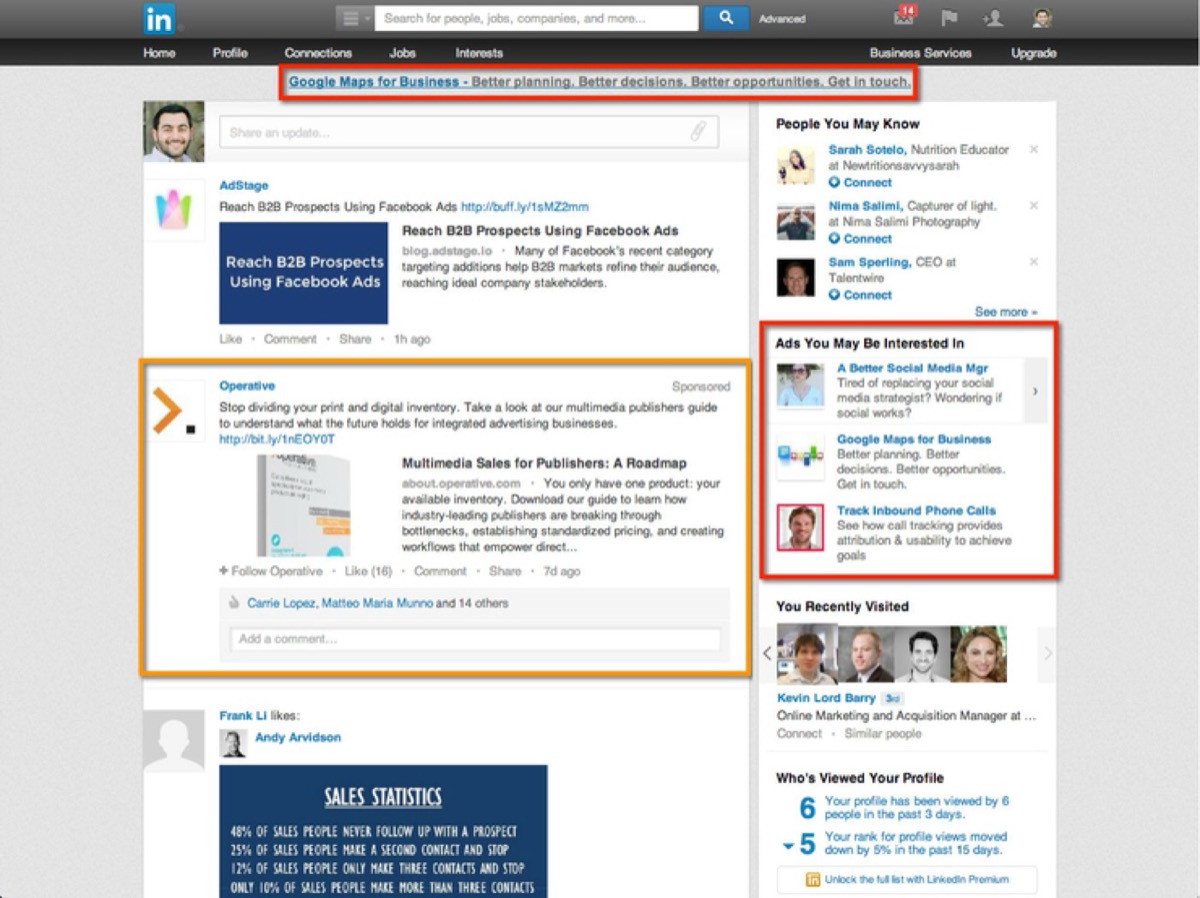
Define your campaign goal clearly before you launch — whether that's brand awareness, relationship building, or direct lead generation. LinkedIn Ads work best when the targeting is tight and the offer is highly relevant to the audience.
20. Give Your Employees a LinkedIn Presence
Encourage employees to complete their LinkedIn profiles with professional photos, relevant job history, and accurate descriptions of their roles. Each employee who represents your business on LinkedIn expands your network and adds authenticity to your brand's presence.
21. Keep Your Company Page Active and Consistent
Imagery, colors, and content on your Company Page should be consistent with your website and other social profiles. An inconsistent brand presence confuses prospects and undermines trust. The visual assets you use — whether static graphics or animation — matter too; understanding 2D vs 3D design for marketing helps you choose the right format for LinkedIn's specific context.
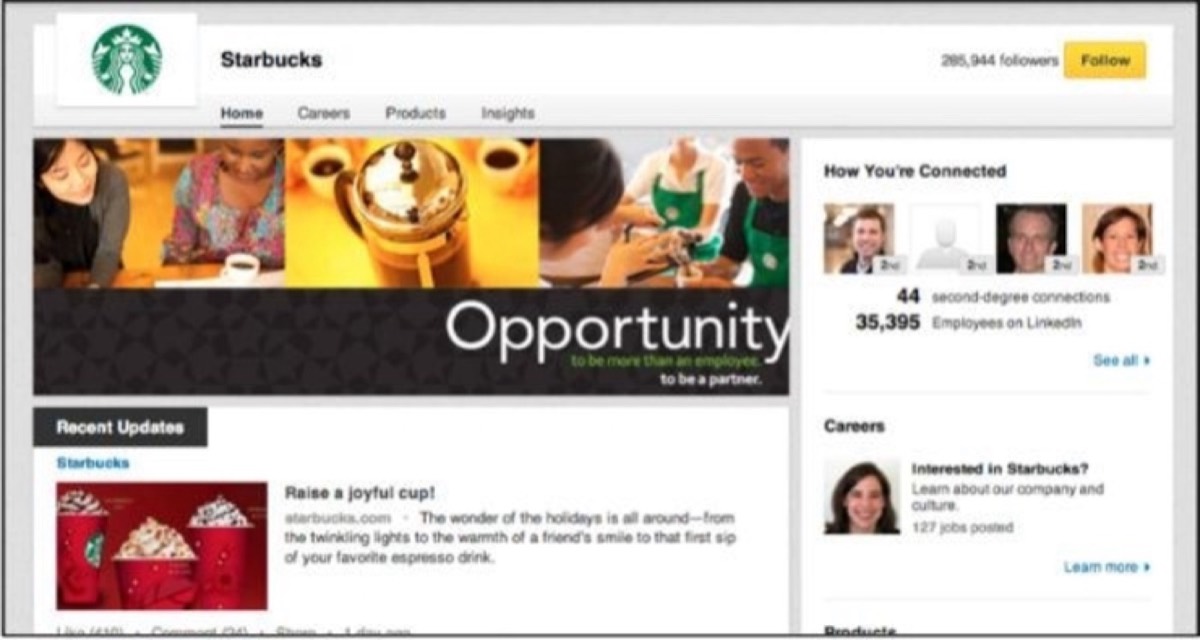
Update your page regularly. During holidays or significant industry events, post timely content to stay relevant. 92% of B2B marketers leverage LinkedIn over all other platforms — and the companies winning on LinkedIn are the ones that treat their page as a living brand asset, not a static directory listing.
22. Avoid Hard Selling
LinkedIn users are professionals — they're not on the platform to be sold to. Hard selling quickly gets you ignored or flagged as spam. Instead, focus on being discovered.
Study Content Marketing and Inbound Marketing principles and apply them to your LinkedIn strategy. Provide value first. Let your expertise, content, and recommendations do the selling. The best LinkedIn marketing doesn't feel like marketing at all.
23. Create SlideShare Presentations
SlideShare, owned by LinkedIn, is the world's largest presentation-sharing platform with 70 million users. Presentations are excellent content marketing tools — they communicate insights quickly, are highly shareable, and can be published to LinkedIn with one click.
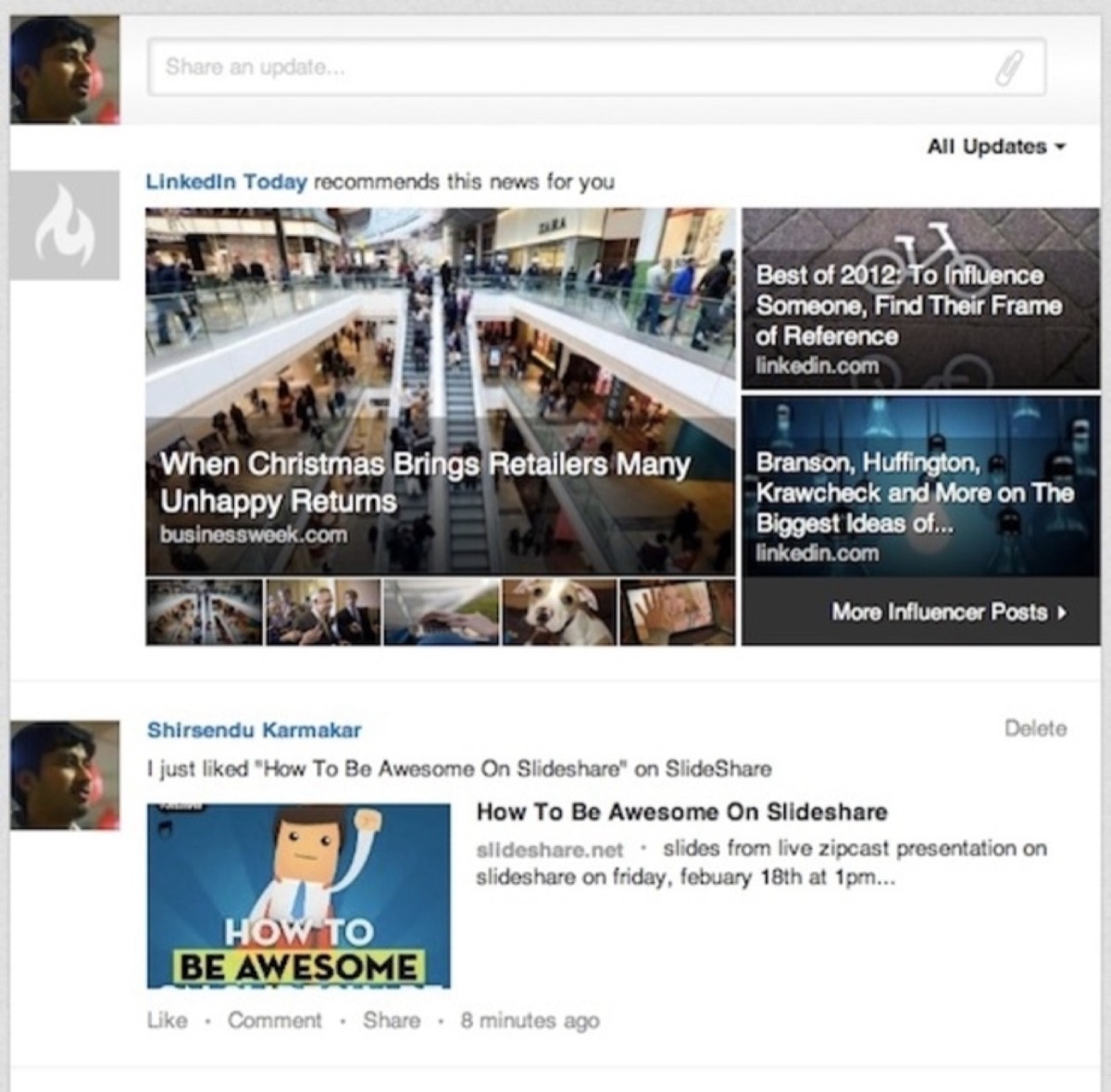
A well-crafted presentation that solves a real problem in your industry can generate thousands of views and drive consistent referral traffic to your profile or website.
24. Track Analytics Consistently
LinkedIn provides analytics for personal profiles, Company Pages, and advertising campaigns. Monitor who's viewing your updates, how many impressions your posts are receiving, and how you rank for profile views.
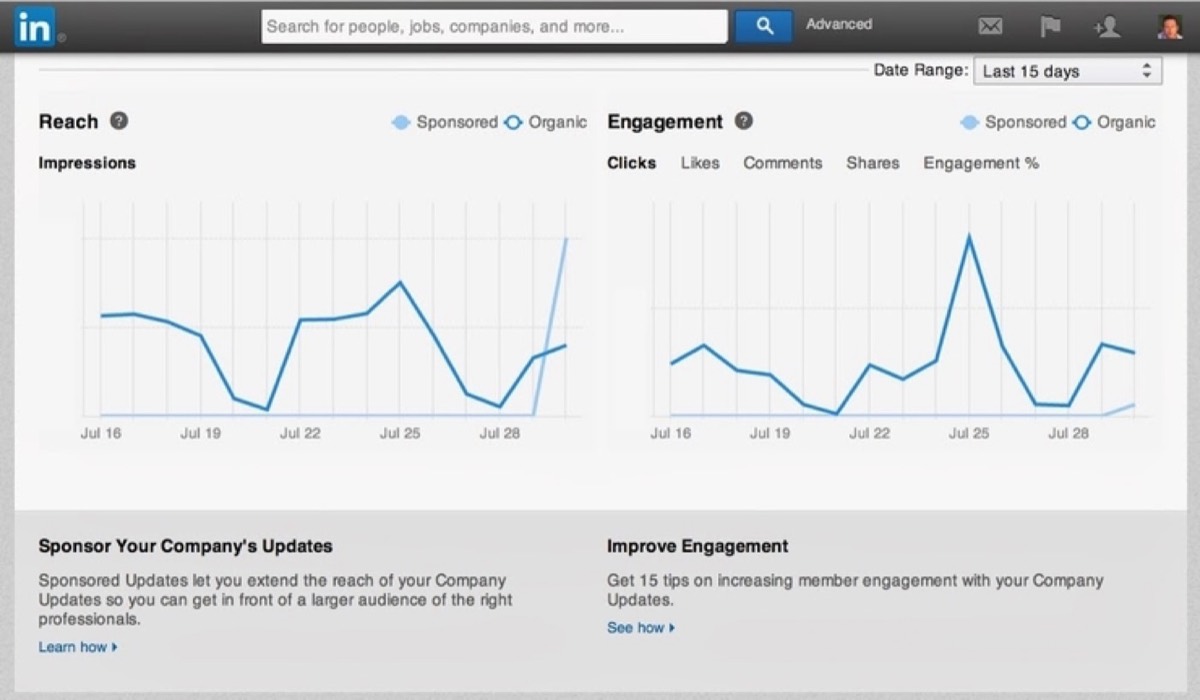
For Company Pages, track engagement, reach, follower growth, and visitor demographics. For Sponsored Updates, measure performance against your campaign goals and use the data to refine future targeting and content.
25. Consider Upgrading to LinkedIn Premium
As of recent data, the majority of LinkedIn members use the free basic account. That means the users who upgrade to Premium have a measurable advantage — additional contact options, expanded search visibility, and deeper analytics.
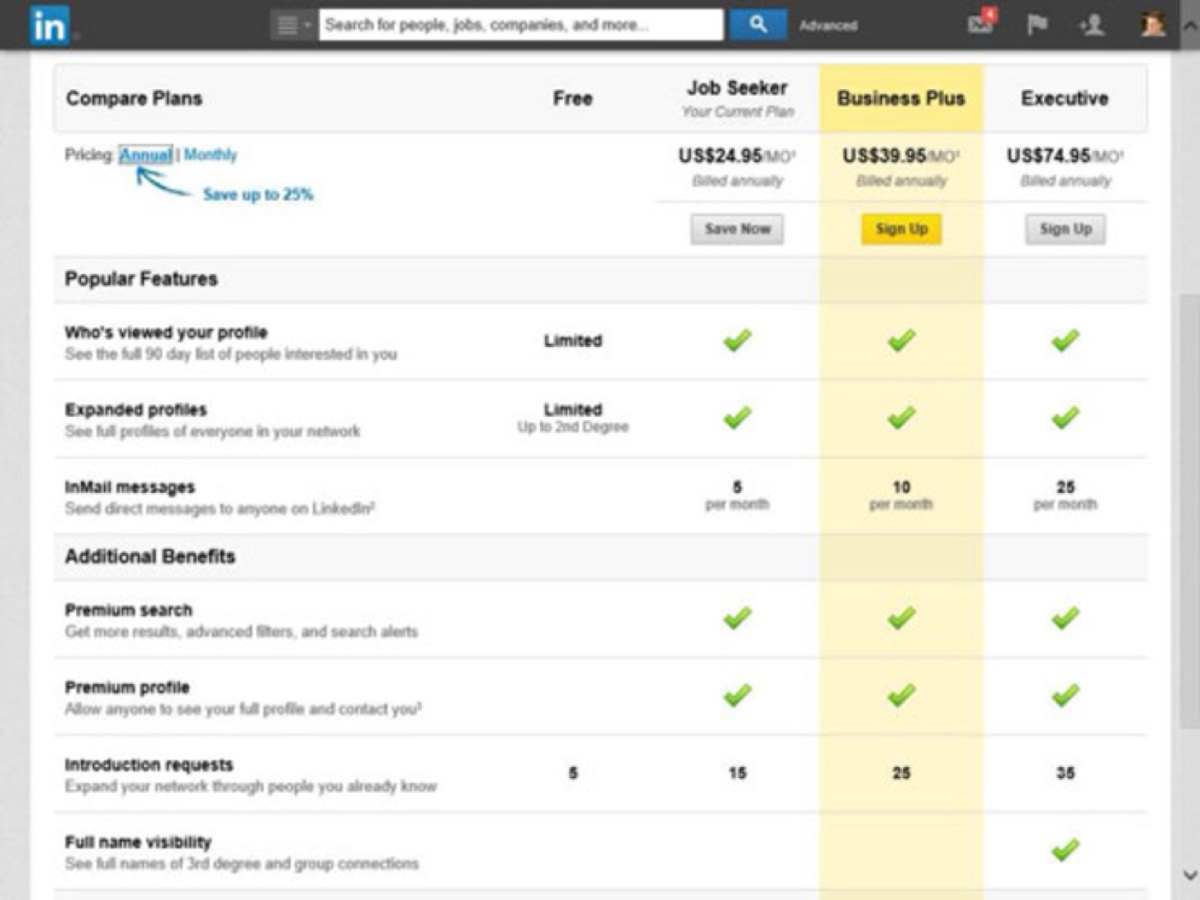
LinkedIn Premium tiers include Career, Business, Sales, and Hiring options. Many offer a free trial period so you can evaluate the features before committing. If your business depends on prospecting or networking, the investment often pays for itself quickly.
26. Save and Monitor Key Searches
When you build a targeted search for the type of prospects you want to reach, save it. LinkedIn's saved search function allows you to return to that search easily and set up alerts when new people matching your criteria join or update their profiles.
This keeps your prospect pipeline consistently active. Without an upgraded account, you can save up to three searches — a reasonable starting point for most businesses.
LinkedIn is one of the most powerful and underutilized marketing platforms available to B2B businesses. With over 467 million total users and 106 million monthly actives, there's a substantial, engaged audience waiting to hear from you.
The key insight from the data: most LinkedIn users are not actively leveraging the platform's marketing features. That represents a significant opportunity. The businesses that do invest consistently in their LinkedIn presence find a channel with higher-quality leads, lower competition, and more trust built in than almost any other platform.
Use the 26 strategies above as a checklist — not as a list you need to implement all at once. Start with the fundamentals (profile, Company Page, regular content), then layer in more sophisticated tactics as your presence grows. The compound effect of consistent, professional LinkedIn activity is substantial over time.
Digital Polo creates LinkedIn banners, Company Page graphics, and professional marketing materials for one flat monthly fee with unlimited revisions. Start for $399/mo → | Soulmate at $899/mo →
Frequently Asked Questions About LinkedIn Marketing
How often should I post on LinkedIn for best results? Consistency is more important than frequency. Posting 3–5 times per week is a solid cadence for most businesses — enough to stay visible without overwhelming your network. Long-form articles can be published less frequently (once or twice per month) but tend to generate more sustained engagement than short-form status updates.
What type of content performs best on LinkedIn? Content that educates, informs, or offers a unique perspective on industry trends consistently outperforms pure promotional content. Case studies, original data, how-to posts, and thoughtful commentary on relevant developments work especially well. Include an image or visual in every post — posts with visuals generate significantly higher engagement.
Is LinkedIn Premium worth the cost for small businesses? For businesses that rely on B2B prospecting, Sales Navigator in particular is often worth the investment. It provides advanced filtering, lead recommendations, and CRM integrations that significantly accelerate outreach efficiency. For businesses with smaller prospecting needs, the free tier covers most essential marketing functions — and upgrading can always wait until you've exhausted what's available for free.
How do I get more followers for my LinkedIn Company Page? Start by inviting your existing connections. Encourage employees to follow and share Company Page updates. Promote your page in email newsletters and on your website with a Follow button. Post consistently high-quality content that earns organic shares — each share exposes your page to a new audience.
What is the biggest LinkedIn marketing mistake businesses make? Hard selling on the first contact. LinkedIn is a trust-first platform. Sending a connection request followed immediately by a sales pitch is the fastest way to get ignored — or reported as spam. Build relationships first, provide value through content, and let your expertise do the selling. The leads that come from this approach are far more qualified and easier to close than cold outreach.